An apartment maintenance software company built from real operations
Invendoory was built with a working apartment operator, starting from that operator’s own paper forms and spreadsheets. It is not a generic work order tool adapted for apartments.




We started with a binder, a workbook and a walk sheet
Invendoory is an apartment maintenance software company with an unusual starting point. We did not begin with a feature list. We began with a working operator’s real paperwork and asked what a tool would have to do to replace it.
That paperwork was a 225-unit inventory workbook holding about 10,000 installed items, a quarterly site-inspection scoring sheet from IPG, a blank A/C/F quarterly inspection form and a paper make ready walk sheet with an 82-item maintenance supply list.
Each of those became part of the product. They are the reason the data model is built around the unit, room by room, and the reason a new organization starts with working templates instead of a blank screen.
10,000 items became the data model
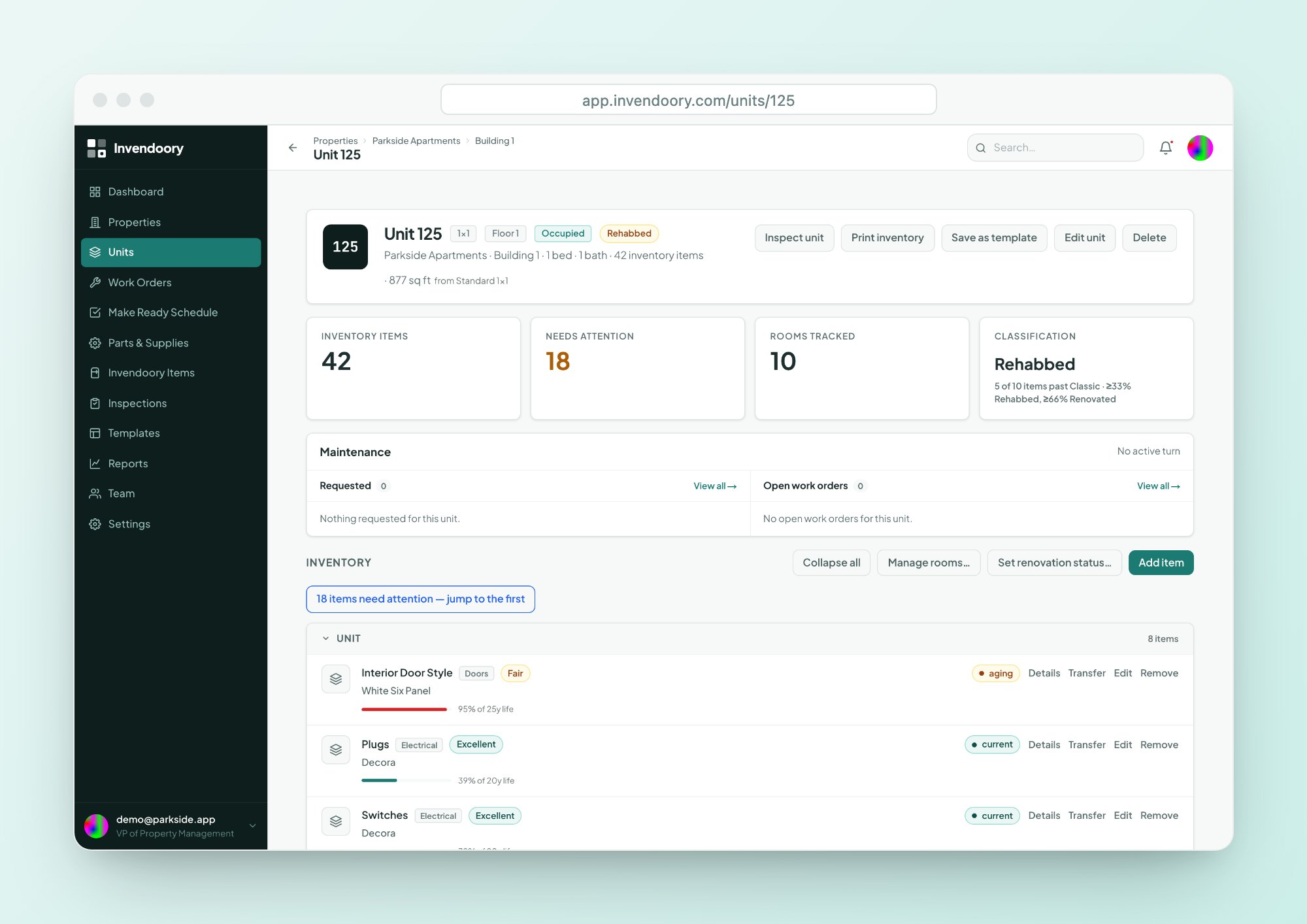
Parkside kept its inventory in a workbook: every appliance, finish and fixture in 225 units, about 10,000 items in all. That workbook set the shape of Invendoory Items, where each unit has rooms and each room has items with make, model, serial, install date and warranty.
See how that record works on the asset inventory page.
- Room by room, unit by unit
- Make, model, serial and install date
- Life used and warranty on each item
Real inspection sheets became the starter templates
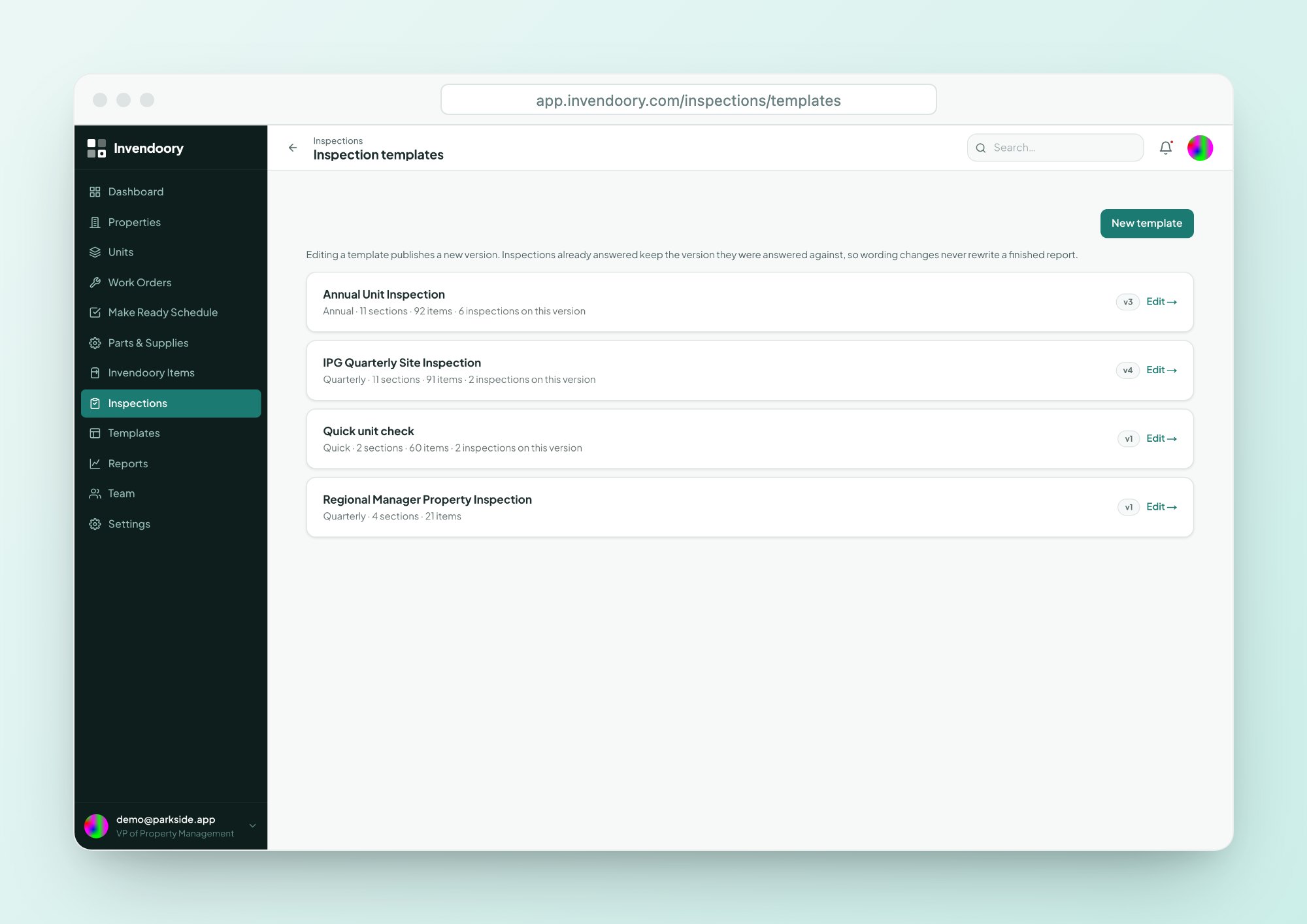
The quarterly site-inspection scoring sheet and the blank A/C/F quarterly form are the source of the inspection templates every new organization starts with. Quarterly Site Inspection, Annual Unit Inspection and Quick unit check come from the operator’s real forms.
You can edit them. Editing a template publishes a new version, and past inspections keep the exact wording they were answered with. Read more about inspections.
- Three starter templates
- Versioned, so past answers stay intact
- Scored sections and areas of concern
A paper make ready sheet became the turn sheet
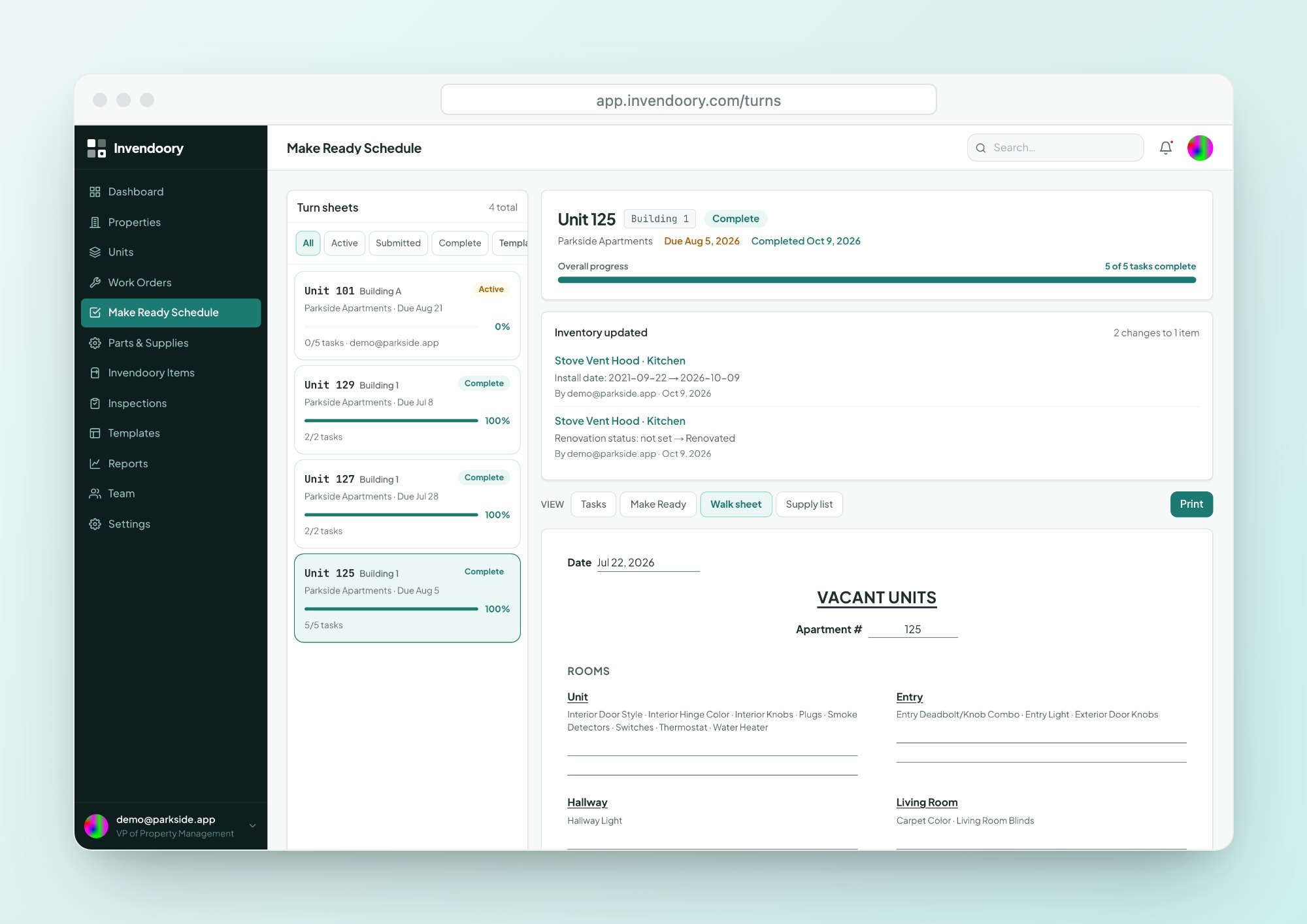
The paper make ready walk sheet came with an 82-item maintenance supply list. Both are in the product today. Each vacant unit gets a turn sheet, and each property gets a supply list that starts from the standard 82 items.
Crews who still want paper can print a walk sheet that lists the unit’s own rooms and what is installed in each. See Make Ready for how a verified turn updates the record.
- One turn sheet per unit, with a due date
- Starts from the 82-item supply list
- Printable paper walk sheet
Why the pieces are connected
A generic property maintenance software tool handles one job. Invendoory treats the work as a loop.
Know what's installed
Every unit’s items, room by room, with photos and dates.
Inspect it
Score the property and its units, and raise areas of concern.
Fix it
Turn concerns into work orders or turn tasks.
The record updates itself
Verify a turn or complete a replacement and the inventory changes, with history.
How we build property maintenance software
A calm, practical tool
The app says “Flag for help”, not something clever. Labels are literal, screens are dense but clean, and nothing pretends to be more than it is.
Accessible by default
Invendoory meets WCAG 2.1 AA, and that is checked automatically on every change to the app, not once before a launch.
Your data leaves with you
Every report exports to CSV and Excel. If you want to check a number or move it to another system, the file is one click away.
Built for multifamily maintenance teams
Invendoory is made for residential apartment and condo operators, from site teams around 500 units up to portfolios of 5,000 units and more.
That is why multifamily maintenance work is described in the words the crew uses: turn, make ready, work order, Critical or Standard. Roles run from Leasing to VP, and each role sees what it needs. Read how it fits each job on the roles pages.
We are keeping this page factual. It does not list founders, locations, customers or funding, because none of that is the reason to pick a maintenance tool. The reason is what the tool does when your crew opens it on a phone.
About Invendoory
Is Invendoory a generic CMMS?
No. It was built with a working apartment operator from that operator’s own inventory workbook, inspection sheets and make ready walk sheet. The data model is the unit, room by room, rather than a generic list of assets and work requests.
Which paper forms did the product start from?
Parkside’s 225-unit inventory workbook with about 10,000 items, the IPG quarterly site-inspection scoring sheet, a blank A/C/F quarterly inspection form and a paper make ready walk sheet with an 82-item supply list. They became the starter templates.
Who is Invendoory for?
Residential apartment and condo operators, from site teams of about 500 units up to portfolios of 5,000 units or more. Property managers, maintenance supervisors, technicians and regional or VP roles each get a view built for their job.
Does Invendoory meet accessibility standards?
Invendoory meets WCAG 2.1 AA, and the app is checked automatically for it on every change. It is also designed down to phone width with large tap targets, so a technician can use it in the field.
Can I take my data with me?
Every report exports to CSV and Excel. That covers report data, not a full backup of the account. If you need something specific, ask us before you decide.
How do I see it working?
Open the live demo. It is a working account with sample apartment data, needs no signup and holds no customer data. You can also contact us to talk through your portfolio.
See what we built from the paperwork
Open the demo and look at a completed turn sheet, or tell us about your portfolio.