Turns, work orders and inspections on time, without chasing people
An apartment maintenance supervisor answers for the crew’s output, the capital budget and the liability when something fails. Invendoory shows you who is doing what right now, what is coming due and how much life is left in every asset.
What an apartment maintenance supervisor is held to
You are asked for four things at once. Keep the crew productive and not buried in paperwork. Forecast which appliances will need replacing so the capital request is not a surprise. Keep the property out of trouble when a water heater fails or an inspection is missed. And get every vacant unit rent-ready by its due date.
Most of that depends on information you do not have in one place. The turn status is on a whiteboard, the inspection schedule is in a calendar, and the age of the water heaters is in someone’s memory.
Centralized maintenance means the schedule, the crew and the assets sit in one record you can open on your phone.
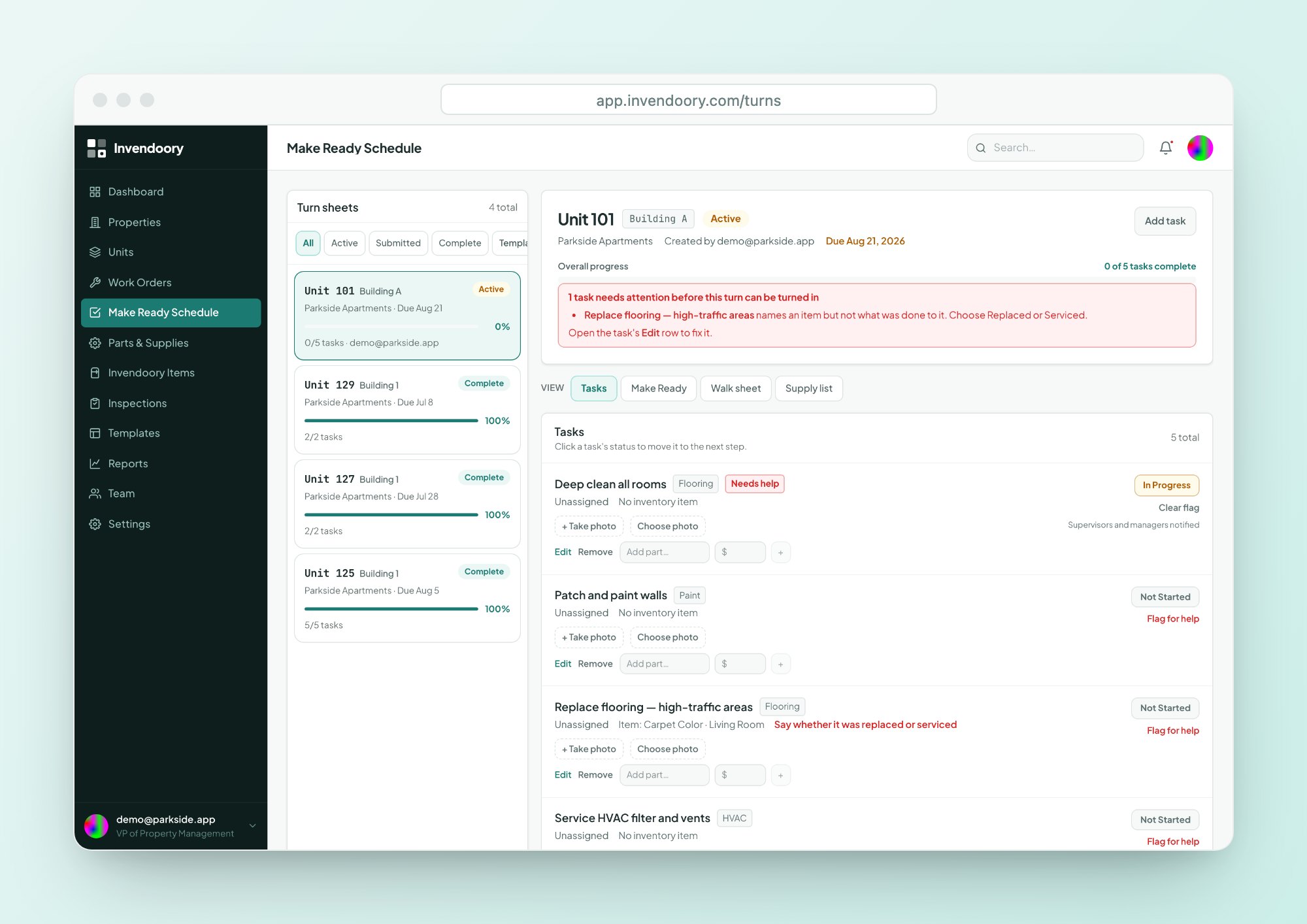
Assign and track turn sheets live
Each vacant unit gets one turn sheet with a due date. Start it from a turn template or from a Make Ready template captured from a real unit, then assign tasks to your technicians.
Progress shows up immediately across open screens. If a tech uses Flag for help, you are alerted. See the full Make Ready module.
- Tasks move from Not Started to In Progress to Complete
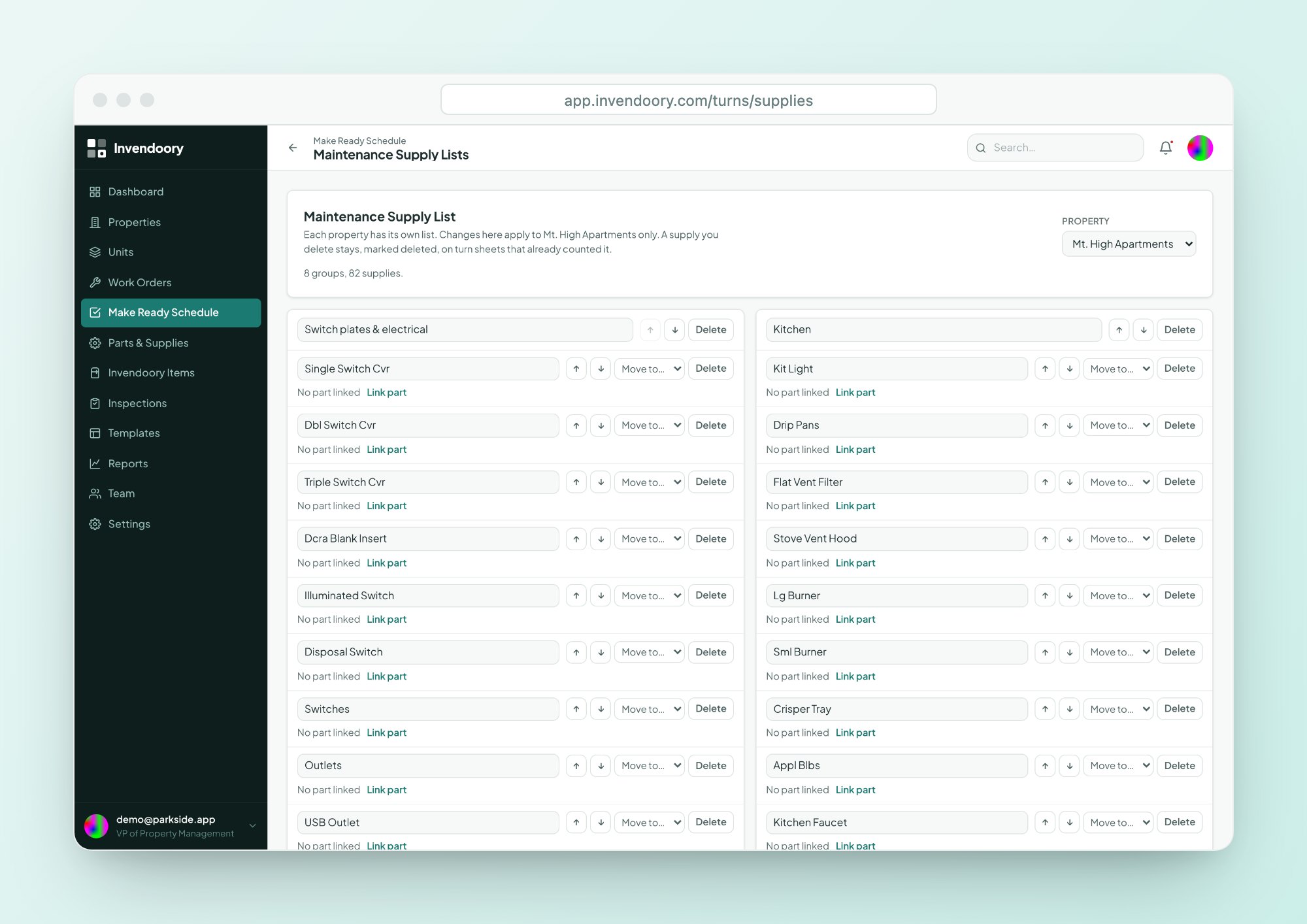
- Parts lists add a kit to a task in one step
- Write-in supplies trigger a reminder when the sheet is turned in
- Printable paper walk sheet for crews that want paper
Triage requests and assign work in one list
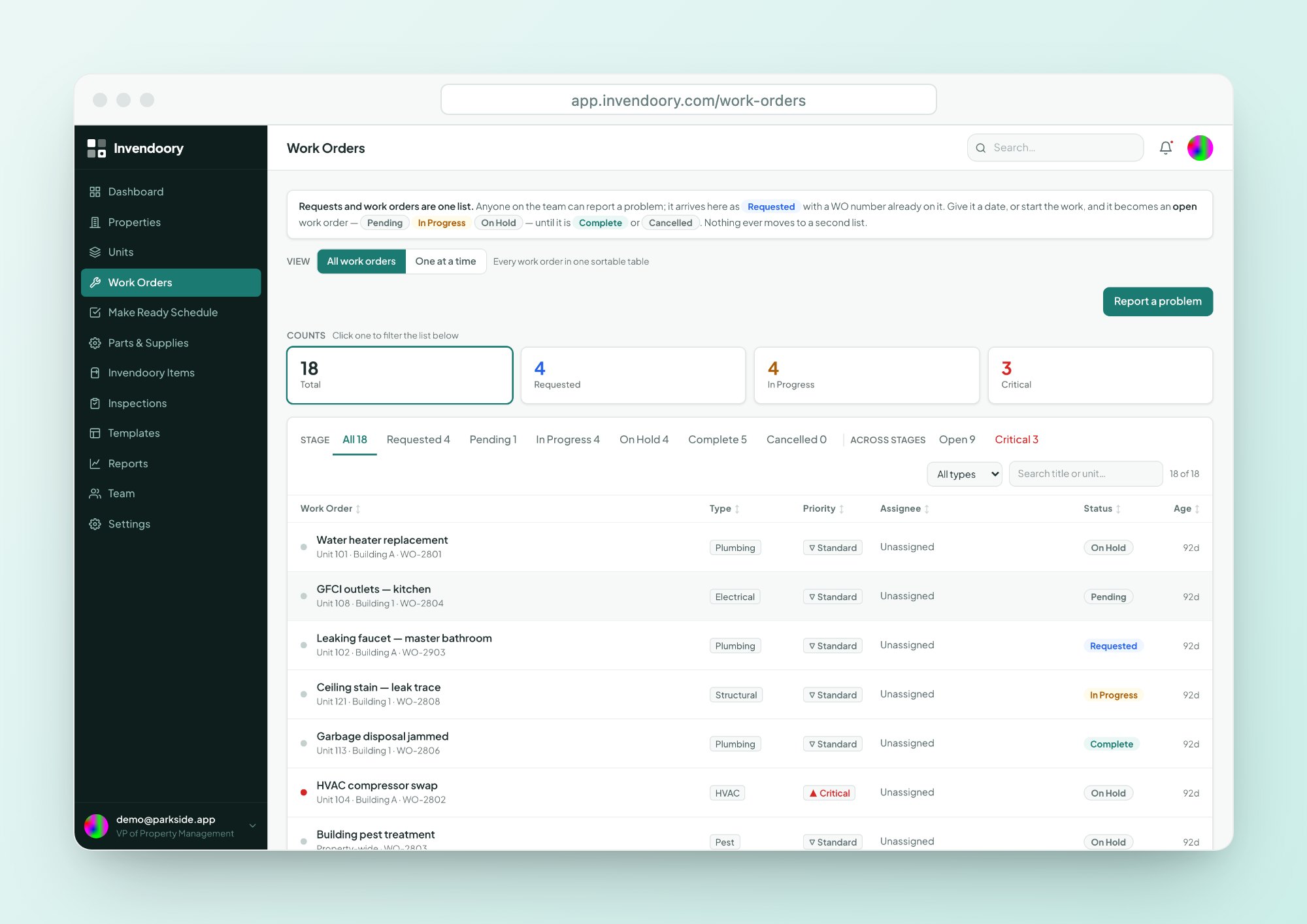
Requests and work orders share one list and one lifecycle: Requested, Pending, In Progress, On Hold and Complete. You triage what is untriaged, set Critical or Standard priority and assign a technician.
On Hold and Cancelled require a note, so the reason is always on the record. Learn more about work orders.
- Smart suggestions catch likely duplicate requests
- Linked to the unit and the specific appliance
- Estimated and actual hours on each order
- Notified when an order is completed
Inspection scheduling and overdue notifications
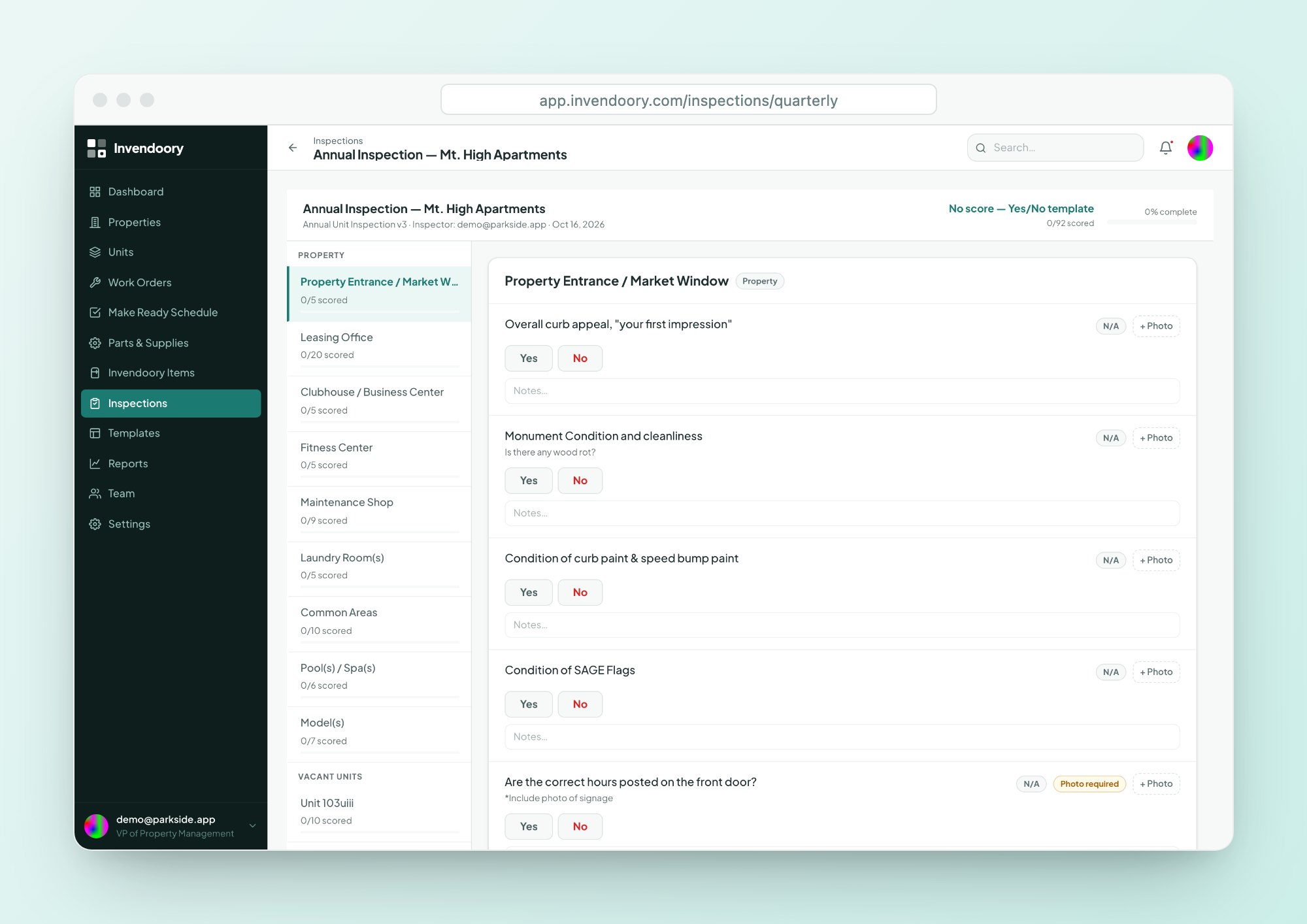
Create quarterly, annual and quick inspections and schedule them for a full property, sampled units, a single unit or hand-picked units. Managers are notified when an inspection is due within 7 days or overdue.
When a rating comes in low, an area of concern is raised, and you can convert it to a work order or turn task in one step. Read about inspections.
- Quarterly, Annual and Quick templates
- Due-within-7-days and overdue notifications
- Concerns convert to work orders or turn tasks
Parts on the shelf, and life left on every asset
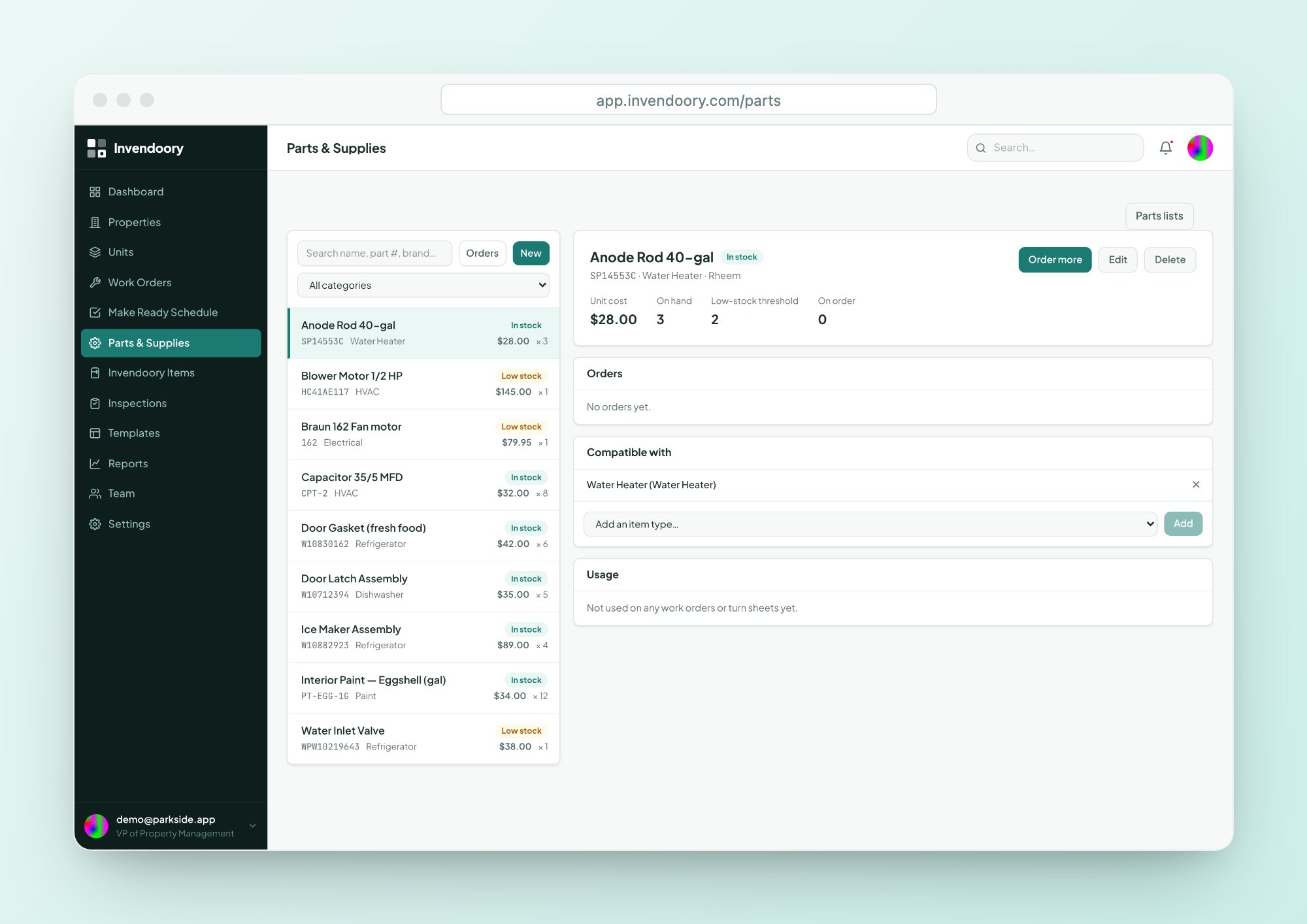
Parts stock and low-stock alerts
Every part has stock on hand and a low-stock threshold. You get an alert when a part runs low, goes out of stock or is discontinued.
- In stock, Low or Out status at a glance
- Order, then receive to add to stock
- Usage history for each part
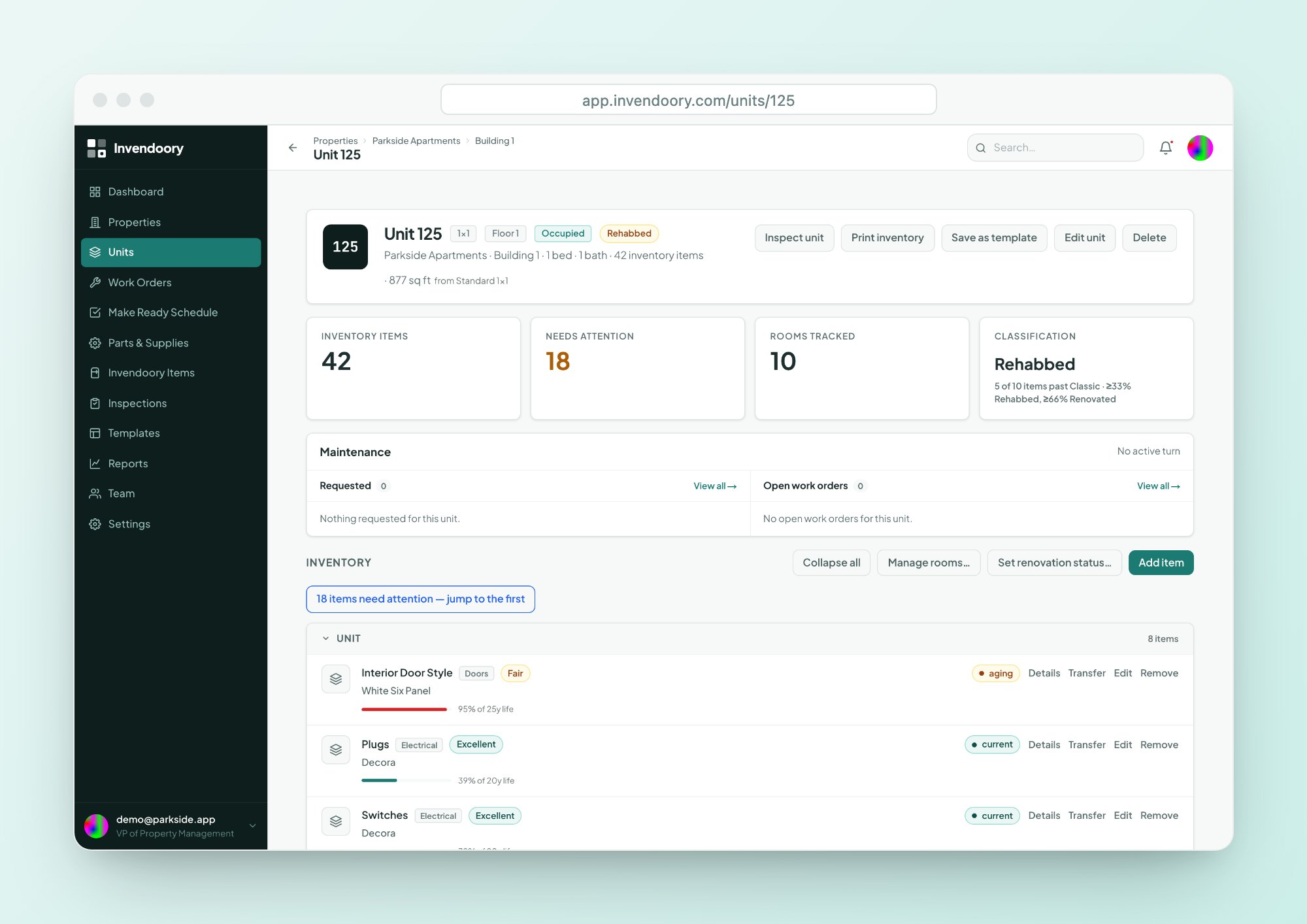
Remaining life for capital planning
Every item shows a life-used bar and years left, so you can see which water heaters and ranges are approaching the end of their expected life.
- Green under 60%, amber 60 to 80%, red above 80%
- Repair, Monitor or Replace guidance from fixed rules
- Warranty badge, with a heads-up 30 days before expiry
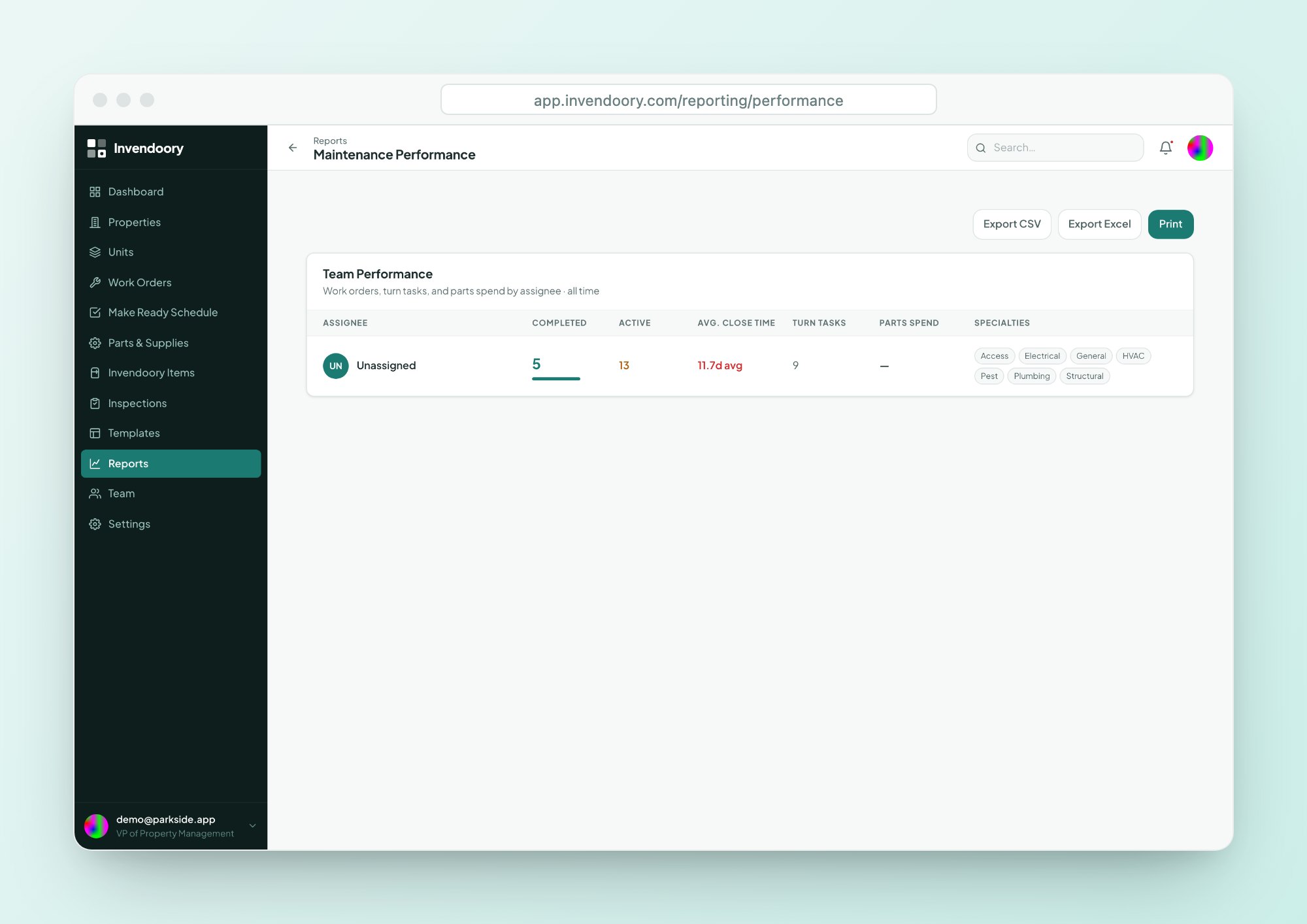
See how each technician is doing with the Maintenance Performance report
The Maintenance Performance report gives you maintenance KPIs for each technician, from real work rather than a gut feeling. Use it for coaching, workload balancing and capacity planning.
It exports to CSV and Excel, so you can take the numbers to your regional. See all reports.
- Work orders completed
- Active work orders
- Average close time
- Turn tasks and parts spend
A record that holds up when something goes wrong
When a resident disputes a charge or an insurer asks what was installed, the history is already there. Each item keeps a timeline of installs, transfers, notes and replacements, and chargebacks are audited and locked after 30 days.
Photos on inspections carry capture timestamps, and an “By model” view finds every unit with a recalled appliance.
- Item history timeline
- Timestamped inspection photos
- Audited chargebacks, locked after 30 days

Questions supervisors ask
Can I assign turn tasks to specific technicians?
Yes. Supervisors create turn sheets, assign tasks and set due dates. Technicians get one digest notification for assigned tasks, work them from Not Started to Complete and turn the sheet in. A property manager then verifies it or sends it back with a reason.
Which notifications will I get?
Supervisors are notified of new requests, completed work orders, tasks flagged for help, sheets turned in, supplies written in, low or out-of-stock parts and discontinued parts. Managers also see inspections due within 7 days or overdue. Each person can switch categories on or off.
What does the Maintenance Performance report show?
For each technician it shows work orders completed and active, average close time, turn tasks and parts spend. It exports to CSV and Excel, so you can review it with your property manager or regional.
How do I forecast replacements?
Each item has an install date and expected life, shown as a life-used bar and years left. The units table can add a column per category, so you can scan a property for the oldest water heaters or ranges.
Does it work on my phone?
Yes. It is a web app designed down to phone width, with 44-pixel tap targets and camera capture, and nothing to install. It does need a data connection.
Run your next turn from one screen
Open the live demo with sample data, no signup required, and assign a turn sheet yourself.