Apartment make ready that updates the unit's inventory
Give every vacant unit one turn sheet with assigned tasks and a due date. When a manager verifies it, supplies come out of stock and replaced items go into the unit’s record.
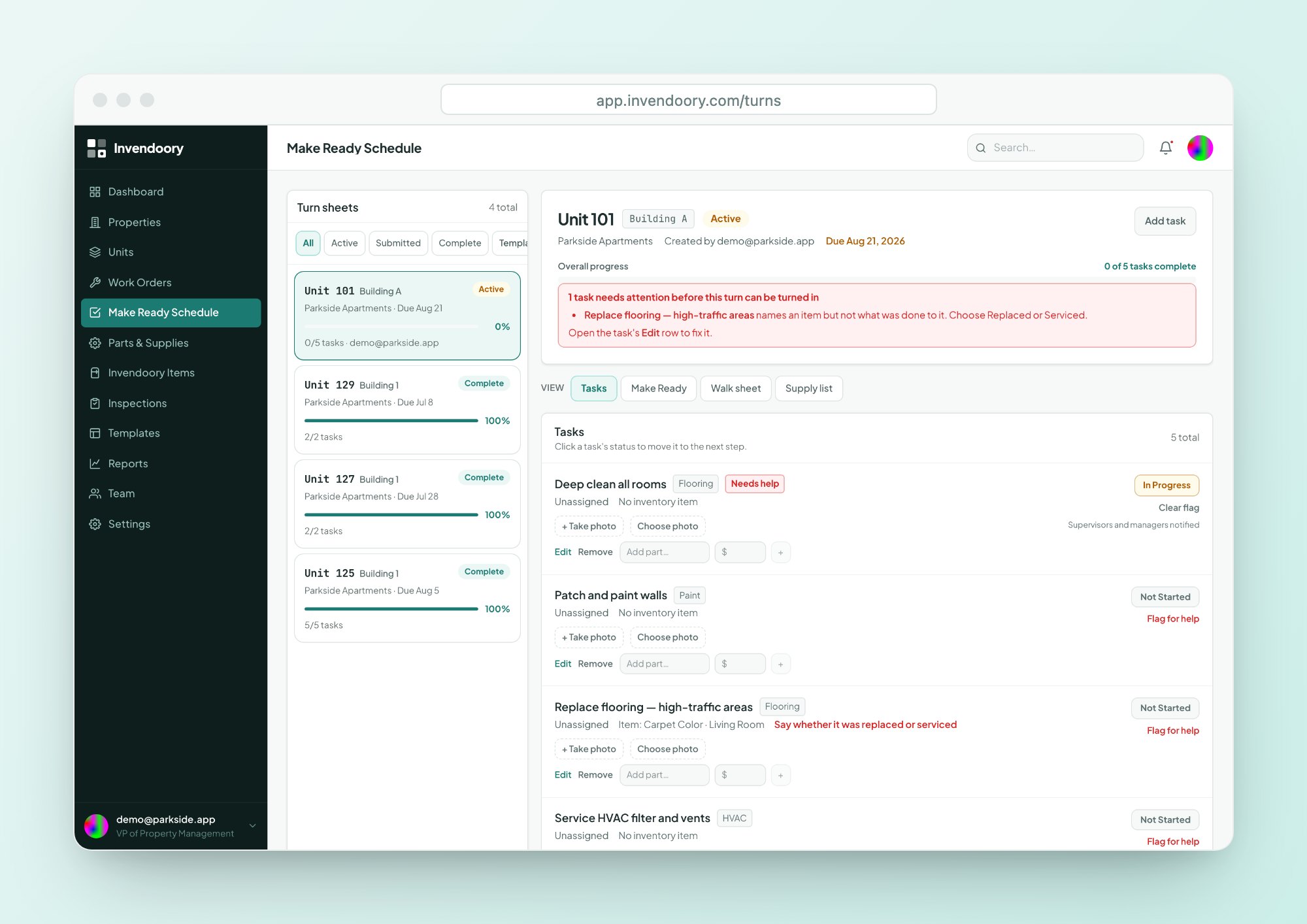
The make ready whiteboard has run out of room
Plenty of teams still run apartment make ready from a whiteboard in the maintenance shop. Units are listed in marker, tasks are initialed, and a photo of the board is the record. When the board is wiped, so is the history.
The whiteboard can’t tell you which supplies went into a unit, which appliance was swapped or why a turn ran late. Invendoory replaces it with a live turn schedule that does all three, and keeps a paper walk sheet for crews who want one in hand.
A turn sheet that starts from a template
Every turn sheet belongs to one unit and has a due date. Start it from a turn template, which is a reusable task list, or from a Make Ready template, which is a room-by-room spec matrix captured from a real unit.
The Make Ready Schedule shows every active turn at once, so a supervisor sees the whole turn schedule without walking the shop. Changes appear immediately across open screens.
- Turn template: a reusable task list
- Make Ready template: a room-by-room spec
- Live progress across every open screen
From assigned task to verified turn
Make ready software works only if the crew and the office use the same sheet.
Assign
A supervisor creates the turn sheet and assigns tasks. Techs get their tasks as a single digest.
Work
Techs move each task from Not Started to In Progress to Complete, with notes and phone-camera photos.
Turn in
Any tech can turn in a finished sheet. Techs can’t complete it, because that is the manager’s call.
Verify
A property manager verifies the sheet, or sends it back with a reason.
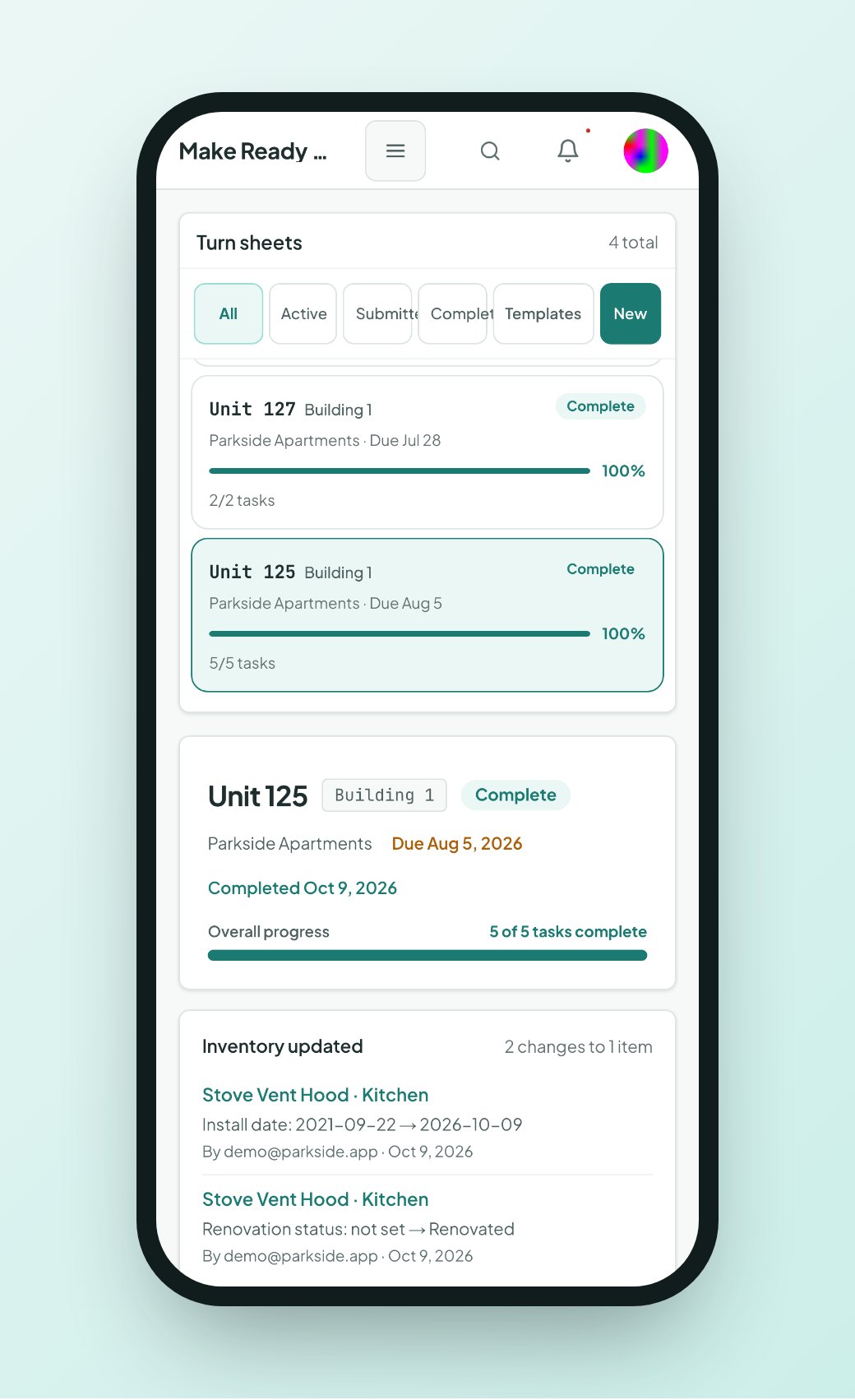
Techs work the sheet from their phone
Each tech sees their assigned tasks, adds notes and photos, and marks outcomes. If they’re stuck, Flag for help alerts the supervisors right away.
For every item task, a tech marks the item Replaced, with the part that went in, or Serviced. That choice is what feeds the inventory later. It runs in the browser on a phone, with 44px tap targets and nothing to install.
- Not Started, In Progress, Complete
- Flag for help alerts supervisors
- Replaced (with the part) or Serviced on each item
Verify once, and the bookkeeping is done
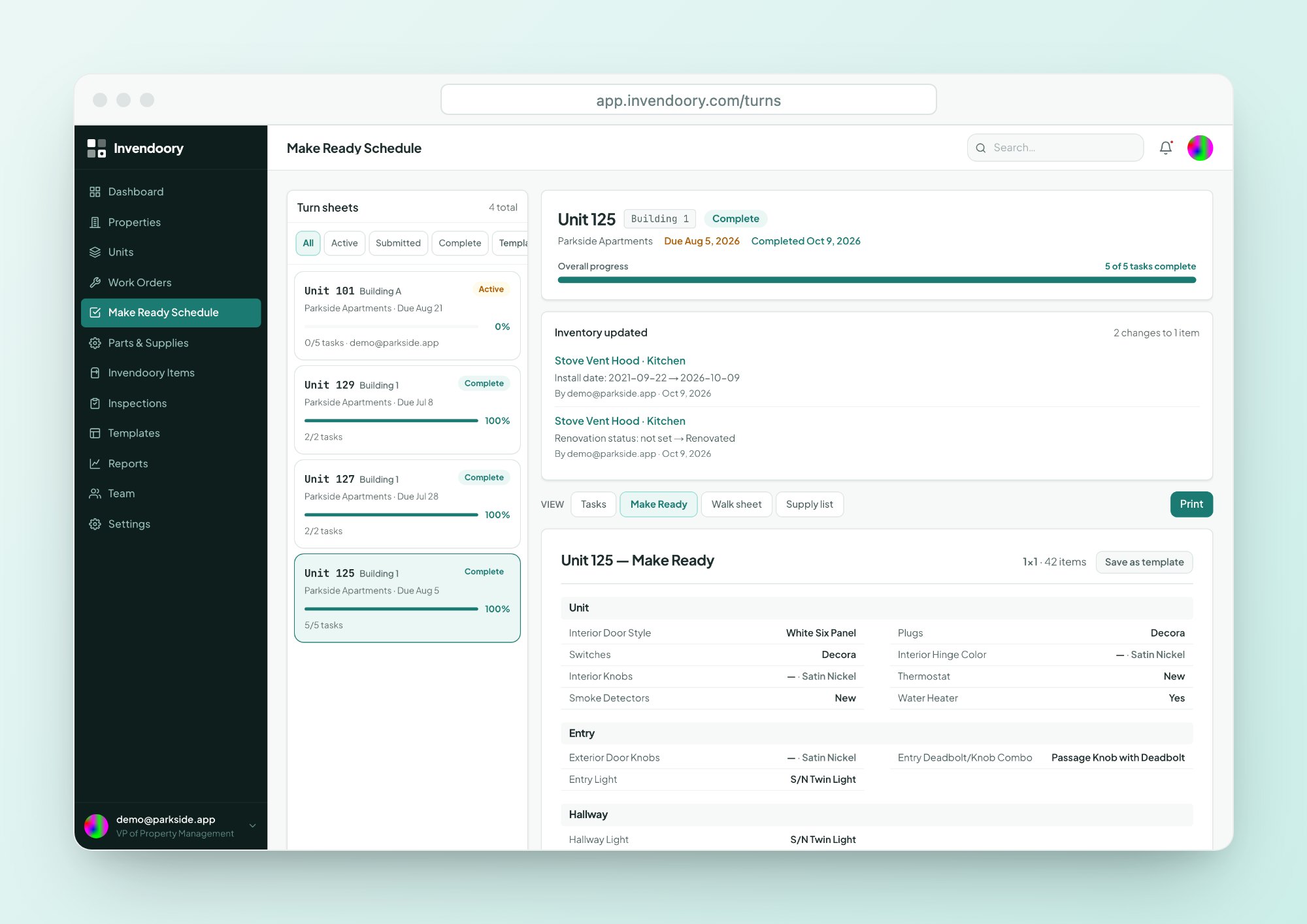
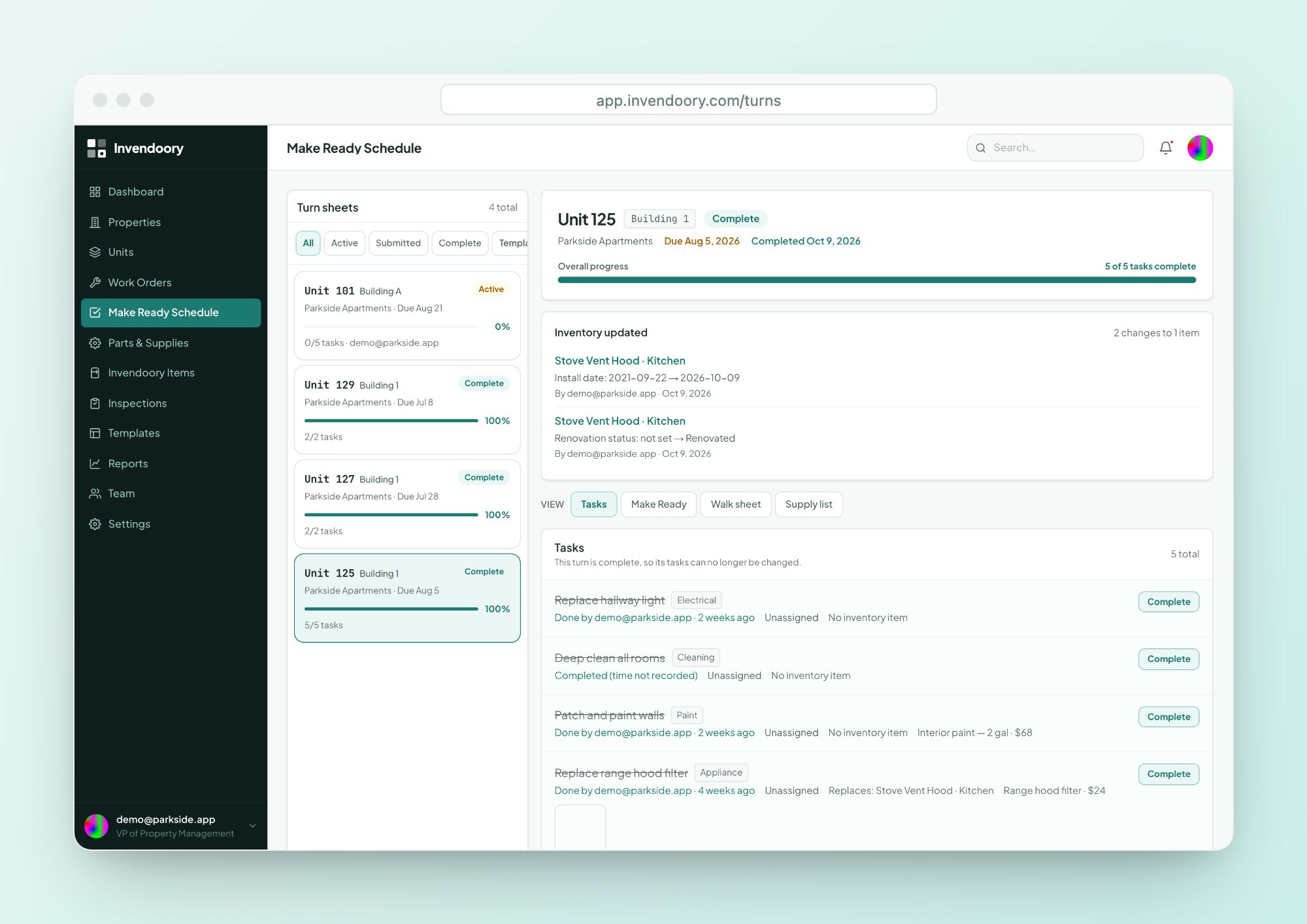
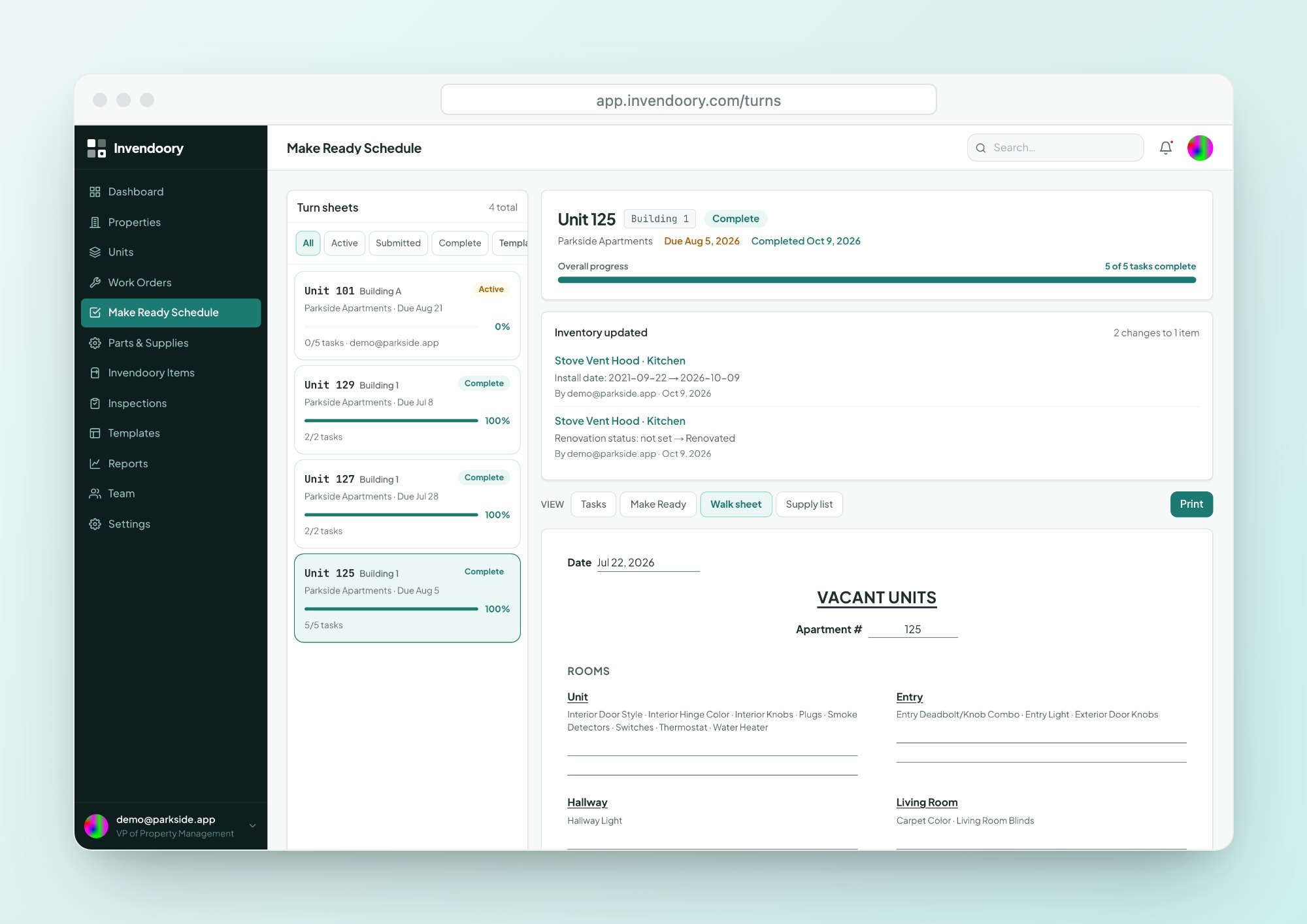
When the property manager verifies a sheet, three things happen in one step. Used supplies come out of stock. Replaced items become new installs in the unit’s inventory, with today’s date and the part’s make and model. The sheet shows Inventory updated, and each item’s history records the change.
That is the difference between make ready maintenance on paper and in Invendoory. The next inspection, insurance report or prorated charge sees the new range, not the old one.
- Supplies leave stock automatically
- Replaced items become new installs, dated today
- Each item’s history records the change
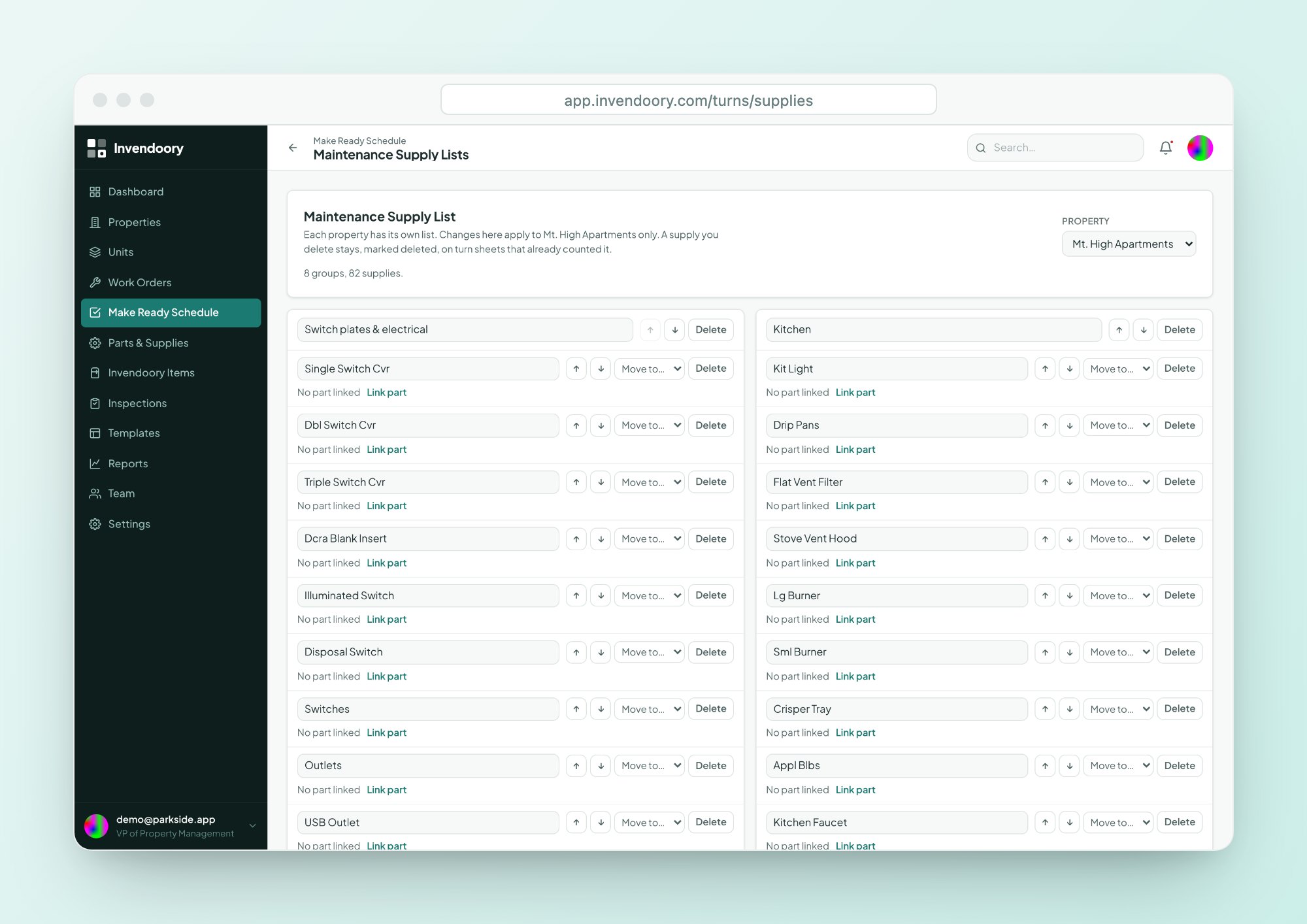
An 82-item supply list that ships built in
Each property gets a Maintenance Supply List that starts from a standard 82-item list taken from a real make ready sheet. You can link entries to parts so stock counts stay current.
If a tech uses something that isn’t on the list, they can write in up to 6 supplies, and supervisors get a reminder when the sheet is turned in. See Parts & Supplies for the full list and ordering.
- Starts from a standard 82-item list
- Link entries to parts
- Write in up to 6 extra supplies per sheet
A printable walk sheet for crews who want paper
Some crews walk a unit with a clipboard, and that’s fine. The printable walk sheet lists the unit’s own rooms and what is installed in each, plus the paper supply form.
The techs fill in the paper, and the office keys it into the same turn sheet. Closed sheets keep their full record even if people or items are later deleted, so a turn from last spring still reads the way it did.
- Lists the unit’s rooms and installed items
- Includes the paper supply form
- Closed sheets keep their full record
The numbers behind the sheet
Turns feed the rest of the platform
Concerns raised in an inspection can become turn tasks. Replacements written back by a verified turn keep the asset inventory current. Supplies used reduce stock in parts. For the full loop, start at the platform overview.
Supervisors see how turns are going on the dashboard’s Turns Completed trend, and the Maintenance Performance report breaks turn tasks out per technician.
Make ready questions
Can we still use a whiteboard alongside it?
You can, but you won’t need to. The Make Ready Schedule shows every active turn with its due date and progress, updated live. Everyone works from the same sheet, so the board is no longer the record.
Why can't techs complete a turn sheet?
Techs turn in a finished sheet, and a property manager verifies it or sends it back with a reason. That second look matters because verification is what updates the unit’s inventory and takes supplies out of stock. It keeps wrong data out of the record.
Can we use our own turn checklist?
Yes. Create a turn template, which is a reusable task list, or capture a Make Ready template from a real unit, which stores a room-by-room spec. New sheets can start from either, and you edit tasks on the sheet itself.
What if a tech uses a supply that isn't on the list?
They write it in. Each sheet allows up to 6 write-in supplies, and supervisors get a reminder when the sheet is turned in, so they can decide whether to add the item to the property’s supply list.
Does it work for crews that prefer paper?
Yes. Print the walk sheet, which lists the unit’s rooms, installed items and the paper supply form. Someone then enters the results into the turn sheet. Invendoory is a web app that needs a connection, so paper is the fallback for dead zones.
Verify a turn and watch the inventory change
Open the live demo, find a completed turn sheet and see Inventory updated. No signup, sample data only.