Property inventory software that knows what's in every unit
Invendoory Items records every appliance, finish and fixture room by room, with make, model, serial, install date, warranty and photos. It stays accurate because finished work writes back to it.
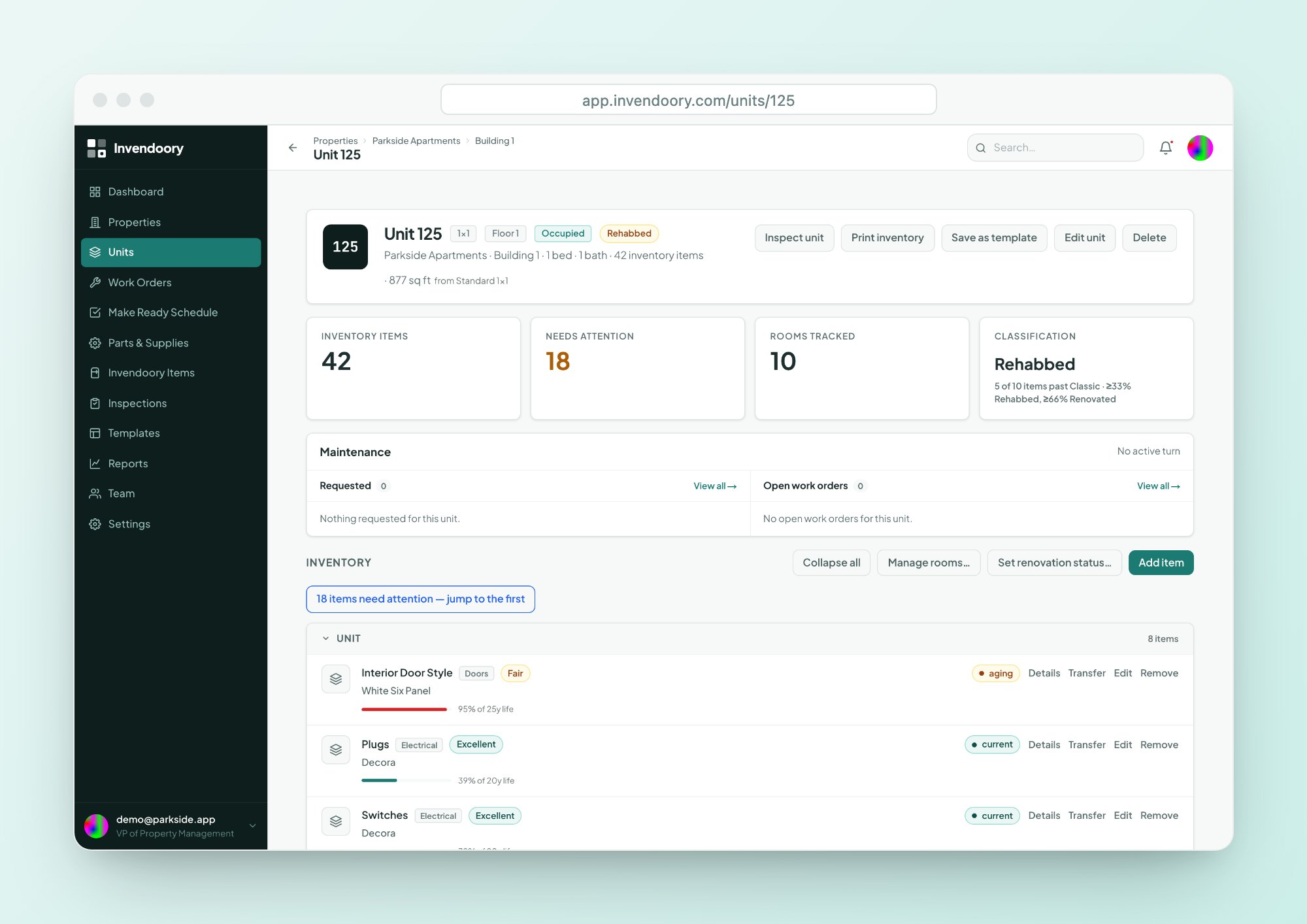
Nobody can say what's in unit 214
Ask a maintenance supervisor what water heater is in a unit, and the honest answer is usually, I’d have to go look. The details are in an inventory workbook that was last touched at a quarterly audit, or in a binder, or nowhere.
That gap costs real money. Warranties expire unnoticed. A recalled model sits in twenty units and nobody knows which. A resident disputes a carpet charge and you can’t prove when the carpet went in. Property inventory software only helps if the record is complete and stays current, and that is what Invendoory is built for.
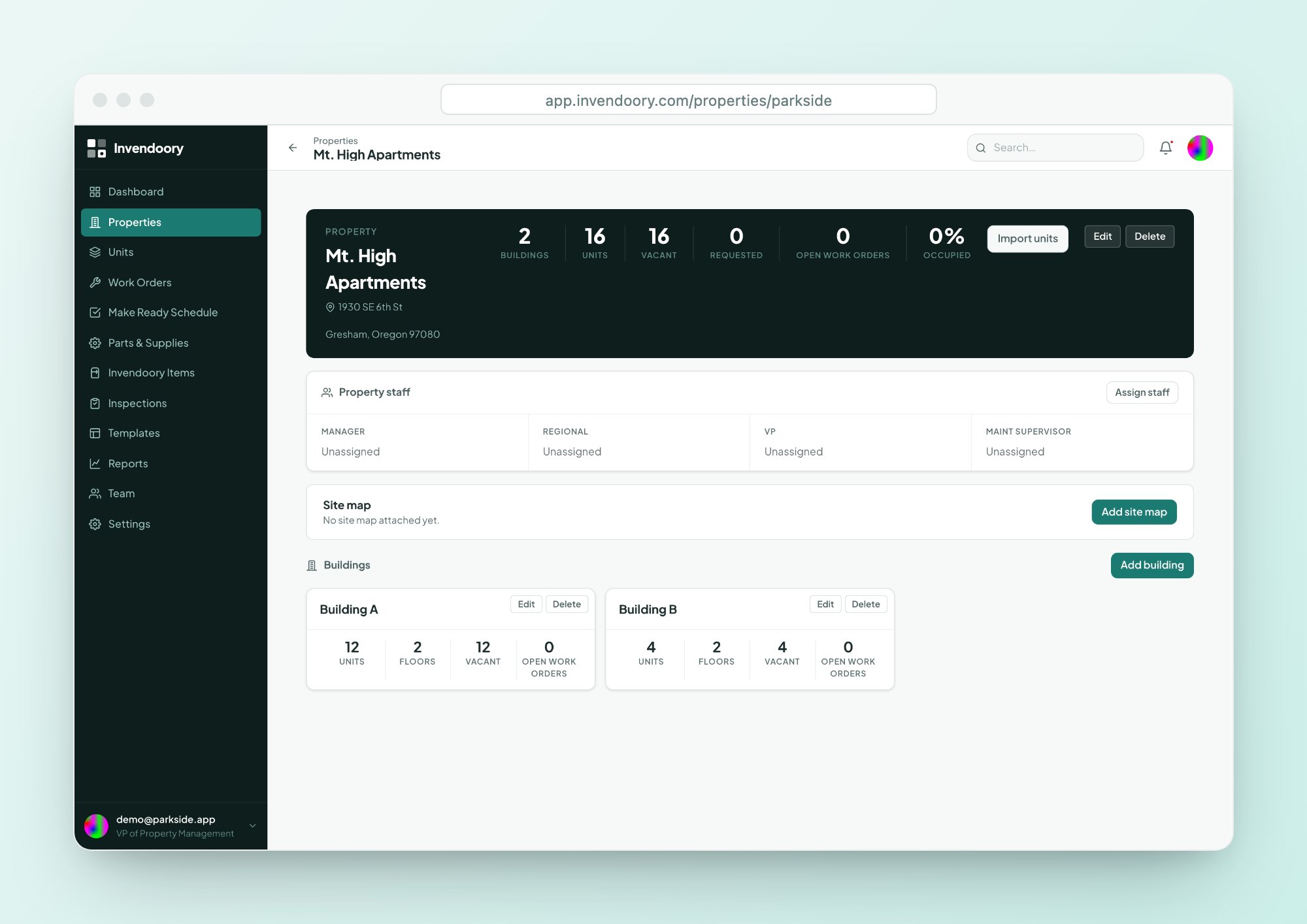
Every unit, room by room
Each unit’s items are grouped under its rooms: Kitchen, Main Bath, bedrooms, Living and so on. You can add, rename, measure and reorder rooms to match the floor plan.
Unit templates pre-load a floor plan’s rooms and expected items, so a new unit starts with a useful unit inventory instead of a blank page. The unit page also shows its classification, which Invendoory works out as Classic, Rehabbed or Renovated from the renovation status of its items.
- Rooms you can add, rename, measure and reorder
- Unit templates pre-load rooms and expected items
- Classic, Rehabbed or Renovated, worked out automatically
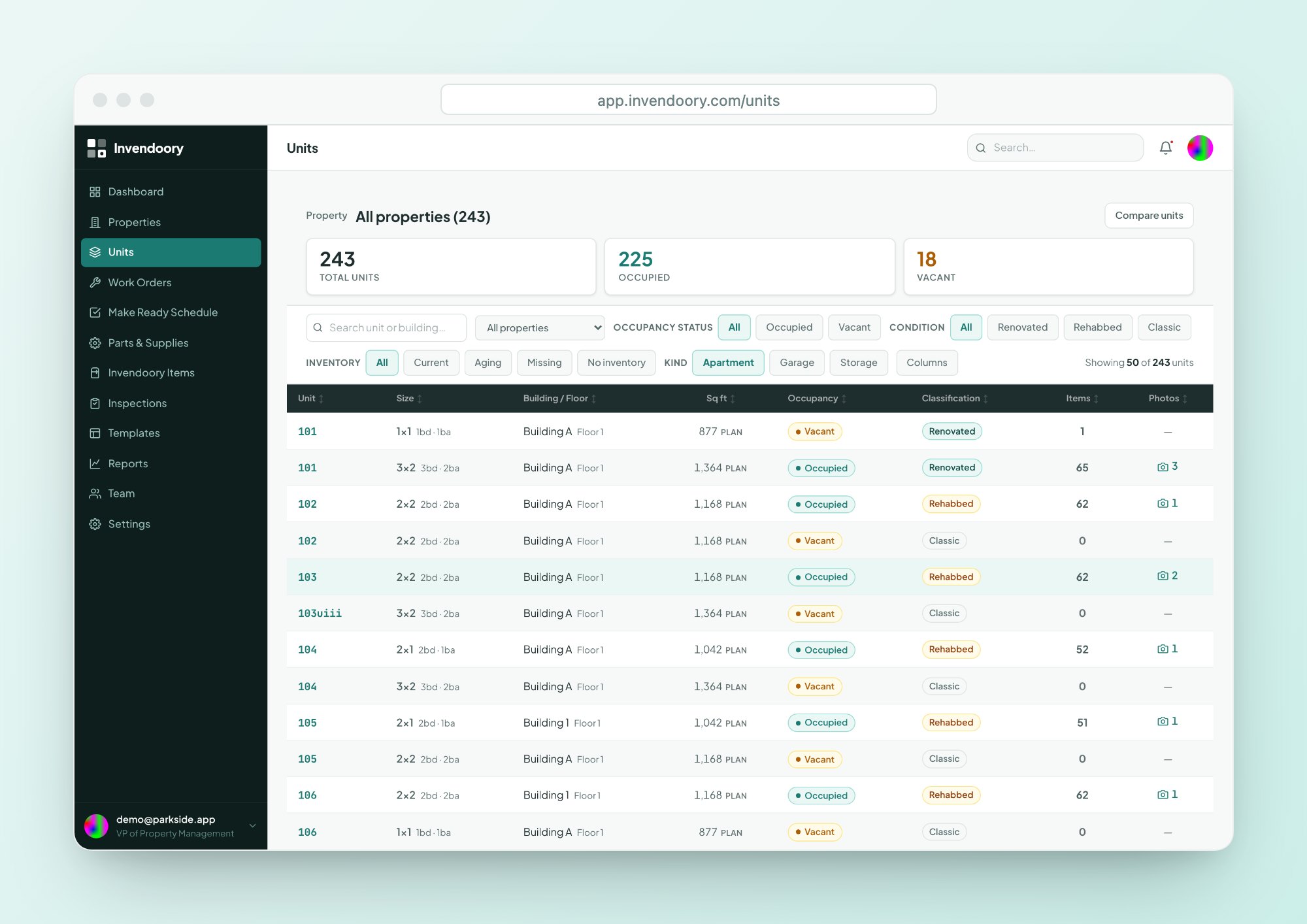
Everything you'd want to know about an appliance
This is appliance inventory software with the detail a supervisor actually needs when something breaks.
Identity and condition
Item type, category, make, model and serial. Condition runs Excellent, Good, Fair or Poor, and renovation status is Classic, Rehabbed or Renovated.
- Finish or color
- Notes on every item
Dates and sourcing
Install date, warranty expiry and expected life, plus the supplier, SKU, supplier link and the vendor who installed it.
- Warranty badge on each item
- Installed by (vendor)
Category details
Some items carry extra fields. Water heaters record type, gallons and whether the tank is properly strapped. Disposals record horsepower, and blinds record size.
- Gas, electric, tankless or heat pump
- Horsepower and size fields
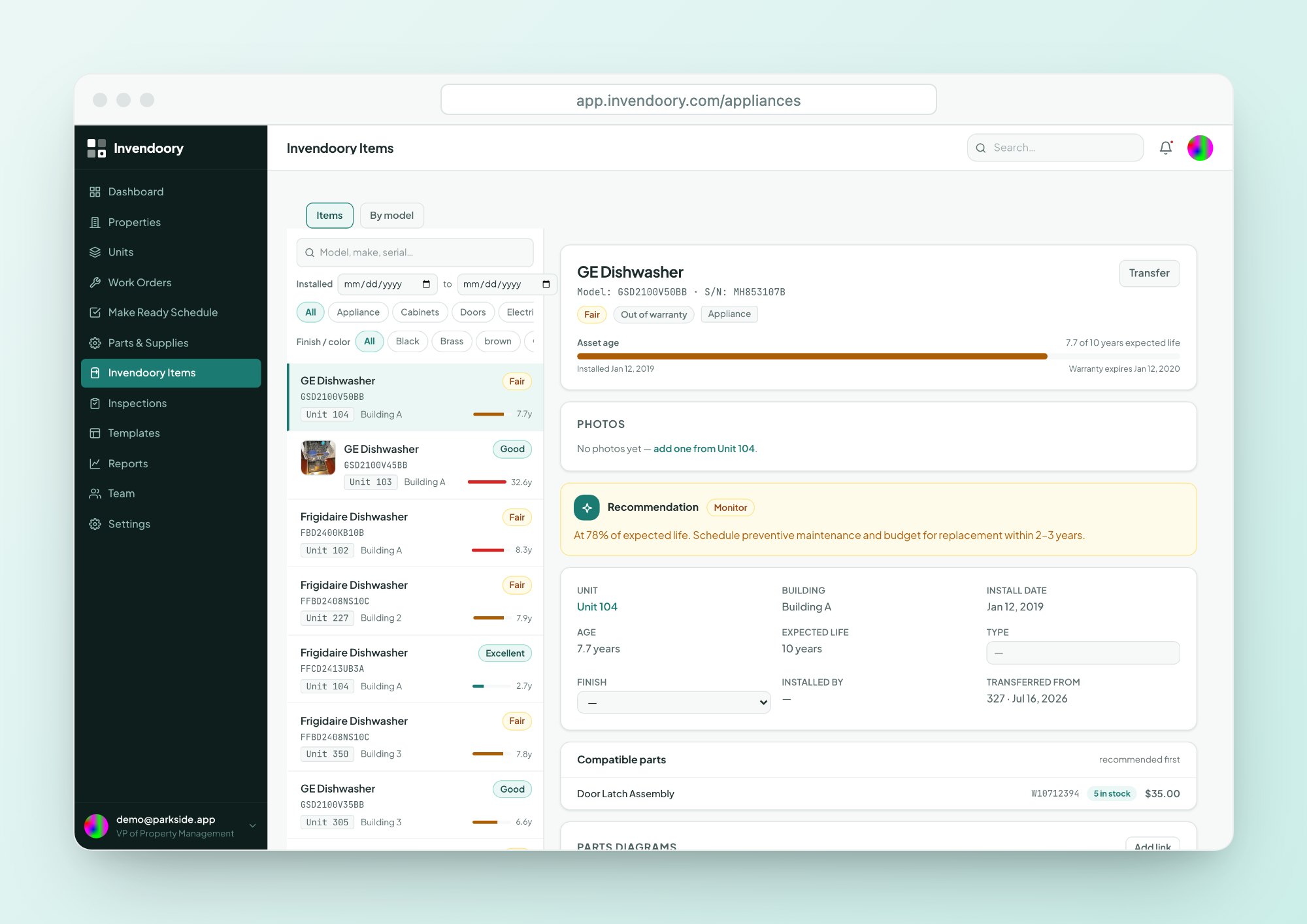
See how much life is left, and when the warranty ends
Every item shows a life-used bar, which is its age divided by its expected life. It is green under 60%, amber from 60 to 80% and red above 80%, so you can see at a glance which appliances are nearing the end.
A warranty badge shows whether an item is under warranty, recently expired or out of warranty. As a warranty tracker, Invendoory also sends a heads-up starting 30 days before a warranty runs out, to property managers and VPs. Repair, Monitor or Replace guidance comes from fixed age and condition rules, not guesswork.
- Life-used bar and years left on every item
- Heads-up 30 days before a warranty expires
- Repair, Monitor or Replace from fixed rules
Find any item across every property
Invendoory Items searches the whole portfolio by item, make, model, serial, color or vendor. Filter by category, finish, install date and property.
The By model view lists every unit that has a given make and model, which is what you need when a manufacturer announces a recall. Use the same search to compare a finish across buildings before a bulk order.
- Search by make, model, serial, color or vendor
- By model view for recalls
- Compare 2 to 4 units side by side
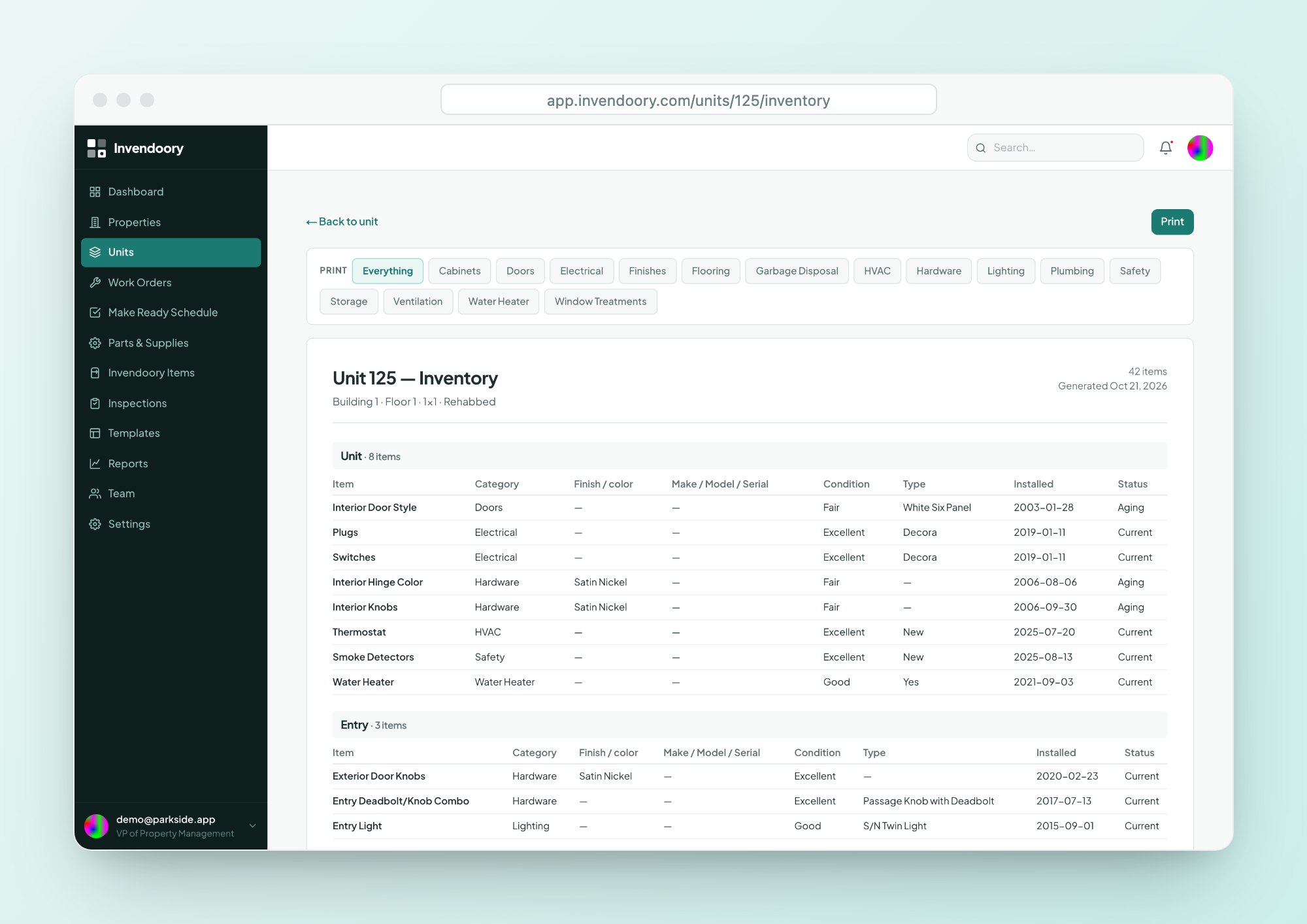
Photos, a full history, and a printable copy
Attach up to 20 photos per item, tagged as serial plate, condition, receipt, installed or damage. Phone photos are accepted as they come off the camera.
Each item keeps a history timeline: when it was installed, any transfers between units, notes, replacements made through work orders and updates from turns. You can print a unit’s inventory, filtered by category, for a walk-through or a file.
- Tags: serial plate, condition, receipt, installed, damage
- Timeline of installs, transfers, notes and replacements
- Print a unit’s inventory by category
Specifics, not slogans
The record updates itself
A static list goes stale. Here, when a property manager verifies a turn sheet, replaced items become new installs in the unit’s inventory with today’s date and the part’s make and model. Completing a replacement work order updates the appliance’s make, model, serial, value and warranty.
That is how this asset inventory software stays trustworthy. Inspections can also include an inventory-verification pass that confirms each item or flags a discrepancy. See Make Ready, work orders and inspections for how each one writes back.
Asset inventory questions
How do we get our existing inventory in?
Units import self-serve from a CSV or Excel file, and the columns are matched for you. Item-level inventory is a service: the Invendoory team converts your inventory spreadsheets. We turned a real operator’s 225-unit workbook into about 10,000 item records. See onboarding for the process.
Can it scan a barcode or photo of the serial plate?
No. There is no barcode, QR or photo-to-add feature. You enter make, model and serial by hand, and smart suggestions catch typos and duplicates while you type. You can attach a photo of the serial plate to the item as a tagged photo.
How does the warranty tracker work?
Each item has a warranty expiry date and a badge showing under warranty, recently expired or out of warranty. Property managers and VPs get a notification starting 30 days before expiry, continuing up to 30 days after, in the app and by email.
Do garages and storage count as units?
No. Garages and storage are tracked as their own spaces linked to an apartment, so they do not inflate your unit or vacancy counts. You can still record items in them the same way.
Can we print a unit's inventory?
Yes. You can print a unit’s inventory room by room, filtered by category, through your browser. Report exports are CSV and Excel, and most reports can be printed the same way.
Open a unit and see the inventory for yourself
The live demo has sample apartments with items, photos and history. No signup, no customer data.