Apartment maintenance software built around one record of every unit
Invendoory ties asset inventory, inspections, Make Ready turns, work orders and parts to the same room-by-room record. Finish the work, and the record updates itself.
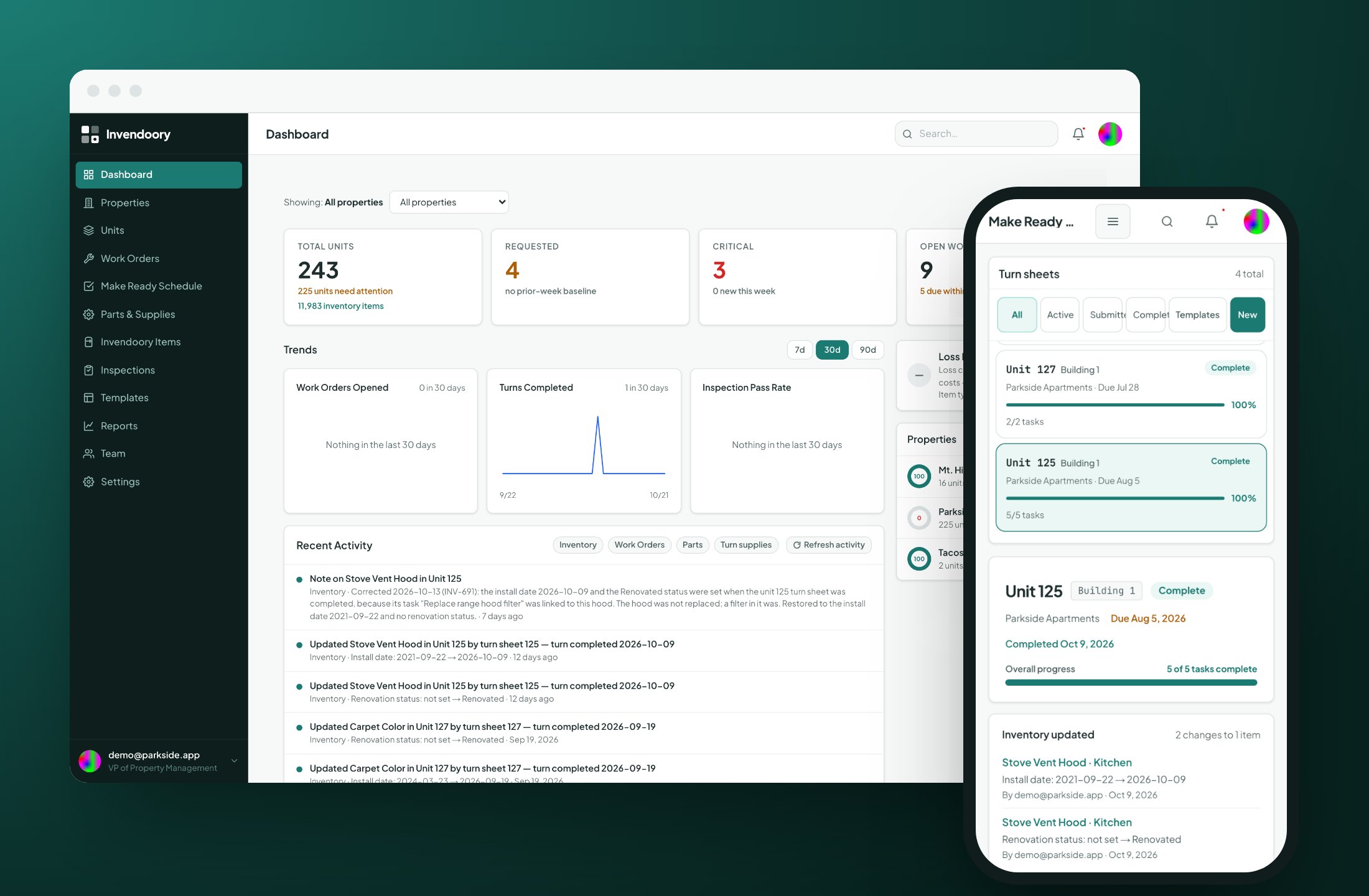
Most maintenance tools only see the work order
A typical work order system knows that someone reported a leak. It doesn’t know which water heater is in the unit, who made it, when it went in or whether it is still under warranty. That context lives in a spreadsheet, a binder or a supervisor’s head.
Invendoory is apartment maintenance software that starts from the other end. It records what is physically installed in every unit, then runs the inspections, turns and repairs against that record. The result is multifamily maintenance where the paperwork and the building agree with each other.
Five steps that feed each other
Each step reads from the unit record and writes back to it. Nobody retypes anything between steps.
Know what's installed
Every appliance, finish and fixture, room by room, with make, model, serial, install date, warranty and photos.
Inspect it
Quarterly, annual and quick inspections score items and raise areas of concern from low ratings.
Fix it
A concern becomes a work order or turn task in one step. Techs see the item and compatible parts on a phone.
The record updates itself
Verify a turn or complete a replacement, and the new item goes into the unit’s inventory with today’s date.
Report on it
Eight reports read from that record, from insurance values to budget vs. actual.
Asset inventory: know what's in every unit
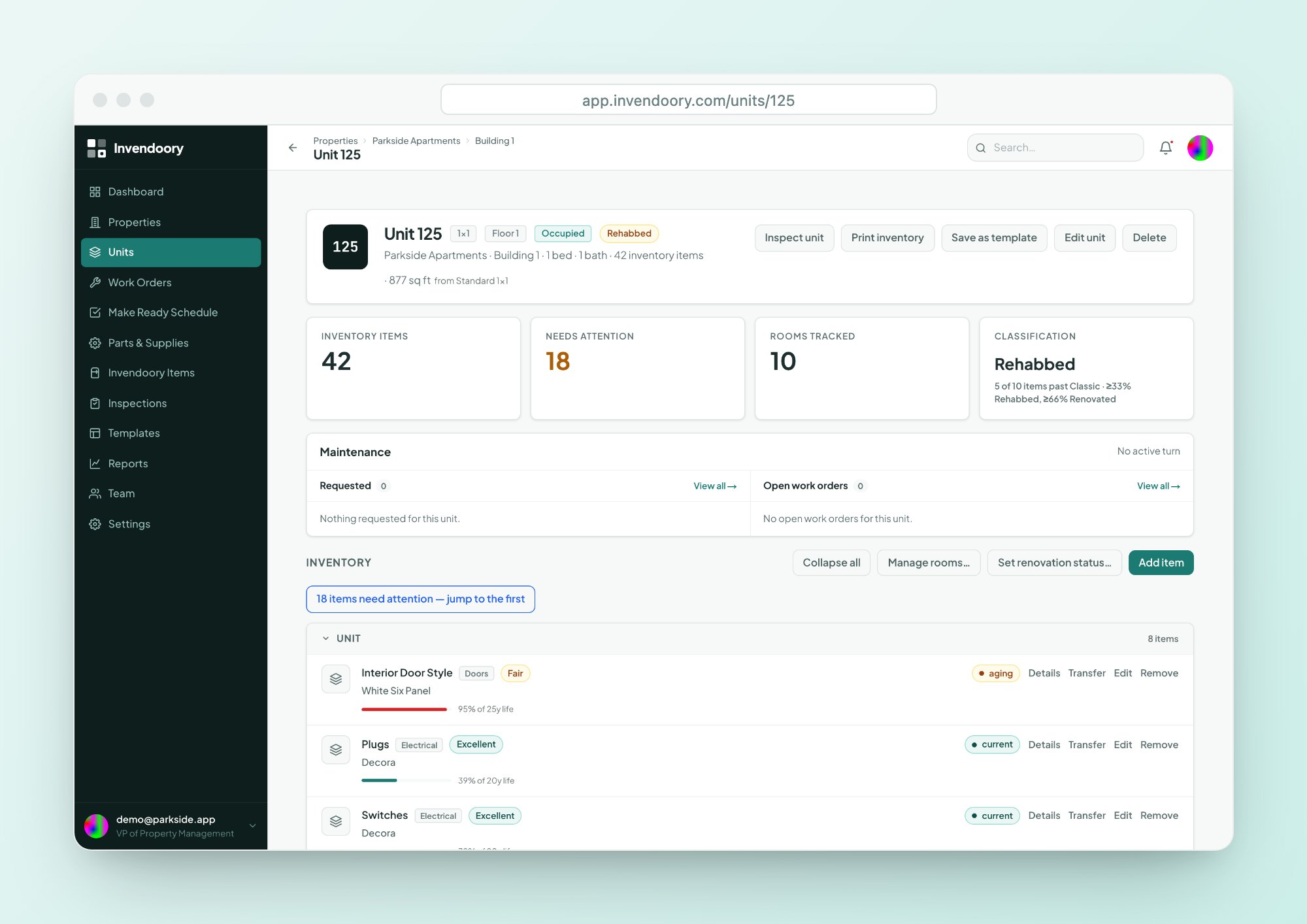
Invendoory Items gives each unit a room-by-room list of everything installed. Every item shows a life-used bar, a warranty badge and its full history, so a supervisor can see what is about to fail before it does.
It is the foundation for the rest of this building maintenance software, because every other module points back to it. Read about asset inventory.
- Make, model, serial, install date and warranty on every item
- Up to 20 tagged photos per item
- Search the whole portfolio by make, model or serial
Inspections that become work
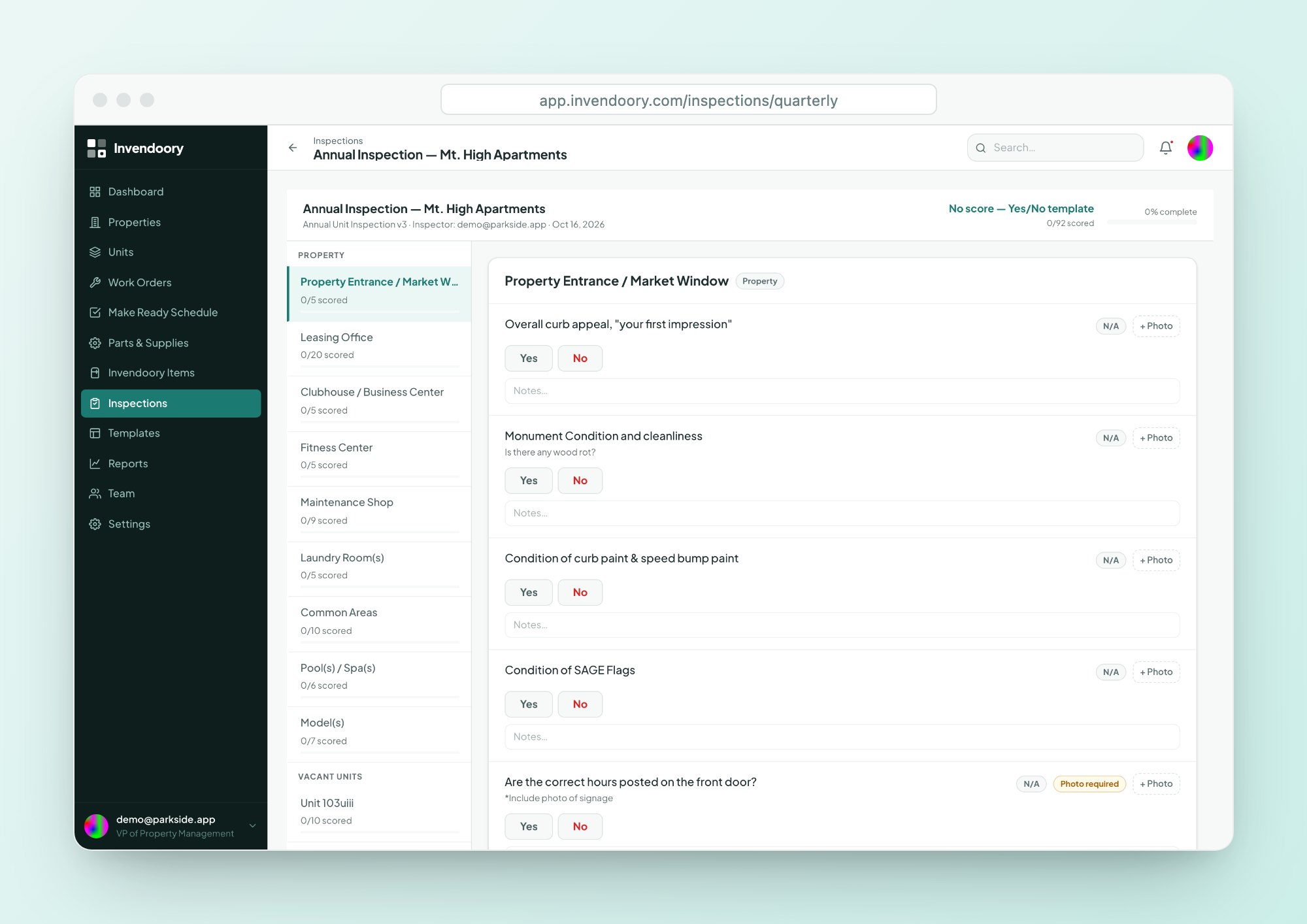
Run the quarterly site inspection, the annual unit inspection or a quick pass/fail check from a phone. Scores update as you walk, and photos carry capture timestamps.
A low rating raises an area of concern, and one tap turns that concern into a work order or turn task. See how inspections work.
- Starter templates from real operator forms
- Optional inventory-verification pass
- Two sign-offs and a printable report
Make Ready turns that update the inventory
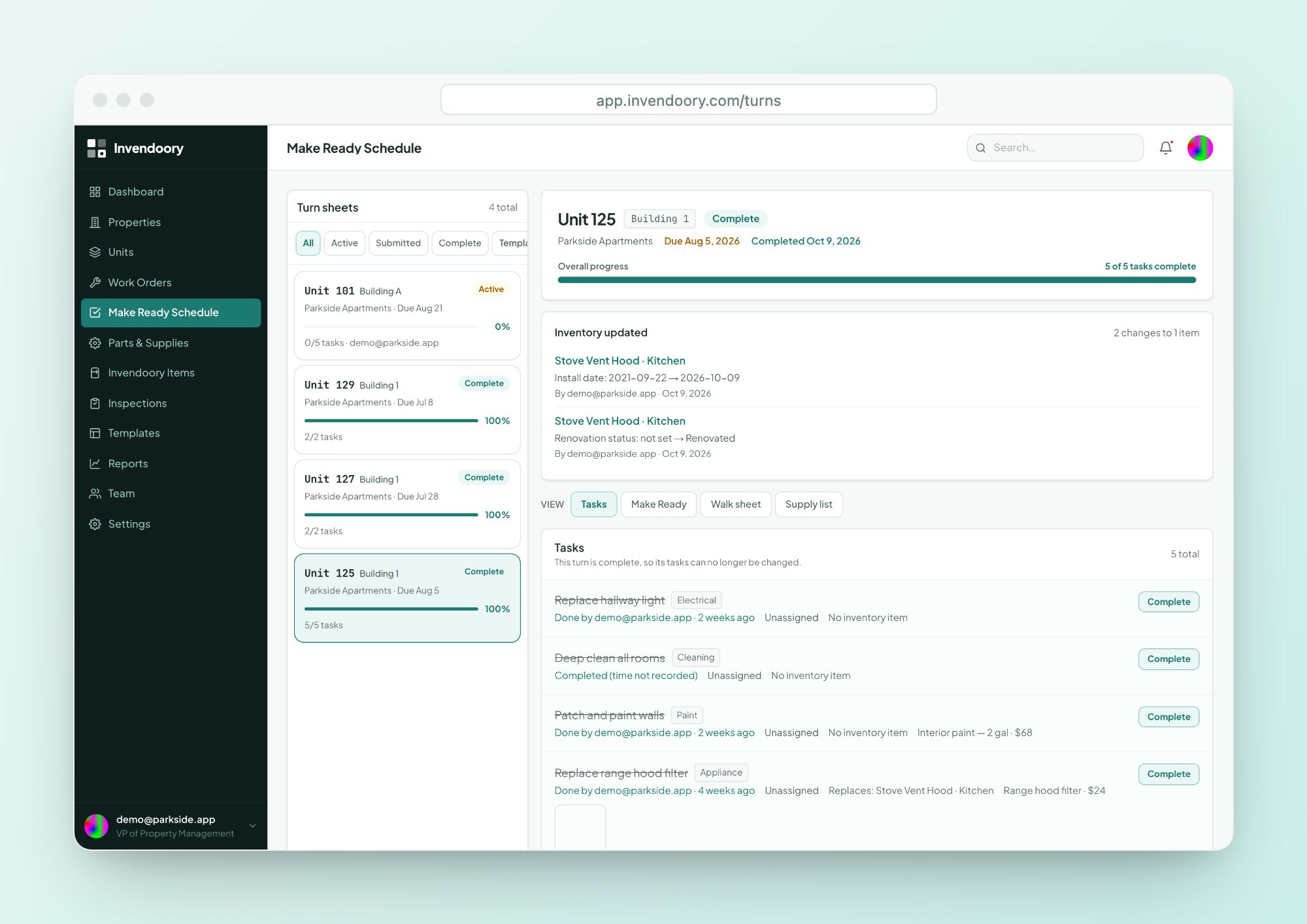
Each vacant unit gets one turn sheet with assigned tasks and a due date. Techs turn the sheet in, and a property manager verifies it or sends it back with a reason.
Verification does the bookkeeping: used supplies come out of stock and replaced items become new installs. It replaces the make ready whiteboard. Explore Make Ready.
- Not Started, In Progress, Complete, plus Flag for help
- Printable paper walk sheet
- 82-item supply list built in
Work orders and parts, linked to the exact appliance
The repair side of property maintenance management software, tied to the same unit record.
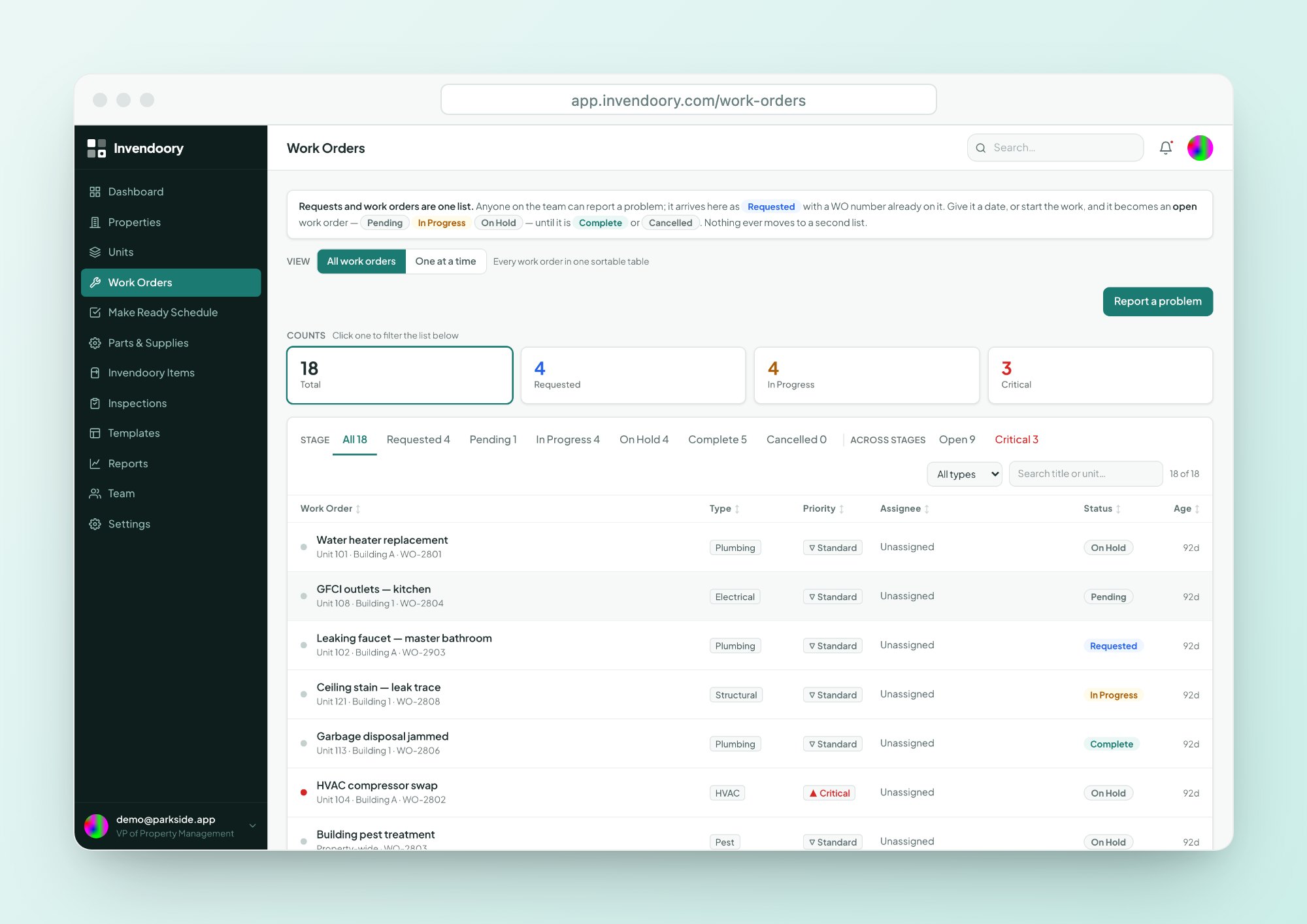
Work orders and requests
Anyone, Leasing included, can file a request. Requests and work orders share one list and one lifecycle.
- Requested, Pending, In Progress, On Hold, Complete
- Critical or Standard priority
- Completing a replacement updates the appliance record
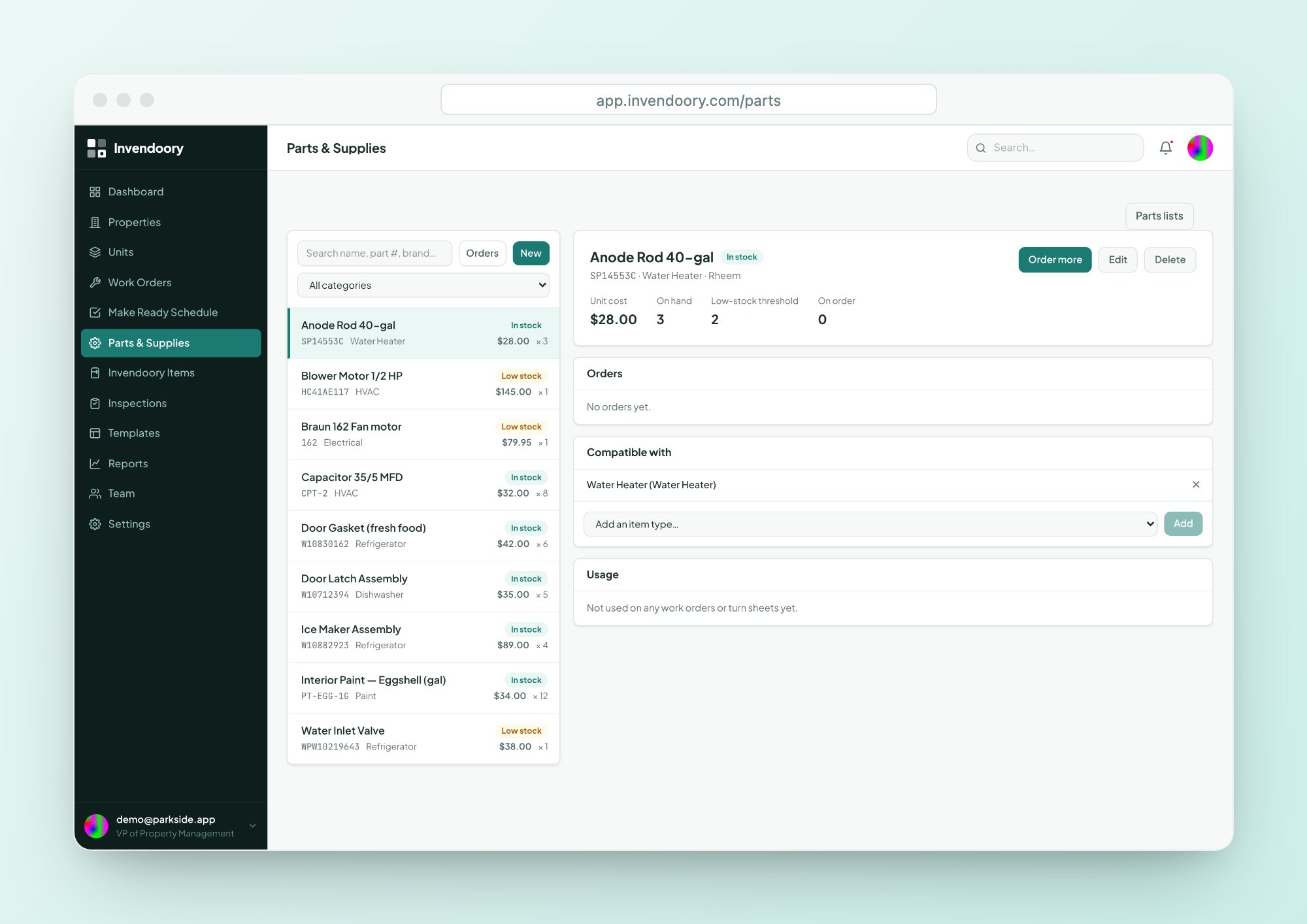
Parts and supplies
A catalog with stock levels, orders and compatibility, so every appliance shows the parts that fit it.
- In stock, Low or Out status
- Order, then receive to add stock
- Parts lists added to a turn task in one step
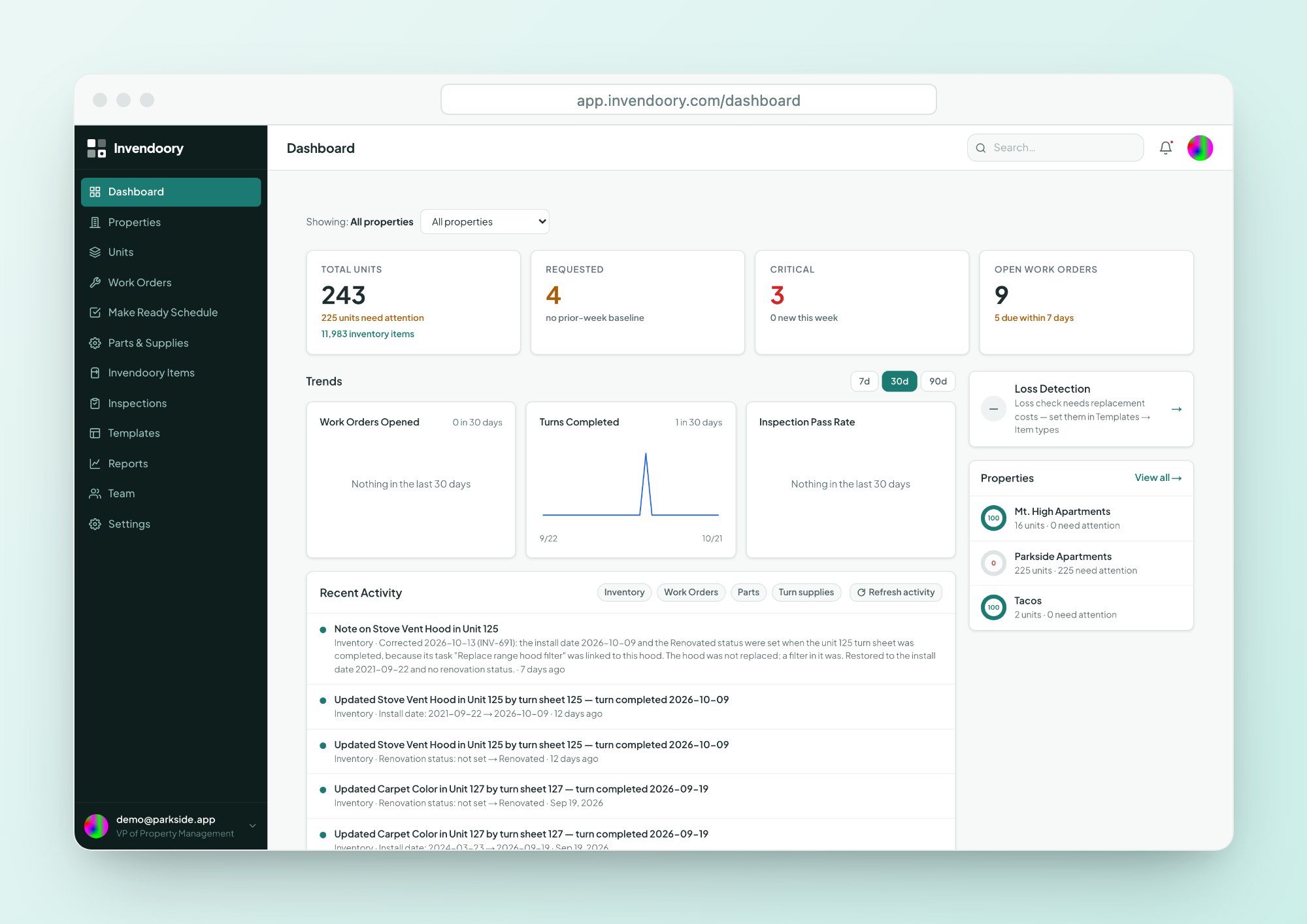
Reports and a dashboard that read from the record
Because the inventory stays accurate, the numbers built on it hold up. The dashboard shows units needing attention, requests, critical items and open work orders, and each card clicks through to the rows behind it.
Eight reports export to CSV and Excel, including insurance inventory, prorated move-out charges, renovation mix and loss detection. See reports and dashboard.
- Click-through KPI cards
- Trend charts for 7, 30 or 90 days
- Property health rings
Built from a working operator's paperwork
Made for phones in the field, controlled by role
Invendoory is a web app designed down to phone width, with 44px tap targets and camera capture. There is nothing to install, though it does need a data connection. Techs open their assigned tasks, the item’s details and compatible parts on one screen.
Six roles run from Leasing to VP. Permissions are enforced in the database itself, not just in the screens, so a technician sees what a technician should. See how each role uses the platform on the roles overview.
Questions about the platform
Is this a CMMS?
It covers the work-order side of a CMMS, but it starts from a different place. Invendoory keeps a room-by-room record of what is installed in every unit and runs inspections, turns and repairs against it. Finishing the work updates that record, which is what generic maintenance tools don’t do.
Do I have to use every module?
No. Teams often start with asset inventory or Make Ready and add inspections and work orders later. The modules share one unit record, so each one you add has more context to work with, but none is locked behind another.
Does it replace our property management system?
No. Invendoory does not handle leasing, rent or accounting, and it has no integration with Yardi, AppFolio, RealPage, Entrata or Buildium. You can import units from the spreadsheet exports those systems produce, then run maintenance in Invendoory.
Does it work on a phone without signal?
It works on a phone in the browser with nothing to install, but it needs a data connection. There is no offline mode. Big tap targets and camera capture make it practical for walking units and turning sheets in from the field.
How do we get started?
Import your units from a CSV or Excel file, then add items room by room. For item-level inventory, the Invendoory team can convert your existing spreadsheets as a service. See onboarding for the steps, or open the live demo first.
See the whole loop in the live demo
Click through inventory, an inspection, a turn and the reports with sample data. No signup required.