Charges that hold up and units that turn faster
Maintenance tracking for property managers should answer four questions: what did we spend, what can we charge, what is ready to lease and what is in each unit. Invendoory answers them from one record that updates when you verify a turn.
Budget, resident charges, leasing and vacancy
As a property manager you are judged on the budget, on vacancy and on how many disputes reach your regional. Maintenance touches all three. A slow unit turnover adds vacant days. A weak charge gets reversed. A budget line you cannot explain becomes a meeting.
The usual problem is evidence. When a resident disputes a carpet charge, nobody can say when the carpet went in or what condition it was in. When a regional asks about the water heater line, the spreadsheet is a quarter behind.
Invendoory records what is installed in every unit and keeps it current, so those answers are on the screen instead of in someone’s memory.
Verify turns and let the inventory update itself
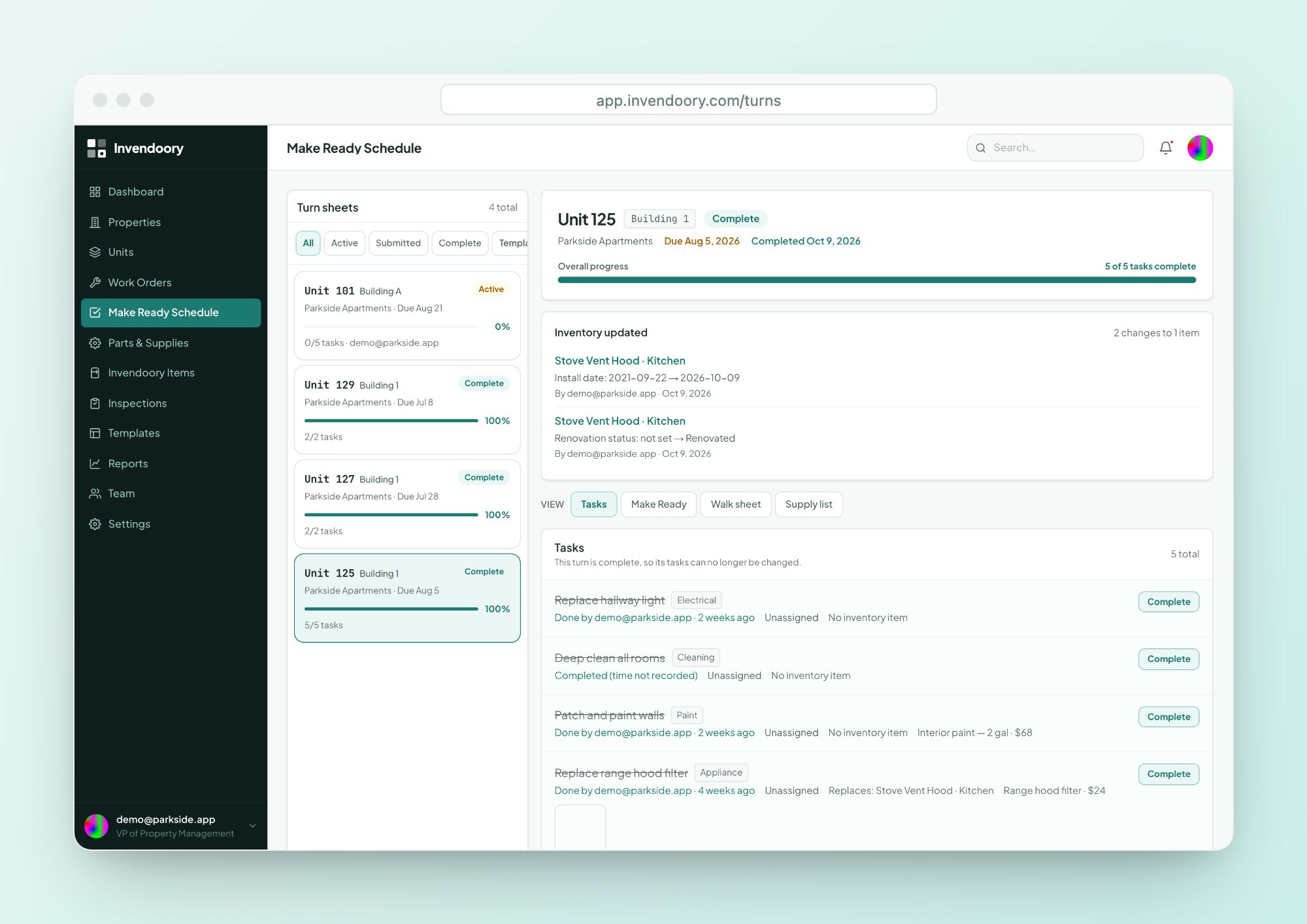
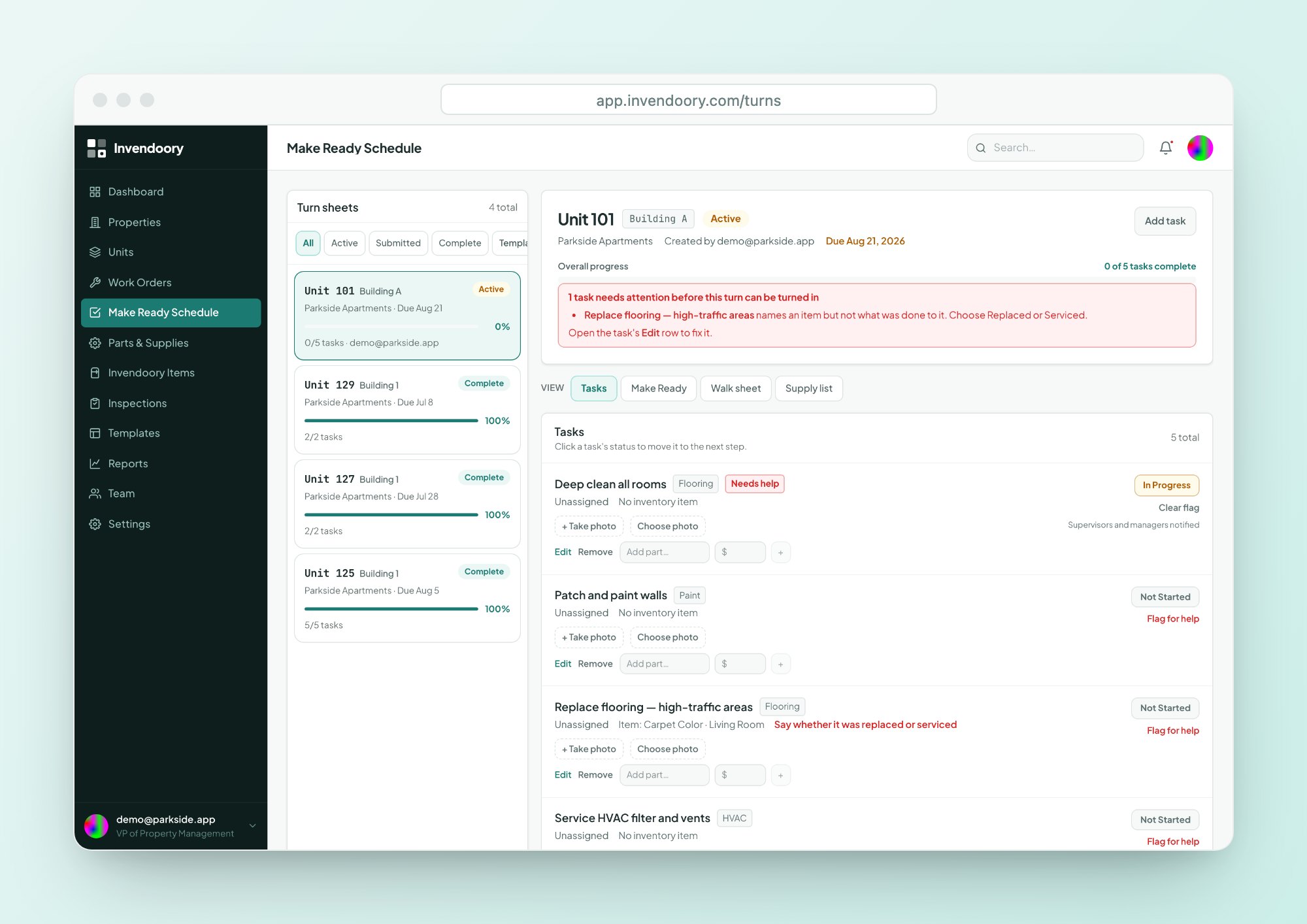
Technicians turn a finished sheet in. You verify it, or send it back with a reason. On verification, used supplies come out of stock and replaced items become new installs in the unit, dated today with the part’s make and model.
The sheet shows Inventory updated, and each item’s history records the change. See how Make Ready works.
- Verify or send back with a reason
- Supplies are deducted from stock automatically
- New installs written to the unit’s inventory with history
Prorate move out charges from age, lifespan and condition
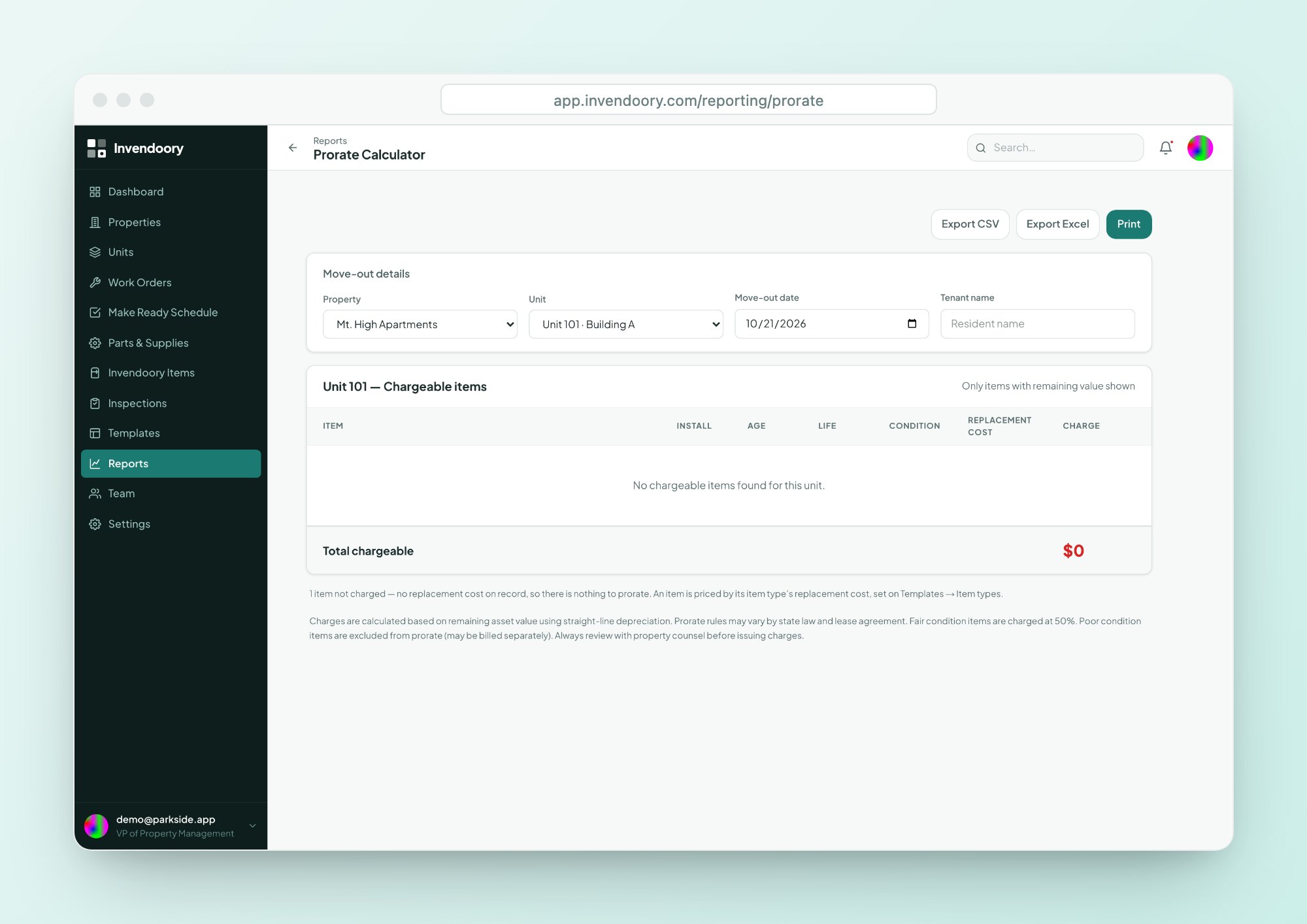
The Prorate Calculator works out the charge for each damaged item from its age, expected life and condition. The number comes from the inventory record, so it can be explained to a resident line by line.
Read more about the Prorate Calculator.
- Charge per item from install date and expected life
- Condition is part of the calculation
- Exports to CSV and Excel
Chargebacks and classification you can defend
Audited chargebacks
Record a chargeback against a failed item during an inspection, with resident or vendor, name, amount and notes. Every record, edit and removal is logged.
- Locked after 30 days, for every role including admins
- Protected from deletion
- Totals on the inspection and quarterly reports
Classic, Rehabbed or Renovated
Each unit is classified automatically from the renovation status of its items, with the rule explained in the app. You see the mix without keeping a separate list.
- Filter the units table by classification
- Feeds the Renovation Mix report
- Print a unit’s inventory by category
Compare units side by side for leasing conversations
Select two to four units and compare them in one table. The rows that differ are highlighted, so you can explain exactly why one unit is a Renovated and another is Classic.
The unit grid is colored by inventory health, so you also see which vacant units still need work.
- Compare 2 to 4 units
- Differences highlighted
- Filter by occupancy and classification

Budget and insurance reports from the same record
Budget Projection
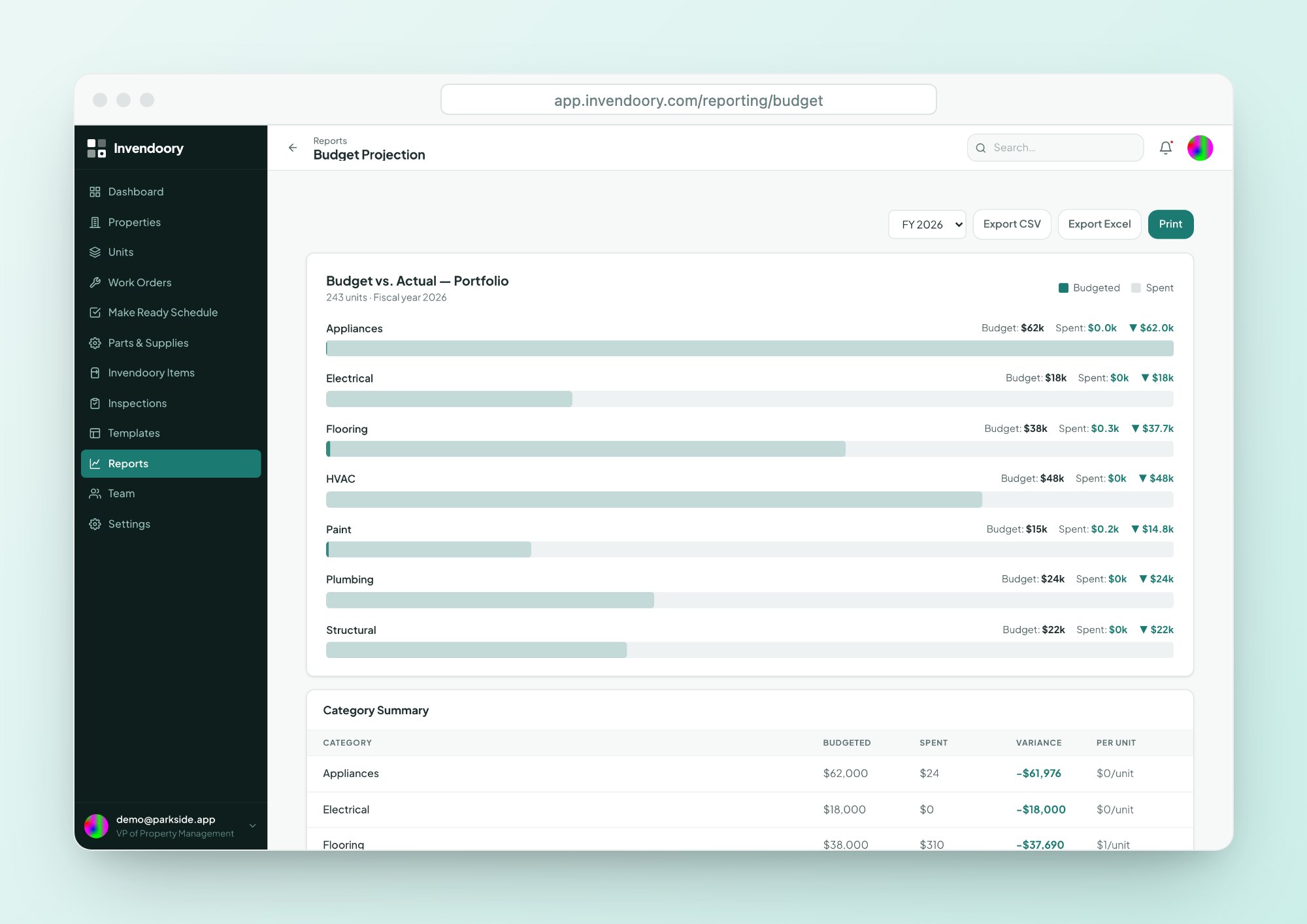
Budget against actual spend by category, with variance and cost per unit, by fiscal year. Budget targets come in through data import.
- Notifications at 80% and 100% of a category
- Exports to CSV and Excel
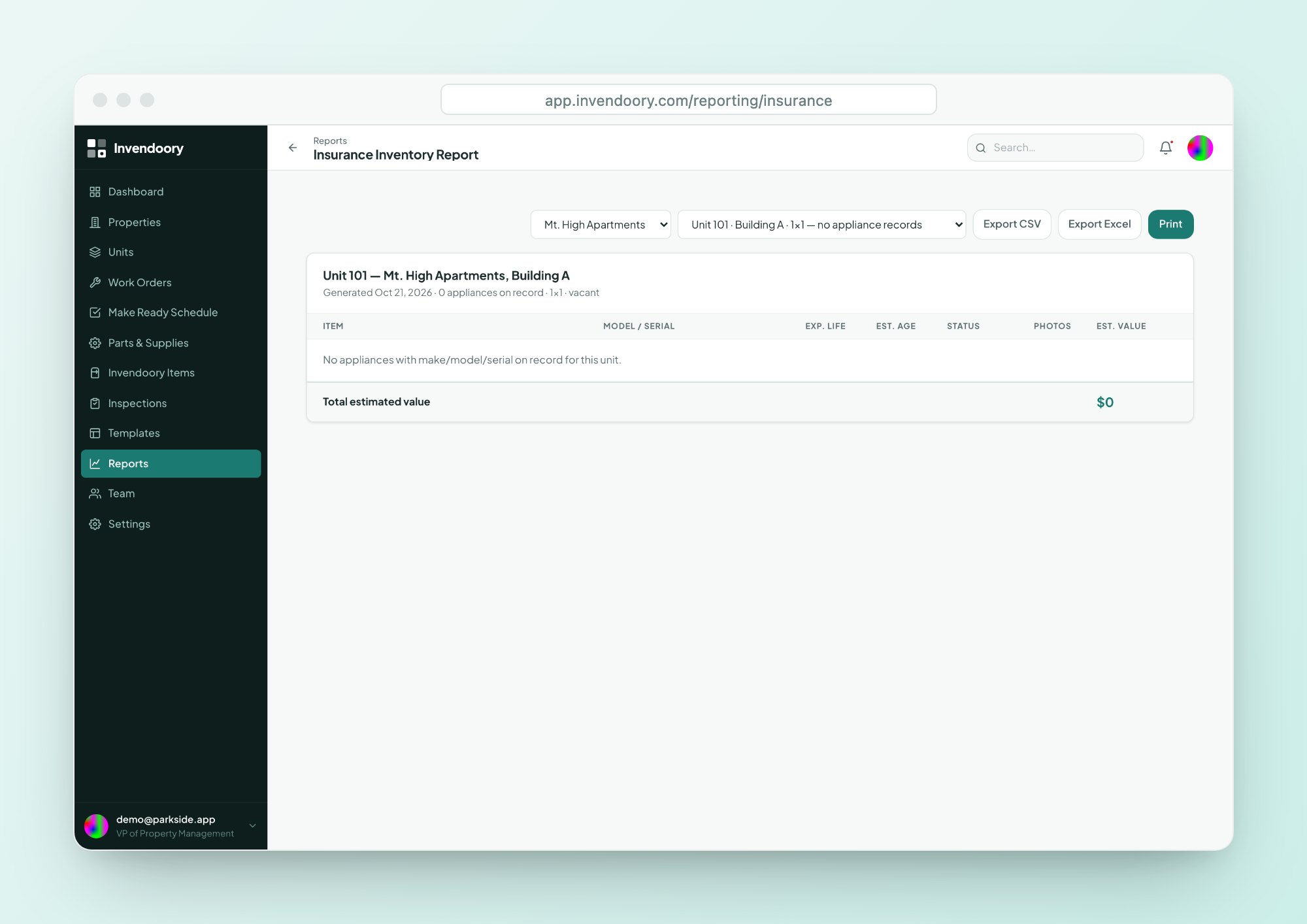
Insurance Inventory Report
Every item in every unit, with model and serial, age, expected life, status, photos and an estimated depreciated value.
- Per-unit detail for a claim
- Exports to CSV and Excel
Invite your team and keep the permissions tight
Property managers can invite users, manage properties, units and templates, and verify turn sheets. Invite links expire after 2 weeks, can be tied to an email address and can be revoked. Nobody can invite above their own rank.
To get started, import your units from a CSV or Excel export. Columns are matched automatically, including AppFolio and Buildium names. See how onboarding works, or compare plans on the pricing page.
Questions property managers ask
Does Invendoory bill residents for chargebacks?
No. A chargeback in Invendoory is a record of the charge: who, how much and why. It is audited and locked after 30 days, but it does not bill residents, collect payment or sync with accounting. You still bill through your property management system.
How are move out charges calculated?
The Prorate Calculator uses each item’s age, expected lifespan and condition to work out a charge. Because the install date and condition come from the inventory, you can show a resident how the number was reached.
Can I compare two units for a prospect?
Yes. Compare units lets you pick two to four units and shows them side by side, with differing rows highlighted. It is a screen for your own leasing conversations. Invendoory does not publish unit listings to prospects.
How does Budget Projection get its numbers?
It compares budget with actual spend by category, with variance and cost per unit, by fiscal year. Budget targets come in through data import rather than an in-app editor, and you are notified when a category reaches 80% and 100%.
Can I invite my own team?
Yes. Property managers can create invite links for their team. The links expire after 2 weeks, can be tied to an email address and can be revoked. They are copied and shared by hand rather than emailed.
Verify a turn and watch the inventory update
Open the live demo with sample data, no signup required, and see what a verified turn changes.