An insurance inventory for every unit, built from the record you already keep
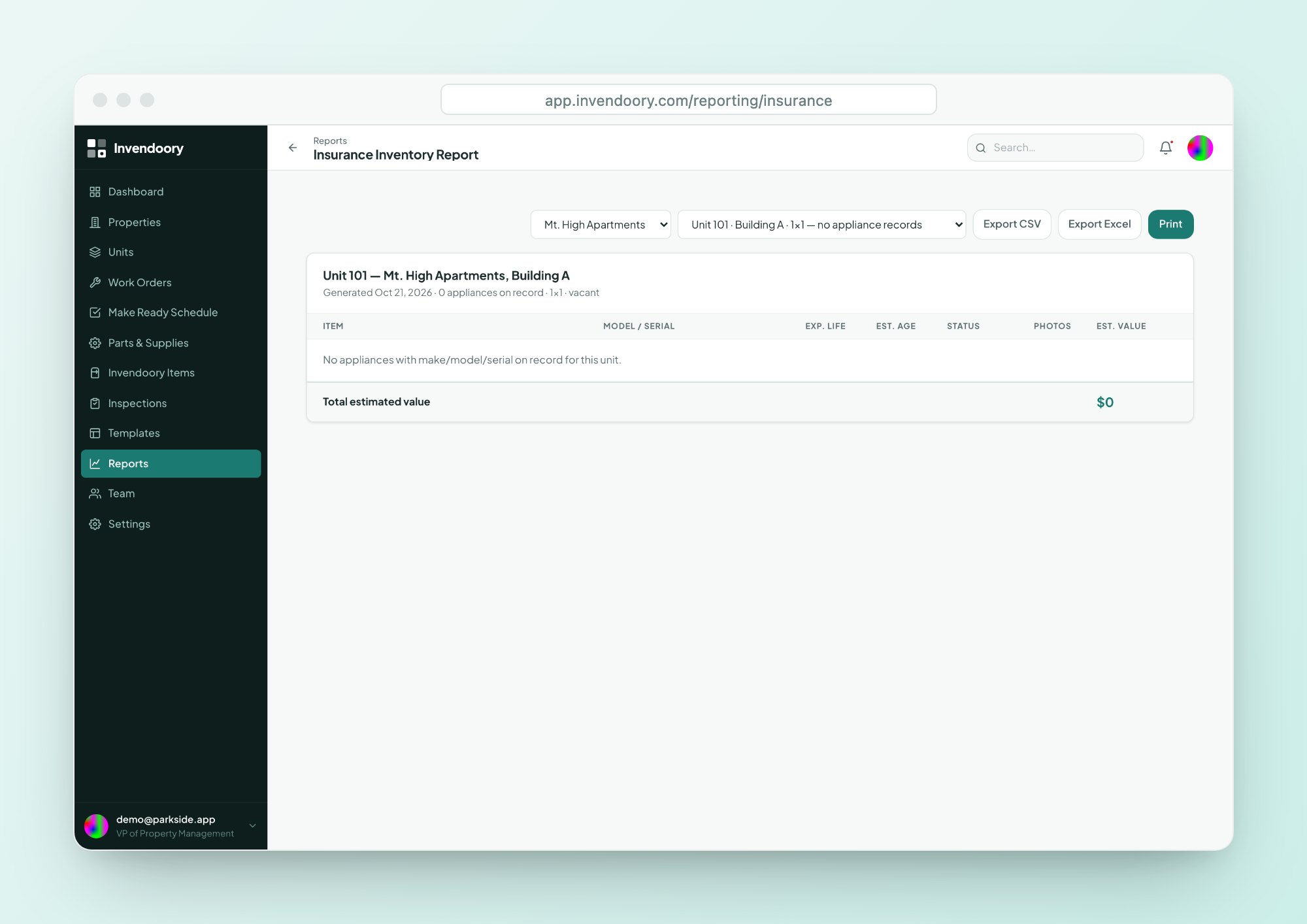
The Insurance Inventory Report lists every item in each unit with model, serial, age, expected life, status, photos and an estimated depreciated value. Give your insurer the detail behind a statement of values instead of rebuilding a spreadsheet.
Your insurer asks for contents detail at the worst possible time
At renewal, your carrier asks for a statement of values. A lender wants proof of contents before a refinance. After a fire or a burst pipe, the adjuster asks what was in the unit and how old it was.
Most teams answer all three the same way. Someone opens an old workbook, finds it two years stale, and spends a week walking units to fix it. A spreadsheet that nobody updates when a range is swapped or a water heater is replaced starts drifting the day it is finished.
An insurance inventory is only worth handing over if the record behind it is current. That is the job this report does.
A property insurance inventory, unit by unit and item by item
Invendoory already records each unit room by room. The Insurance Inventory Report reads that record and lists, for every unit, each item with the details an adjuster or underwriter asks for. You do not build it. You open it.
- Make, model and serial number for every item
- Age and expected life, so remaining life is clear
- Status, including condition and warranty
- Photos attached to the item, up to 20 per item
- An estimated depreciated value for each item
Export to Excel or print a single unit
Insurers and lenders usually want a file or a paper packet. Every report in Invendoory exports to CSV and Excel, so you can drop the numbers into the template your carrier sends.
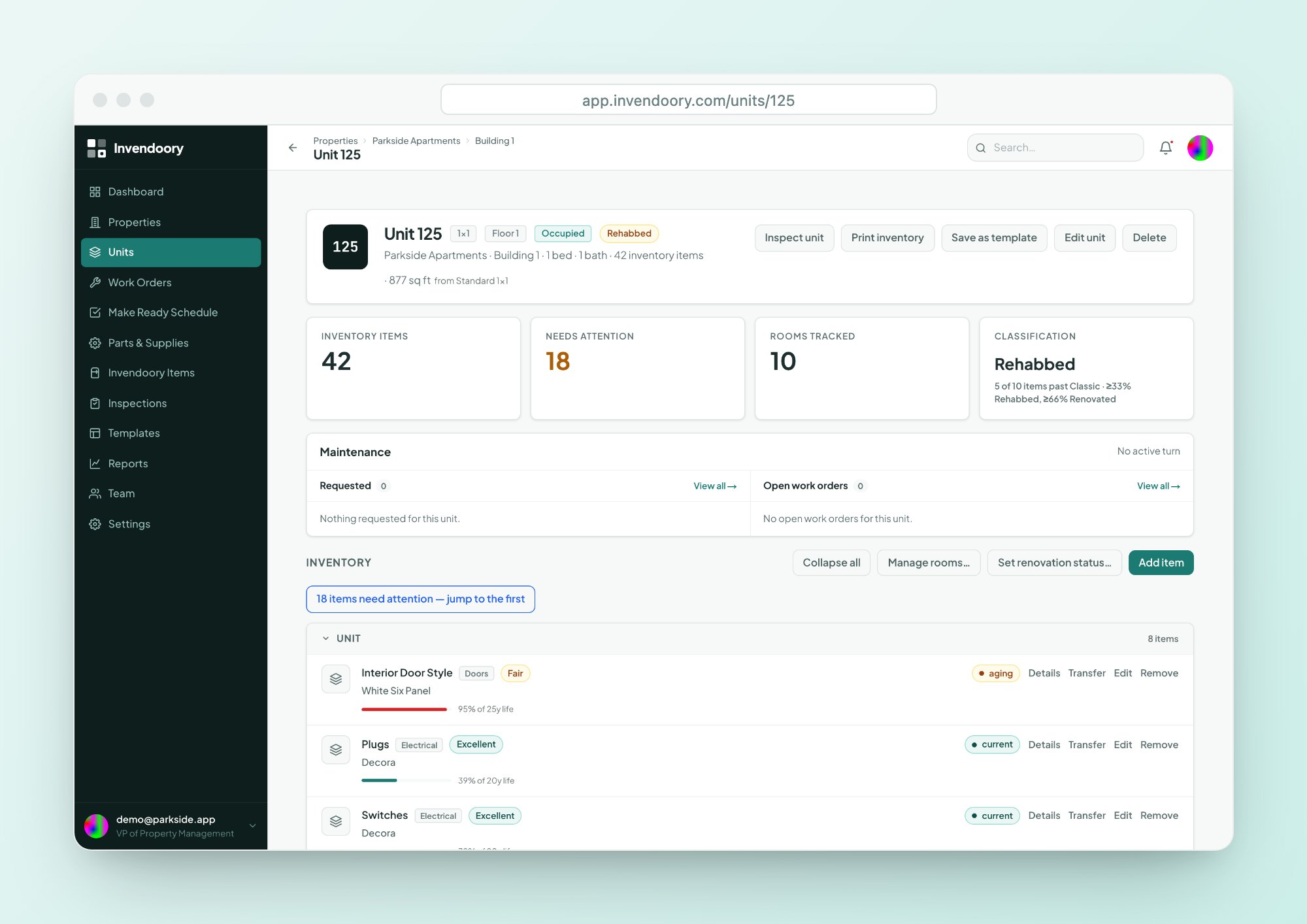
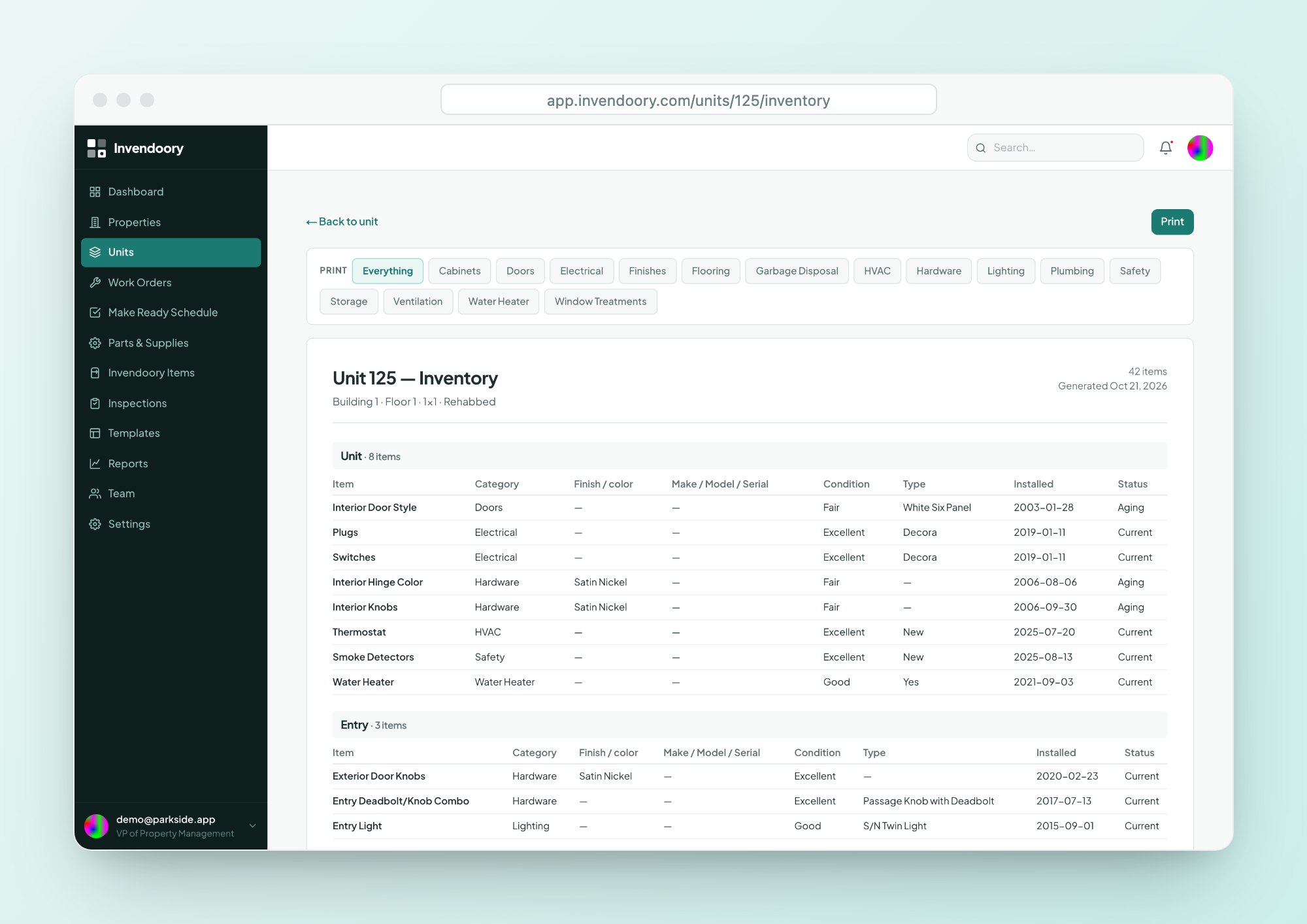
For one unit, the printable inventory runs room by room straight from your browser. Printing goes through your browser’s print dialog, and you can filter the print by category when a claim only involves appliances.
- CSV and Excel export on the report
- Printable room-by-room inventory for a single unit
- Filter a unit’s print by category
Why this insurance inventory list does not need a yearly audit
The report is only as good as the inventory under it, so the inventory updates as work gets done.
Items are recorded once
Each appliance, finish and fixture goes in with its make, model, serial, install date and photos.
Turns update the unit
When a manager verifies a turn, replaced items become new installs dated that day.
Replacements update the item
Completing a work order for a replacement updates make, model, serial, value and warranty.
The report reads the latest
Open the report and every unit shows what is installed today, not what was true last renewal.
Four moments when you need an insurance inventory list
Insurance renewal
Carriers and brokers ask for contents detail behind your statement of values. Export the report and fill their template from real data.
Lender requests
Refinances and loan reviews often ask for proof of contents. The same report answers that without a new walk of every unit.
Claims after a loss
Model, serial, age and photos give an adjuster a record of what was in the unit before the damage.
Planning with your regional
Years of life left on each item shows where replacements are coming. See asset inventory for the full item record.
What each column of the report tells an adjuster
Every line comes from the item’s own record, so nothing is retyped for the report.
| Field | What it shows | Why it helps on a claim |
|---|---|---|
| Make, model, serial | The exact item installed | Proves what was in the unit |
| Age | Time since the install date | Supports a fair value for older items |
| Expected life | The item's expected lifespan | Shows how much life was left |
| Status | Condition and warranty | Separates worn items from newer ones |
| Photos | Tagged photos, such as serial plate or receipt | Evidence that stands on its own |
| Estimated depreciated value | A per-item estimate | A starting point for the conversation |
Values are estimates for planning and discussion with your carrier. They are not an appraisal.
What the report depends on
The report lists what is in the record. If an appliance was never entered, it will not appear. The fastest way to fill the gaps is to bring your existing workbooks in. Units import yourself from a spreadsheet, and the Invendoory team can convert item-level inventory for you. See how onboarding works.
The report is also not a form. It does not fill in your carrier’s template for you. It gives you the data to do that in Excel in minutes, not days. For the rest of the set, browse all eight reports.
Insurance inventory questions
What is an insurance inventory for a rental property?
It is a list of the contents and fixtures in each unit, with enough detail to price them: what the item is, its make and model, how old it is and what condition it is in. Insurers use it to set values at renewal, and adjusters use it to settle claims after a loss.
Does the report produce a statement of values?
It produces the item-level detail that sits behind a statement of values. It does not fill in your carrier’s own form. Export it to Excel, then copy the figures into the template your broker sends, with every number traceable to a real item.
Can I send the report straight to my insurer?
Reports export to CSV and Excel, and a unit’s inventory prints from your browser. There is no one-click send to a carrier. Most teams export the file, check the figures and attach it to the email to their broker or lender, so a person always reviews what goes out.
How is the estimated depreciated value used?
Each item shows an estimated depreciated value so you can see what the contents are worth today rather than what they cost new. Treat it as an estimate for planning and for talking with your carrier. It is not an appraisal or a settlement figure.
What if our inventory is still in spreadsheets?
Import your units yourself from a CSV or Excel file, then have the Invendoory team convert your item-level workbooks as a service. We have turned a real operator’s 225-unit workbook into about 10,000 item records. The onboarding page explains the steps.
See an insurance inventory built from live sample data
Open the live demo with sample apartment data. No signup, no customer data. Click through a unit’s items and the report.