Free move out charge calculator
Enter an item’s install date, replacement cost and condition. The move out charge calculator prorates the cost over the item’s expected life and gives you a charge rounded to the nearest $50.
Move out charge calculator
The first two rows are the worked example below: a 6-year-old refrigerator and a 7-year-old carpet. Change any value, add items and watch the total update.
Estimates only. Rules for charging residents vary by state law and by lease. Review results with property counsel before issuing any charge.
How this move out charge calculator works
Most security deposit deductions that get disputed share one weakness: the number came from a guess. This calculator replaces the guess with arithmetic you can show a resident. It uses straight-line depreciation, the same method for every item.
charge = replacement cost x remaining life x condition factor, rounded to the nearest $50.
Remaining life is 1 minus the item’s age divided by its expected life. It never goes below 0. Age runs from the install date to the move-out date you pick, so you can run the numbers for today or for a date next month. If an item is past its expected life, its charge is $0.
Worked example: a refrigerator and prorated carpet replacement
These are the defaults in the tool above. The refrigerator has 60% of its life left, so its remaining value is $1,100 x 60% = $660. Good condition counts at 100%, and $660 rounds to $650. For prorated carpet replacement, 7 of 10 years used leaves 30% of $1,800, or $540. Fair condition halves that to $270, which rounds to $250.
| Item | Age / expected life | Replacement cost | Condition | Remaining life | Condition factor | Charge |
|---|---|---|---|---|---|---|
| Refrigerator | 6 of 15 years | $1,100 | Good | 60% | 100% | $660, rounds to $650 |
| Carpet | 7 of 10 years | $1,800 | Fair | 30% | 50% | $540 x 50% = $270, rounds to $250 |
| Total | $900 |
Sample figures to show the arithmetic. Use your own replacement costs and install dates.
Condition factors and rounding
The tool uses four condition ratings, and each one maps to a fixed factor. The final amount rounds to the nearest $50, so $270 becomes $250 and $660 becomes $650.
Excellent and Good: 100%
The item counts at its full remaining value. Nothing is taken off for condition.
Fair: 50%
The item counts at half its remaining value. A Fair rating is a judgment call, so the calculator does not charge the full amount.
Poor: excluded
A Poor item shows as excluded and stays out of the total. It may involve damage, and that call is yours to make, not the calculator’s.
Why expected life moves the charge more than anything else
Expected life is the input people argue about, and it changes the answer a lot. The tool starts each item type with a default: 15 years for a refrigerator, range or HVAC, 13 for a dryer, 12 for a washer, dishwasher or water heater, 10 for a microwave or carpet and 7 for paint. You can edit the number on any row.
Published figures differ. The NAHB study lists 13 years for a standard refrigerator, InterNACHI lists 9 to 13 and Fannie Mae’s multifamily table lists 10. Set the refrigerator to 10 years and the $650 example becomes $450. Pick one defensible number per item type, write it down and use it every time.
Prorated carpet replacement and the other items you can add
Carpet is the item most often prorated, because it wears out in a way a resident can see and a manager can date. The tool calls it “Flooring / carpet” and defaults to a 10-year life. Sources vary: NAHB and InterNACHI both list 8 to 10 years, and Fannie Mae lists 7 for a dwelling unit floor.
That range matters. With an 8-year life, the 7-year-old Fair carpet in the example comes to $225 of remaining value, $112.50 after the Fair factor, which rounds to $100 instead of $250. Choose the life that matches the product you actually installed, and keep the install date on record.
The tool also covers ranges, dryers, washers, dishwashers, microwaves, water heaters, HVAC, paint and an Other type. Add one row per item, then print the worksheet from your browser.
A security deposit deduction calculator is a starting point, not a ruling
Treat the output as a documented starting point. State laws and lease terms differ on what you may deduct, how you must itemize it and how fast you must act. Some deductions may not be allowed at all. This tool does none of that sorting for you.
It also does not decide what counts as normal wear and tear. That is why a Poor rating is excluded rather than priced. Read our guide to normal wear and tear, and review your numbers with property counsel before you send a resident a statement. Nothing on this page is legal advice.

Get the inputs from a record, not from memory
The calculator is only as good as the install date and condition you type in. Those facts are easiest to prove when you captured them earlier. A move-in and move-out inspection checklist gives you dated condition notes for both ends of the lease.
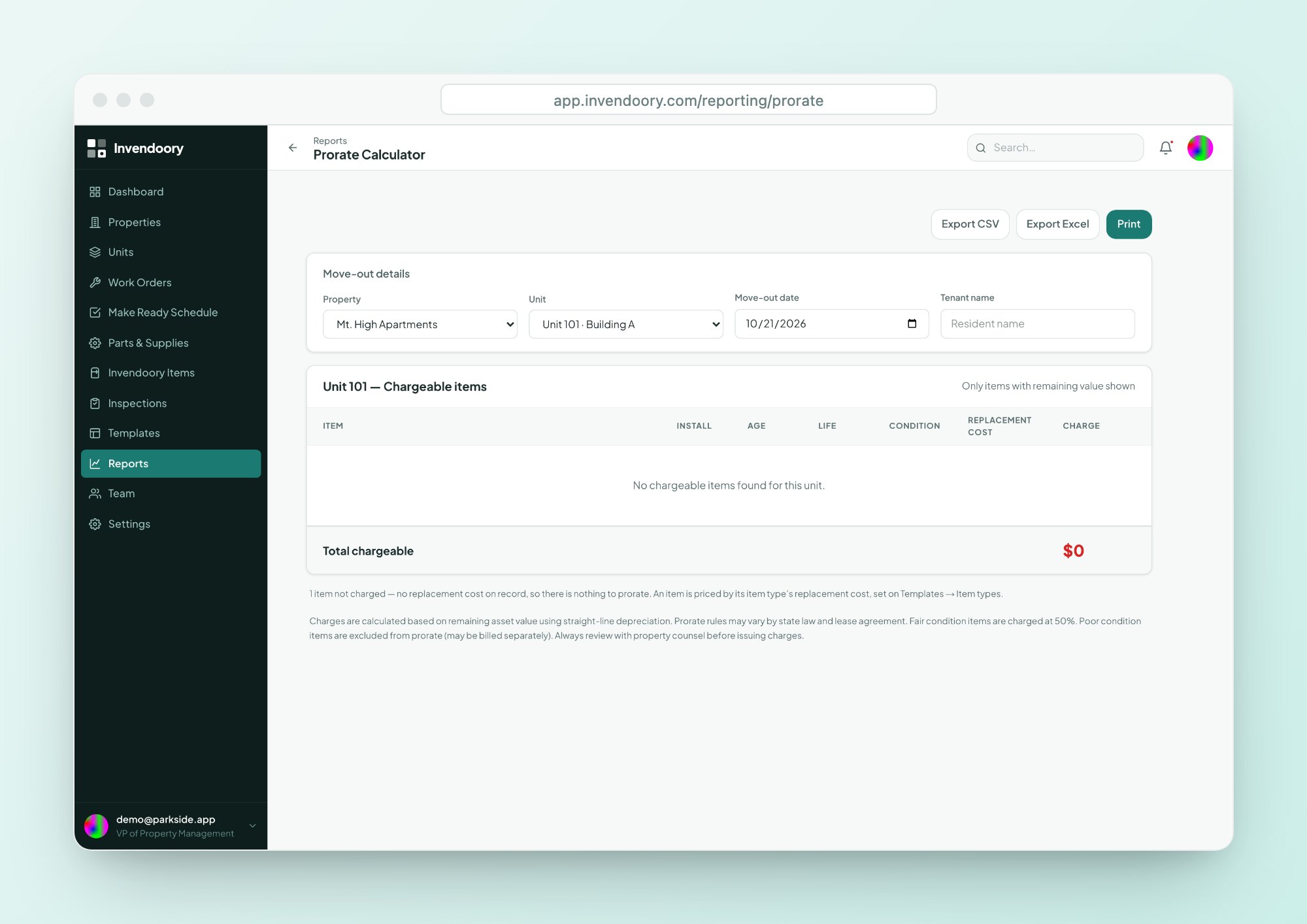
In Invendoory, each item’s install date, expected life and condition already sit in the unit’s record, and the in-app Prorate Calculator runs the same math on them. It excludes and counts items with no install date or replacement cost instead of guessing. Invendoory records a charge as a chargeback. It does not bill or collect it.
Move out charge calculator questions
How is the move out charge calculated?
Replacement cost times remaining life times a condition factor, rounded to the nearest $50. Remaining life is 1 minus age divided by expected life, never below 0. Excellent and Good count at 100%, Fair at 50%. Poor items are excluded from the total.
Is this a security deposit deduction calculator I can rely on?
Use it as a consistent, explainable starting point. What you may deduct depends on your state’s law and your lease, and the tool does not check either. Review the numbers with property counsel before you issue a statement to a resident.
Why is a Poor item excluded?
A Poor rating may mean damage rather than normal wear and tear. The calculator does not make that call. It leaves the item out of the total, and you decide separately whether and how to bill it.
What if I don't know the install date or cost?
The row shows a prompt: add an install date or add a replacement cost. The tool never guesses an age or a price. Items without both stay out of the total until you fill them in.
Does the tool save my items?
No. It runs in your browser, so the rows are gone when you leave the page. Use the Print worksheet button to keep a copy through your browser’s print dialog.
Run move out charges on real inventory
The free calculator works one item at a time. The live demo shows the Prorate Calculator on a full unit with sample data, no signup needed. See how Invendoory inspections record condition.