A property inspection app that turns findings into work
Walk a site or a unit on your phone, score each item, and let low ratings raise areas of concern. One tap turns a concern into a work order or turn task.
The binder of forms nobody acts on
Quarterly inspections usually end up as a stack of paper scoring sheets. A low score on a water heater gets written down, filed and forgotten. Three months later the same item scores low again, and nobody can show what happened in between.
Property inspection software should close that gap. In Invendoory, an inspection is not a separate document. It reads from the unit’s inventory, scores real items, and sends the problems straight into the maintenance queue, so a finding is never just a line on a form.
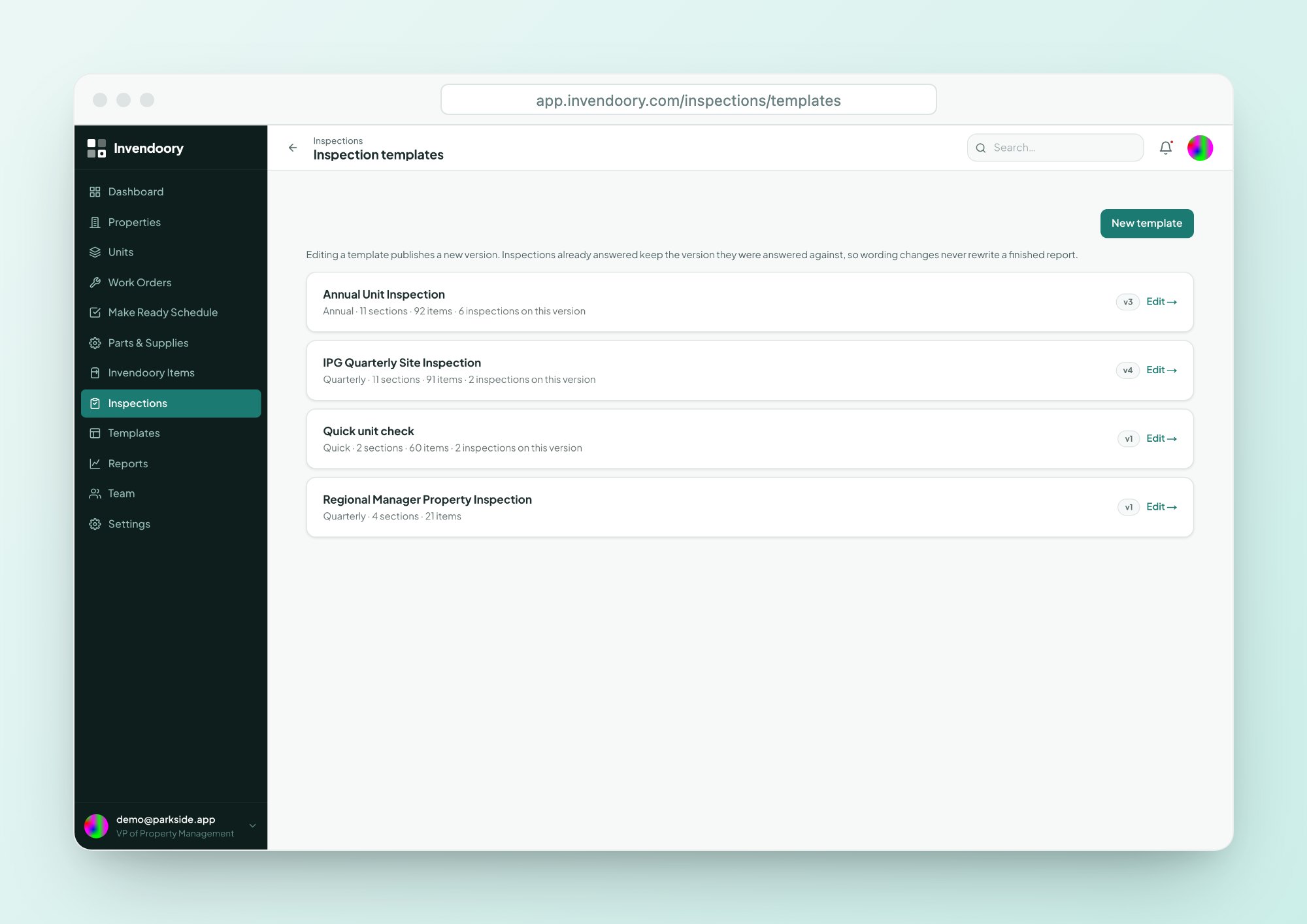
Three starter templates from real operator forms
New organizations begin with templates taken from a working operator’s paperwork, so you aren’t building forms from scratch.
Quarterly Site Inspection
Walks a sample of units, using a size-based sampling rule. Built from a scored quarterly site-inspection sheet.
- Sections for the property, vacant units or occupied units
Annual Unit Inspection
Can walk every unit in the property, for a full annual pass.
- Optional inventory-verification pass
Quick unit check
One unit, pass or fail. Useful before a move-in or after a repair.
- Fast on a phone
Edit the form without losing the history
The template editor lets you build sections scoped to the property, vacant units or occupied units. Answer types include a 0 to 5 score, a letter grade, yes/no, a count and text. Any item can be marked photo required, which shows a badge.
Editing a template publishes a new version. Past inspections keep the exact wording they were answered with, so an old unit inspection never changes after the fact.
- 0 to 5 score, letter grade, yes/no, count or text
- Sections for the property, vacant or occupied units
- New version on every edit; past inspections stay intact
Walk it on a phone, with the score updating live
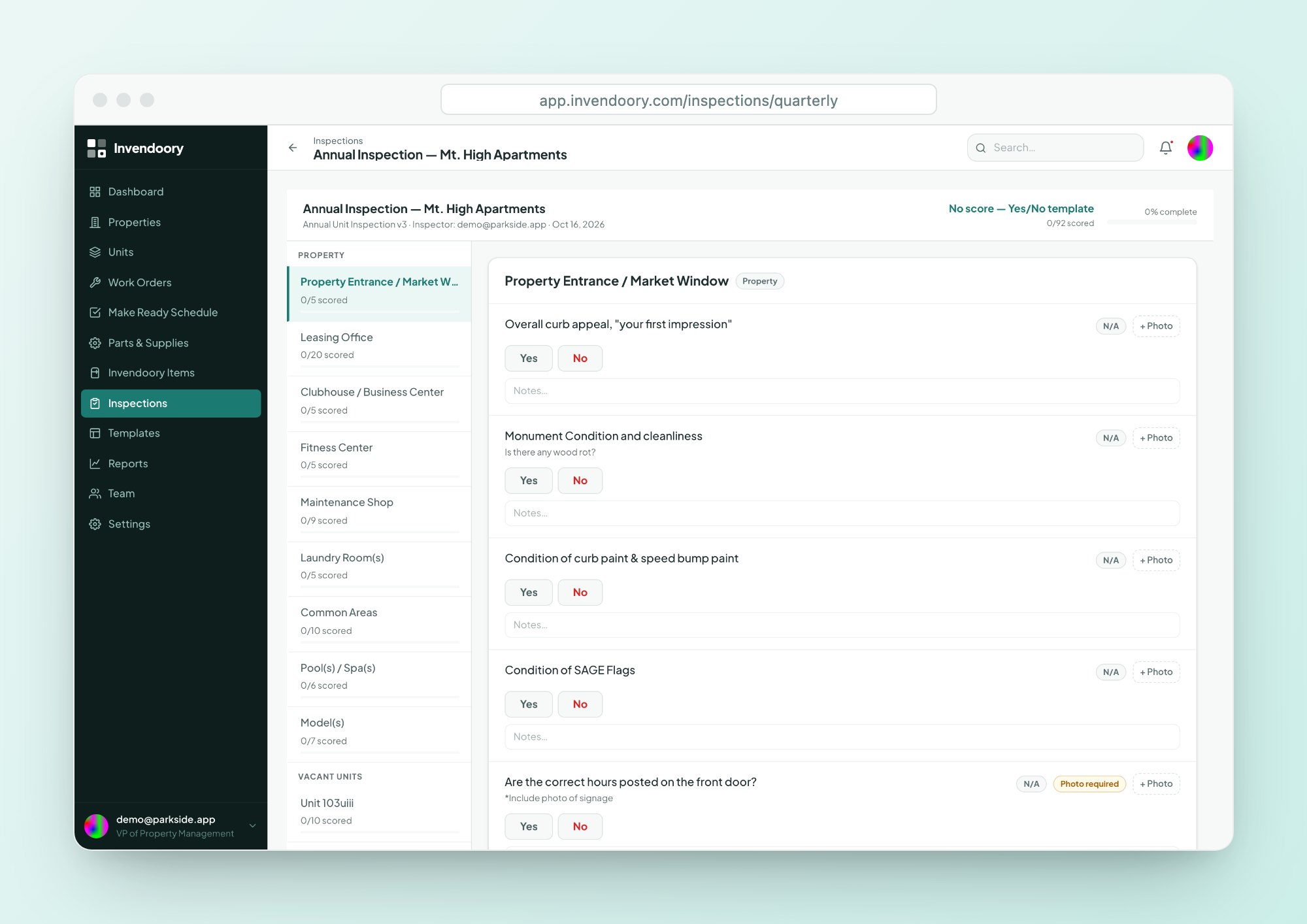
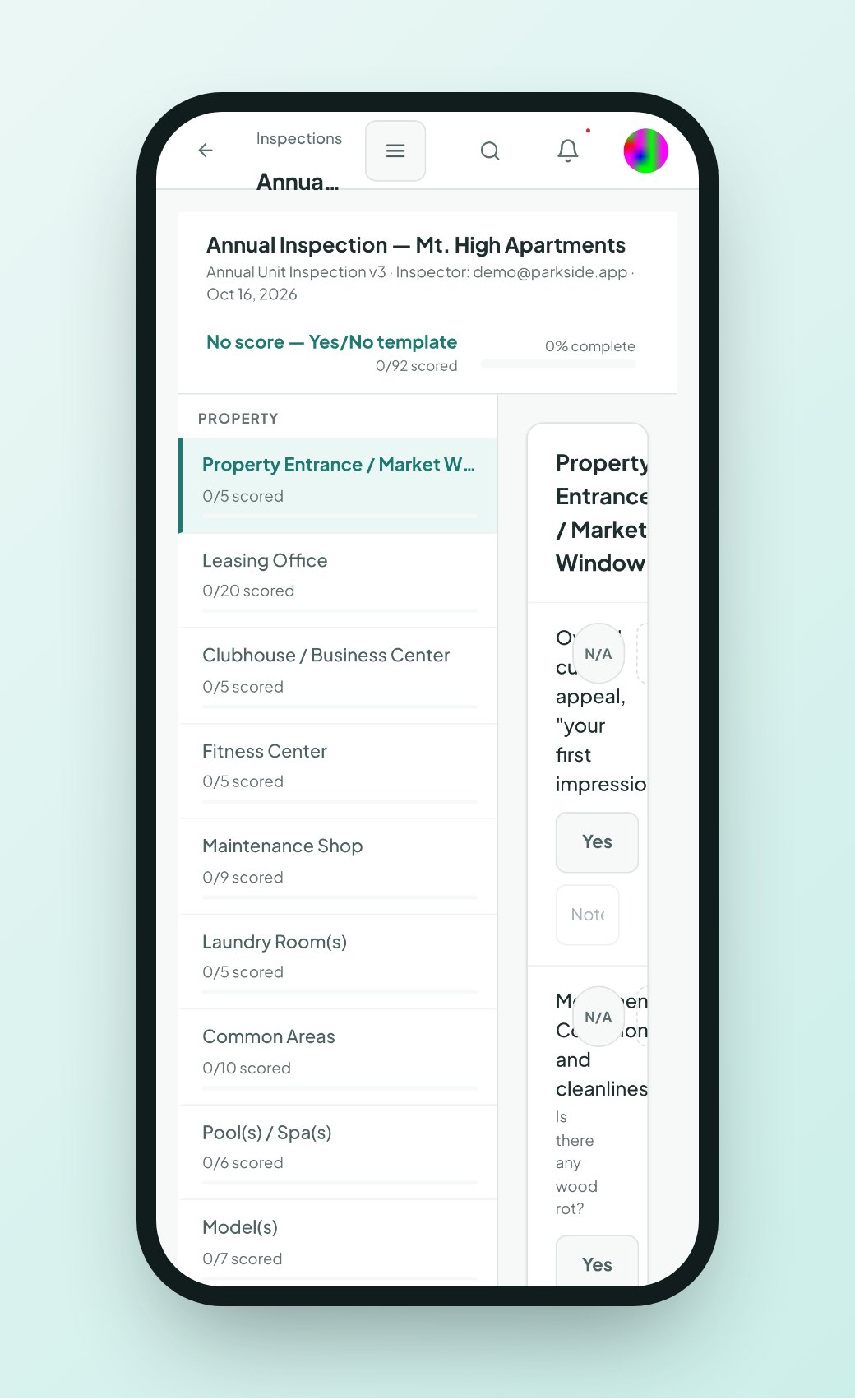
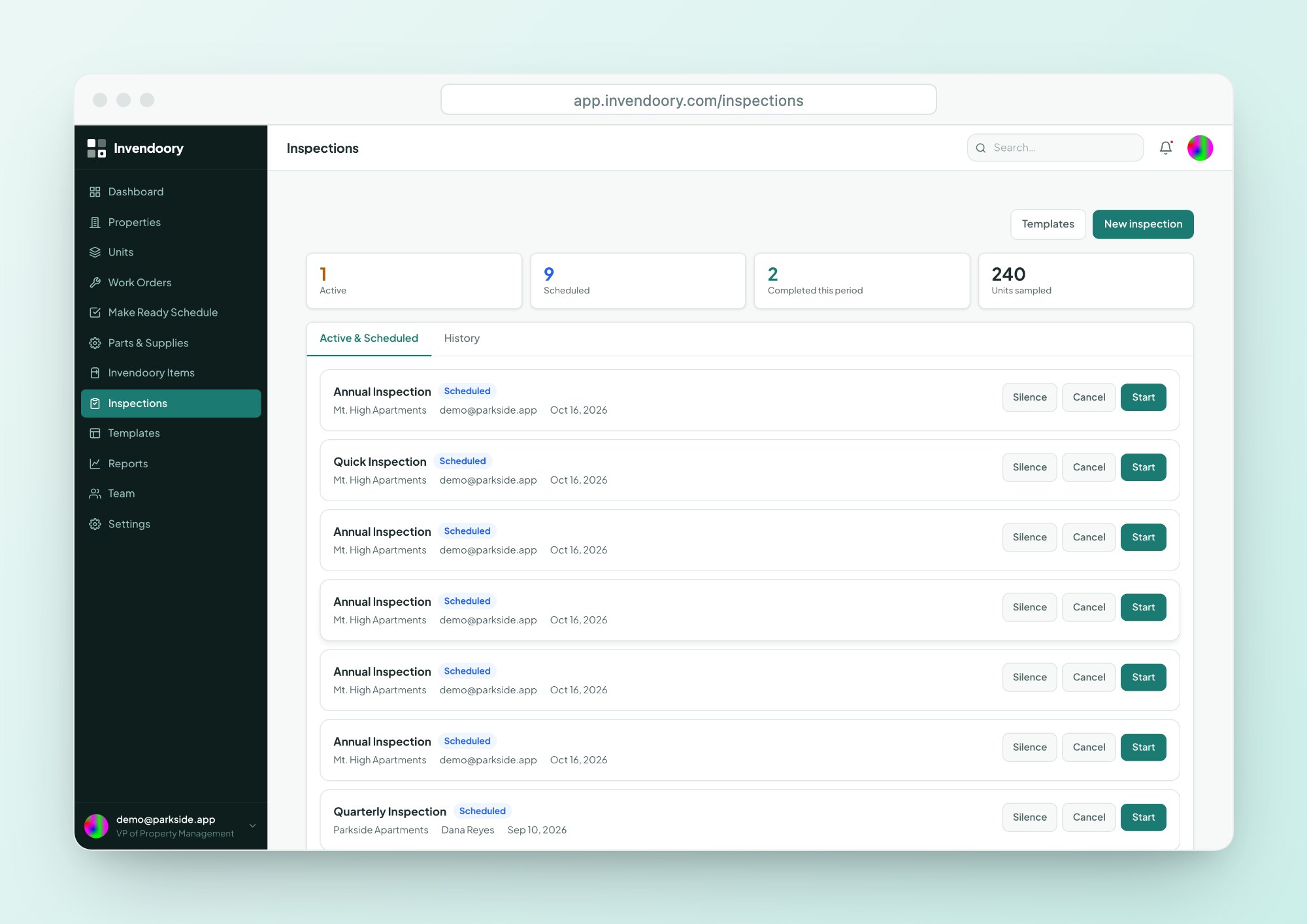
Schedule a full property, sampled units, a single unit, all units or hand-picked units. Then walk it: answer each item, mark N/A, add notes and take photos. Photos carry capture timestamps, and the score and progress update as you go.
This property inspection app is a web app built for phones in the field, with big tap targets and camera capture. There is nothing to install, though it needs a data connection.
- Answer, mark N/A and add notes
- Timestamped photos
- Score and progress update live
Areas of concern become work in one step
This is where an apartment inspection software record turns into action.
Low rating
A low score raises an area of concern automatically. Inspectors can also raise one by hand.
Convert
One tap converts the concern into a work order or a turn task, pre-filled with type, item and priority.
Fix
The work is assigned and completed. A replacement updates the item in the unit’s inventory.
Report
The concern, its photos and any chargeback appear on the inspection report.
Check the record against the room
Add an inventory-verification pass to any inspection. For each item the inspector confirms it, or flags a discrepancy: wrong make, model or serial, missing, or found but not recorded.
That keeps the inventory honest. The unit inventory gets corrected during a routine walk, with no separate audit. Smart suggestions also catch a note that describes a problem the score doesn’t reflect, and offer to raise a concern.
- Confirm each item or flag a discrepancy
- Wrong make, model or serial; missing; found but not recorded
- Notes that contradict a score offer a concern
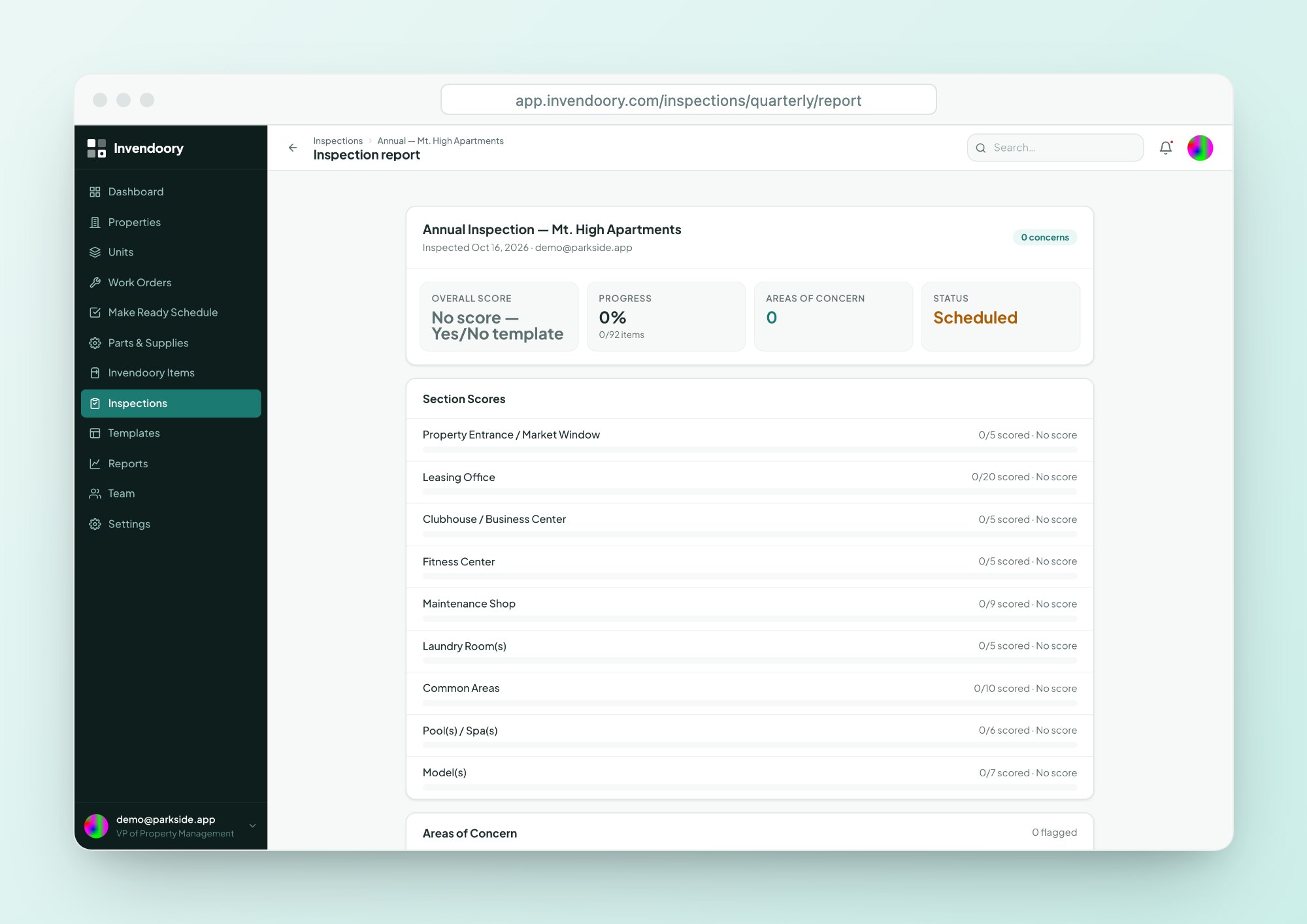
Two sign-offs and a report you can print
The inspector and the community manager both sign, then a manager submits with comments. Sign-off is a timestamped name, not an e-signature.
The inspection report shows overall and section scores, concerns, the chargeback total, sampling, verification results and embedded photos. It prints from your browser, which makes it easy to hand to a regional or keep on file.
- Overall and section scores
- Concerns, chargebacks and verification results
- Embedded photos, printable
Chargebacks that hold up
When an item fails, the inspector can record a chargeback against it: resident or vendor, name, amount and notes. Every record, edit and removal is logged.
After 30 days a chargeback is locked, and no role, admins included, can change or delete it. The lock is enforced in the database using the server’s clock. Invendoory records the charge for your files and reports. It is not billing, and it does not collect payment or sync with accounting.
What an inspection holds
Inspection questions
Can we use our own inspection form?
Yes. The template editor lets you build sections and questions with 0 to 5 scores, letter grades, yes/no, counts or text. You start from three templates modeled on a working operator’s forms and edit from there. Each edit publishes a new version, so earlier inspections keep their original wording.
Can we use a form from our insurer or lender?
Invendoory doesn’t ship regulator-specific forms. You build or edit templates to match the form you need and print the report from your browser. We don’t claim any compliance certification, so check that your own form meets the requirement.
What happens to a low score?
A low rating raises an area of concern automatically. You then convert the concern into a work order or a turn task in one step, with type, item and priority pre-filled where the app is confident. Anything it isn’t sure of stays blank.
Are photos required to finish an inspection?
An item can be marked photo required, and a badge shows when the photo is missing. The badge doesn’t block sign-off. Photos you do take carry capture timestamps and appear in the inspection report.
Will managers be told when an inspection is done?
Managers get notifications when an inspection is due within 7 days or overdue. There is no inspection completed alert. The report is available in the app once the manager submits it.
Walk a sample inspection in the demo
Open a quarterly inspection with sample data, score an item and see the concern become a work order. No signup. Or see how inspections feed Make Ready.