Fix it in one trip, with the details already in your hand
As an apartment maintenance technician, you lose time walking back to the truck for a part or filling out forms at the end of the day. Invendoory puts the item’s details, compatible parts and your assigned tasks on your phone.
What the apartment maintenance technician job involves day to day
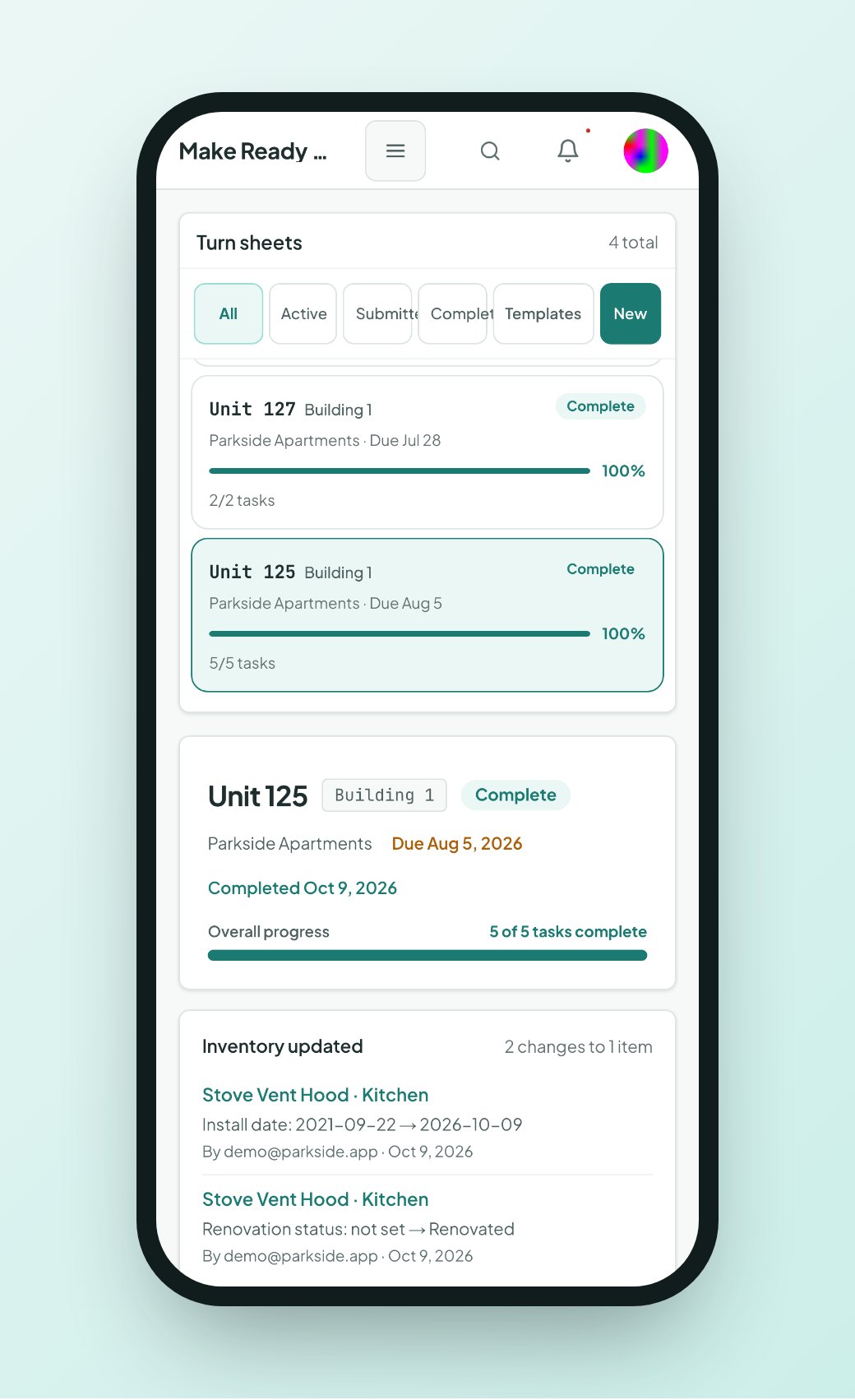
If you work maintenance at an apartment community, your day is a mix of four things. You turn vacant units so they can be leased. You work through service requests from residents. You walk inspections. And you keep parts and supplies moving so the next job does not stall.
The repair itself is rarely the slow part. The slow part is finding out what is installed, which part fits, who needs to know it is done, and writing all of it down. A make ready technician might touch a dozen items in one unit, and each replaced range, faucet or filter needs a record somewhere.
Paper forms and spreadsheets turn that record into homework. Invendoory is built to take the homework out.


Item details and compatible parts on your phone
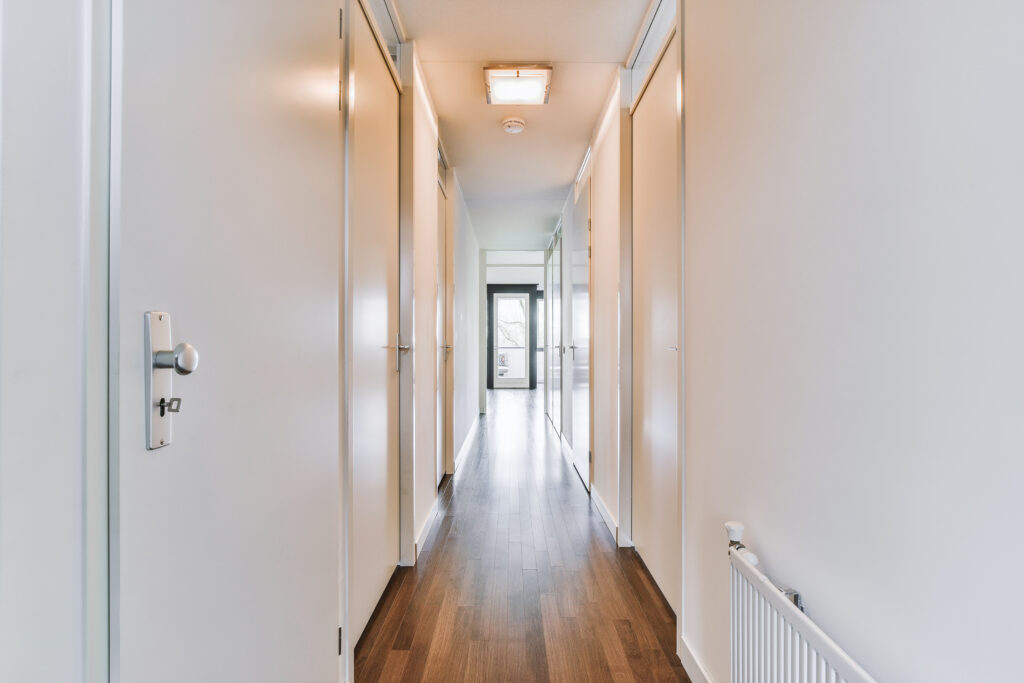
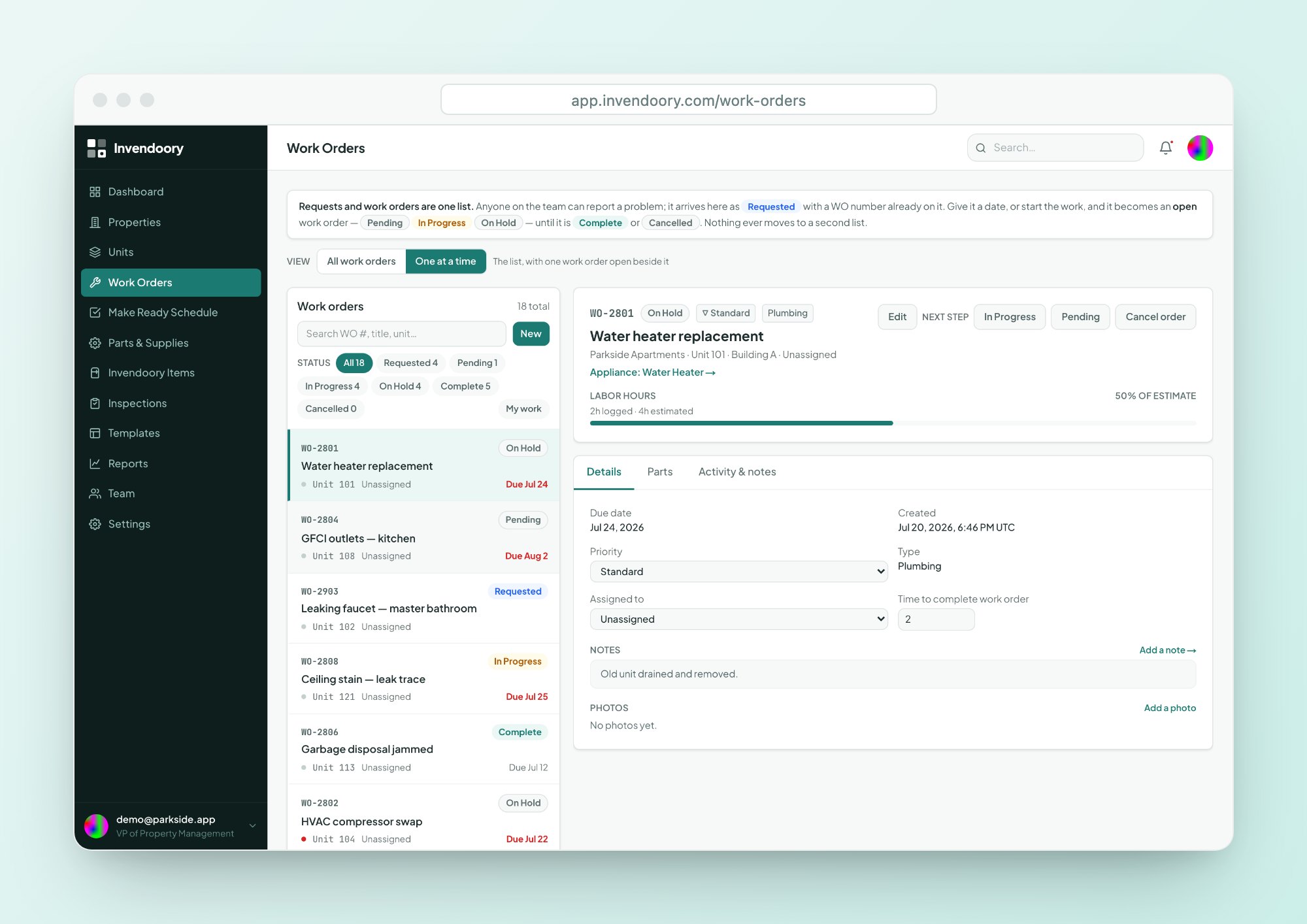
Open a work order and you see the unit, the specific appliance and its history. The detail panel shows make, model, serial and install date, plus the compatible parts with stock and cost.
You know what to grab before you leave the shop. Read more about work orders and parts and supplies.
- Make, model and serial on the appliance record
- Compatible parts shown with stock on hand and cost
- Take parts from the catalog and stock updates itself
- Audited activity and notes on every order
Your make ready tasks, assigned to you
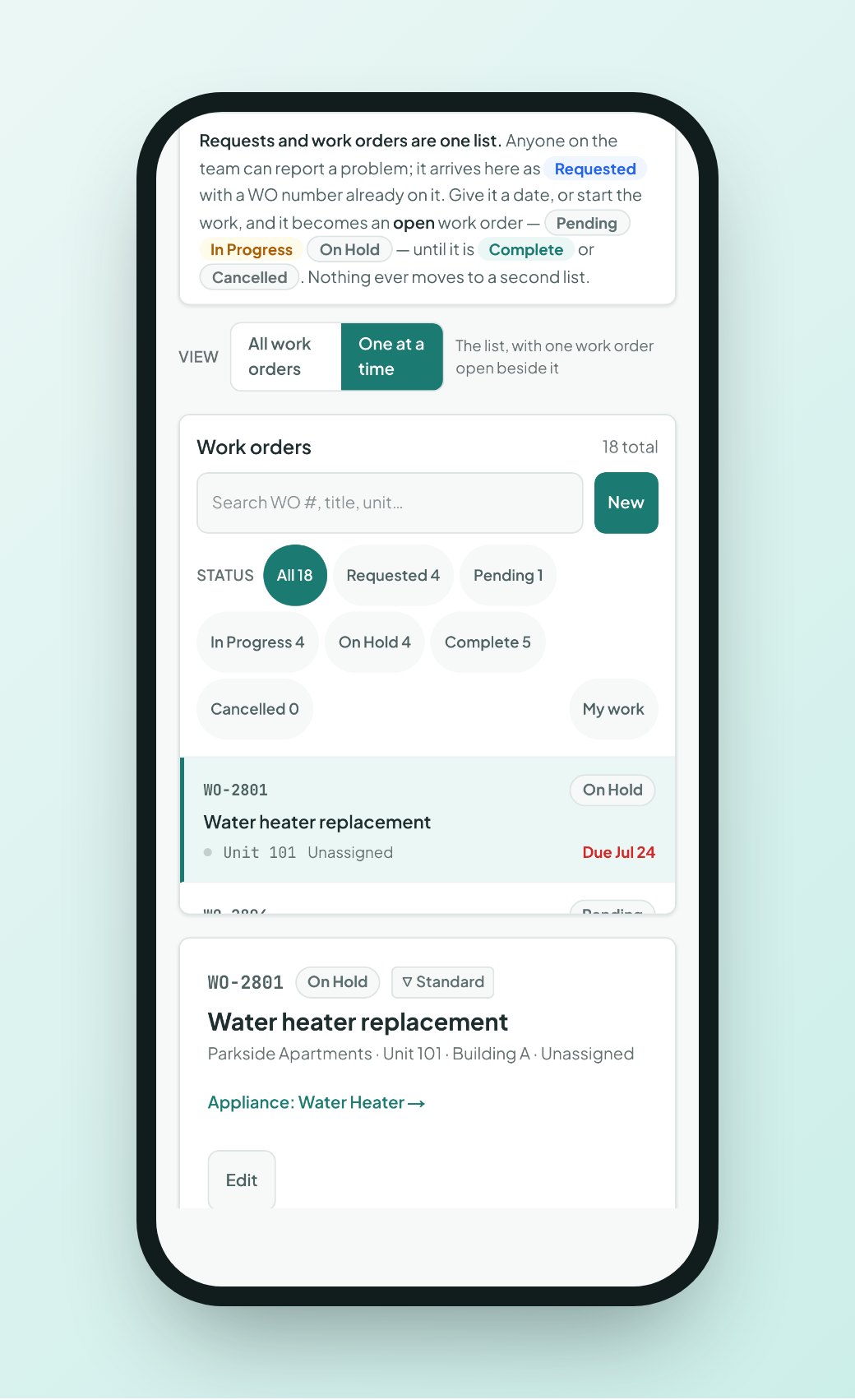
A supervisor assigns turn tasks to you on a turn sheet, and you work them from Not Started to In Progress to Complete. Add a note or a photo from your phone camera as you go.
Mark each item Replaced with the part that went in, or Serviced. When the sheet is done, you turn it in. A property manager verifies it, and the unit’s inventory updates itself. See how Make Ready works.
- Tasks move from Not Started to Complete
- Notes and phone-camera photos on each task
- Replaced or Serviced outcome on every item
- Printable paper walk sheet if your crew prefers paper
Tools that match the way a make ready technician works
Photo capture
Take photos on the phone and tag them as serial plate, condition, receipt, installed or damage. Inspection photos carry capture timestamps.
Flag for help
Stuck on a task? Flag it. The supervisors are alerted, so you do not have to hunt for someone to call.
Quick walkthroughs
Inspections answer on a phone with scores, yes/no, counts and notes. Low ratings raise areas of concern automatically.
How the maintenance app cuts the end-of-day forms
Each step happens where you are standing, once.
See the task
Your assigned tasks and work orders show up with the unit and the appliance already linked.
Do the work
Add a note and photos while the item is in front of you.
Record the outcome
Mark Replaced or Serviced, with the part that went in. Parts you used come out of stock.
Turn it in
Turn in the sheet. Verification handles the inventory update, so you are not retyping the make and model.
A work order app that runs in your phone's browser
Invendoory is a web app, so there is nothing to install and nothing to update. It is designed down to phone width, with 44-pixel tap targets for quick, accurate taps.
It does need a data connection. If your crew works in parts of a property with weak signal, plan to open the task before you walk in. Everything on the screen, from the appliance to the parts list, loads together.
What you can do depends on your role. A Technician records inspections, works assigned work orders and turn tasks, turns sheets in and records chargebacks. Supervisors triage and assign the work. Property managers verify the finished turn. Compare the roles on the Solutions page.
Questions technicians ask
Do I have to download anything?
No. Invendoory runs in your phone’s browser, so there is nothing to install or update. Your property manager shares an invite link, and you open it like any website. Phone-camera capture works from the same screen. It does need a data connection.
Can I see which part fits an appliance?
Yes. Parts are linked to item types, so every appliance’s detail panel shows its compatible parts with stock on hand and cost. If a part is low or out of stock, the status shows Low or Out before you head out.
What happens when I finish a turn task?
You mark it Complete, add notes and photos, and record Replaced or Serviced for each item. When all tasks are done you turn the sheet in. A property manager then verifies it, or sends it back with a reason.
What if I get stuck on a task?
Use Flag for help on the task. The supervisors are alerted right away. You can add a note and a photo so they know what you are looking at, and you do not have to leave the unit to explain it.
Does it replace the paper walk sheet?
Only if you want it to. Invendoory can print a paper walk sheet that lists the unit’s own rooms and what is installed in each, plus the supply form. Crews that prefer paper can keep using it.
Try a turn sheet on your own phone
The live demo uses sample apartment data and needs no signup. Open it on your phone and work a task from start to finish.