AppFolio maintenance and inventory, set up from the spreadsheets you already have
Set up AppFolio maintenance tracking from your own files. Export your units from AppFolio or Buildium, drop the file into Invendoory and check a row-by-row preview before anything saves. Invendoory works alongside your property management system. It does not connect to it, and it does not replace it.
AppFolio maintenance that works alongside your property management system
Your PMS runs leasing, rent and accounting. Invendoory runs what is installed in each unit, the inspections, the make ready turns and the work orders. It has no integration with Yardi, AppFolio, Buildium or any other PMS.
What it does have is a good front door. You export a unit list from the system you already use, and Invendoory reads the spreadsheet. You never retype the rent roll, and nothing changes in your PMS.
Whether you run AppFolio maintenance requests, Buildium maintenance workflows or a Yardi maintenance app, the setup is the same: your PMS stays, and Invendoory adds the item-level record.
Import your units for AppFolio maintenance in four steps
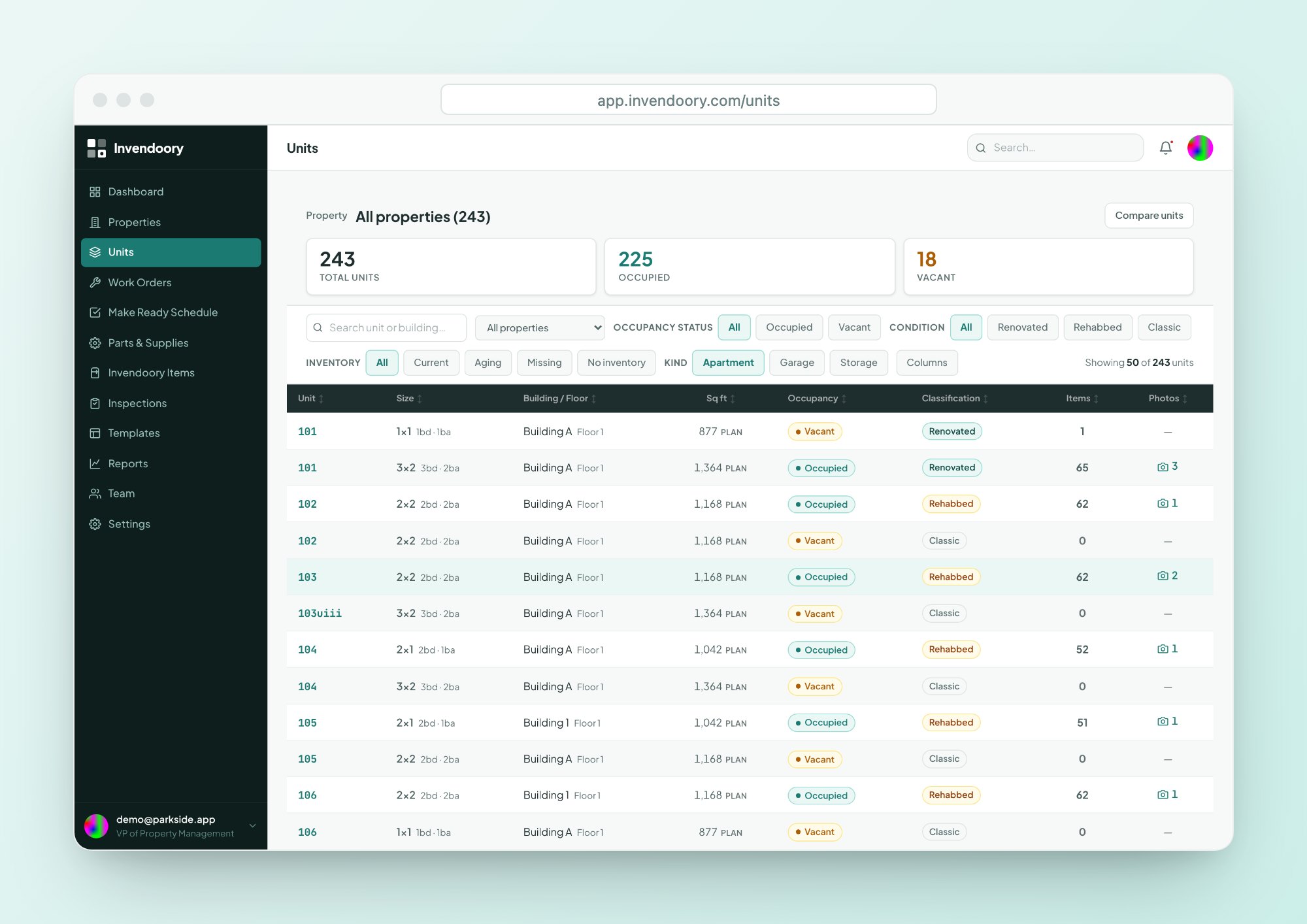
Find it under Units, then Import. The app puts it this way: export from whatever you use today, and the columns are matched for you.
Export from your system
Download your unit list as CSV, XLSX or XLS. AppFolio and Buildium exports both work.
Upload the file
Columns are matched automatically, including the column names AppFolio and Buildium use.
Check the preview
Problems are listed row by row before anything is saved, so you fix the file, not the data.
Assign and save
Choose a building and a unit template for the new units, then save.
Problems get caught before they reach your AppFolio maintenance records
Spreadsheets have habits. Excel will turn a unit number like 3-4 into a date without asking. The import looks for exactly that and shows it in the preview, so you can correct the row instead of finding unit March 4th in your property.
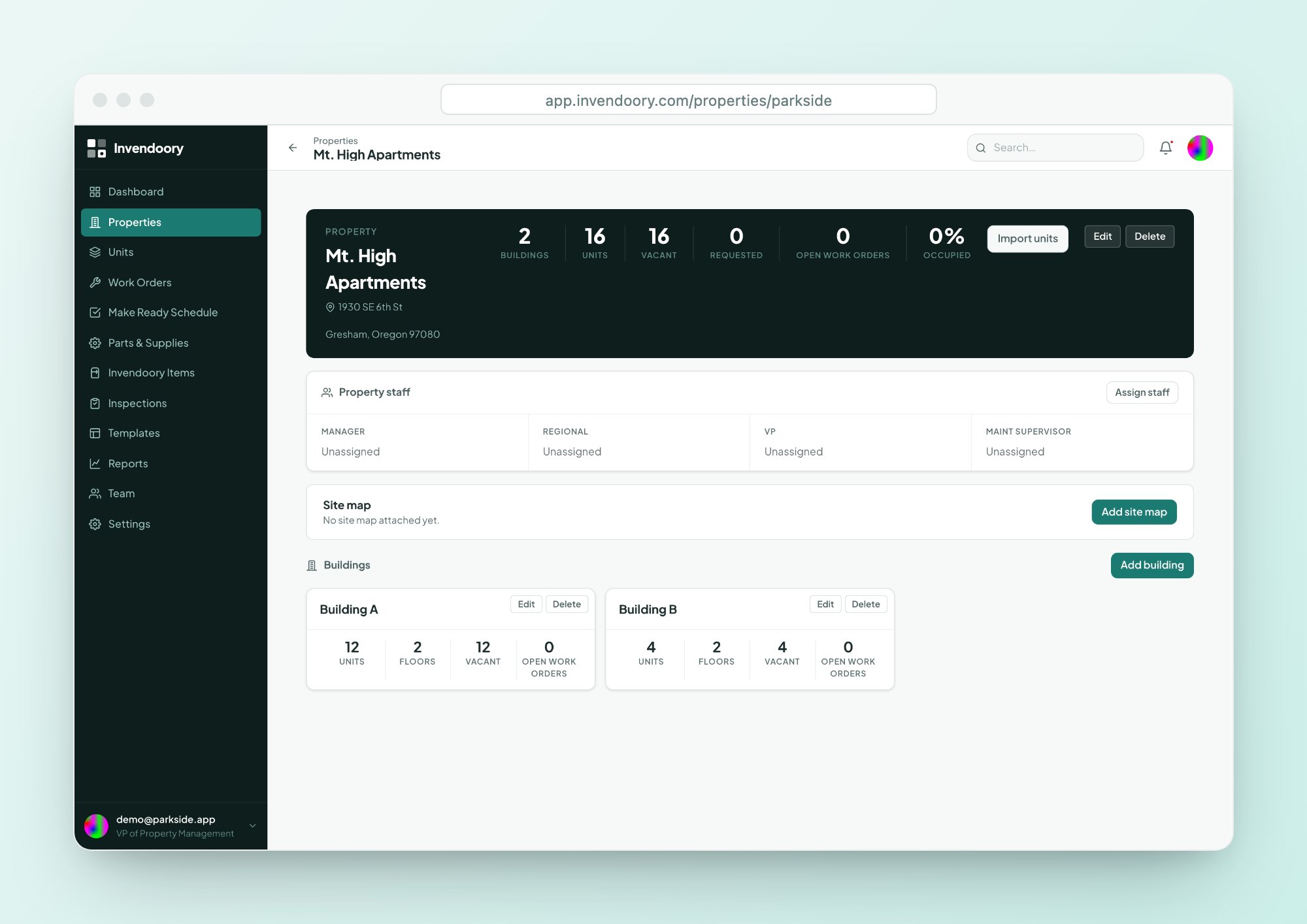
The import covers units only, which is enough to start AppFolio maintenance work against real unit numbers: number, beds, baths, floor, building and occupancy. It is a fast way to get the shell of your portfolio in place, so the real work of recording items can begin.
- CSV, XLSX or XLS files
- Automatic column matching, including AppFolio and Buildium export names
- Row-by-row preview of problems
- Catches unit numbers that Excel turned into dates
- Assign a building and a unit template while importing
Fast setup for units that are not in a spreadsheet
No export to start from? Bulk-add up to 1,000 units in one step, with sequential, floor-based (101, 201) or letter (1A, 1B) numbering. A building can be renumbered later in one all-or-nothing step.
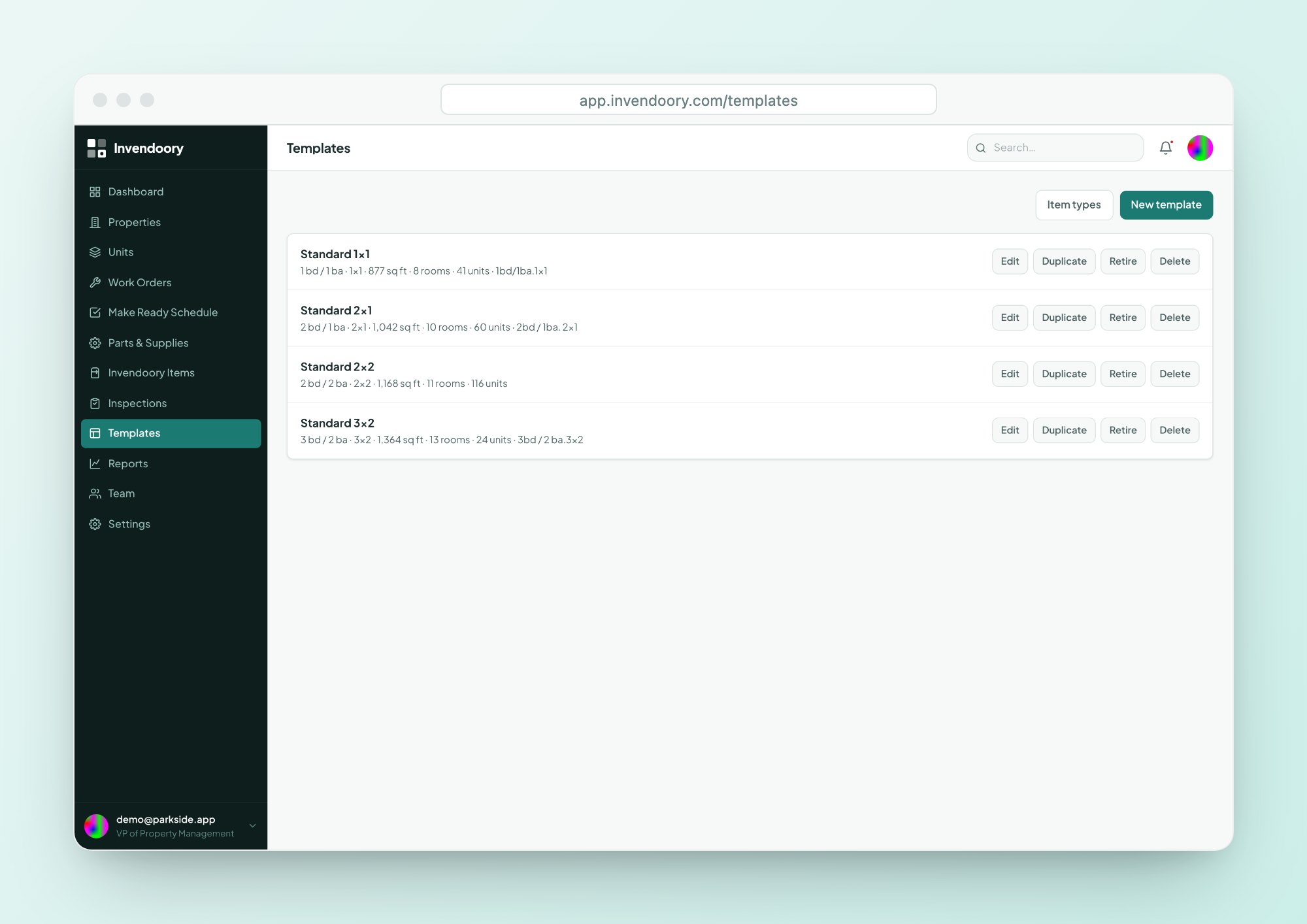
Unit templates cover the rest. A template pre-loads a floor plan’s rooms and expected items, so a new unit starts with its kitchen, baths and bedrooms already laid out.
- Bulk-add up to 1,000 units at a time
- Three numbering patterns
- One unit template per floor plan, assigned during import or bulk-add
We migrate your inventory workbook for you
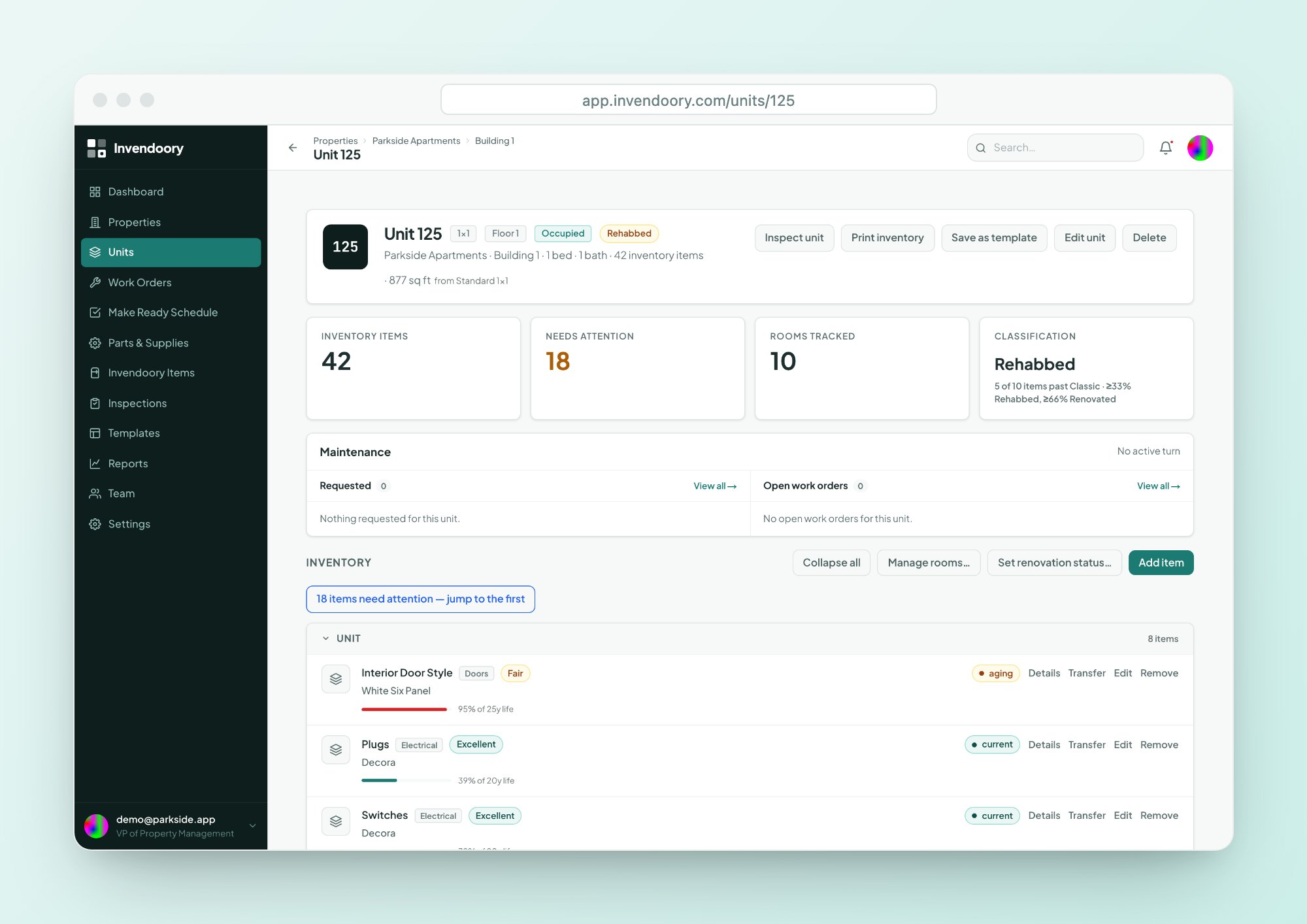
Units are the shell. The value is in the items: every appliance, finish and fixture, with model, serial and install date. That data usually lives in a rental property spreadsheet someone built years ago.
Converting it is a service. The Invendoory team has already turned a real operator’s 225-unit inventory workbook into about 10,000 item records. It is not a self-serve upload, and it is not a migration project you have to run.
- Assisted migration of item-level inventory
- Built on a real 225-unit workbook of about 10,000 items
- Your units, then your items, then the reports that depend on them
Where AppFolio maintenance and the rest fit
Keep your PMS for what it does, including its AppFolio maintenance requests if you use them. Add Invendoory for what it does not. These are separate systems, joined by a spreadsheet.
| Your system | How the units get in | What Invendoory adds |
|---|---|---|
| AppFolio | Export units, import the file. Column names are matched. | Item inventory, inspections, make ready, work orders |
| Buildium | Export units, import the file. Column names are matched. | The same record, kept accurate by finished work |
| Yardi | No Yardi integration. Import from a spreadsheet export if you can produce one. | Room-by-room asset record and field workflows |
| Your own spreadsheet | Import units yourself. Ask us to convert item-level sheets. | A record that updates itself |
No integration with any PMS. Imports read spreadsheet files you export yourself.
What to do with the first week
Walk a few units
Use an inspection with the inventory-verification pass to confirm what is installed.
Start a turn
Run your next vacant unit on a Make Ready sheet and watch the inventory update when it is verified.
Invite your team
Accounts are invite-only. Invite links are shared by hand and expire after 2 weeks. See security for the roles.
Onboarding questions
Does Invendoory handle AppFolio maintenance as an integration?
No. There is no integration. Invendoory works alongside AppFolio. You export your units to a spreadsheet and import that file, with columns matched automatically. Nothing is written back to AppFolio, and nothing in AppFolio changes, so your AppFolio maintenance workflow keeps running exactly as it does today.
Can I import from Buildium or Yardi too?
Buildium exports are matched the same way as AppFolio’s. There is no Yardi integration. If you can export your Yardi units to CSV or Excel, you can import that file and review the preview row by row, but the column names are not specially matched, so expect to check them.
What does the unit import bring in?
Units only: number, beds, baths, floor, building and occupancy. It does not bring in appliances or finishes. Item-level inventory comes from the assisted migration service, or you can record items room by room in the app once your units and buildings are in place.
How big a batch can I add at once?
You can bulk-add up to 1,000 units in one go, with sequential, floor-based or letter numbering. A unit template can pre-load the rooms and expected items for each floor plan, so you do not rebuild every kitchen by hand for each new unit you create.
How do we get our item-level inventory in?
The Invendoory team converts your inventory workbooks as a service. We have turned one operator’s 225-unit workbook into about 10,000 item records. It is assisted migration, not a self-serve upload, so talk to us about your spreadsheets and we will scope it with you.
Bring your spreadsheets and set up AppFolio maintenance tracking
Try the live demo with sample data first. When you are ready, talk to us about your export and your inventory workbooks.