Parts inventory management that knows what fits each appliance
Keep a catalog with stock on hand, order and receive parts, and see compatible parts with stock and cost on every appliance. Turns and work orders draw from the same shelf.
The part is in the shop, or it isn't
Every maintenance team knows the trip. A tech diagnoses a failed igniter, walks to the shop and finds the shelf empty, or finds three of the wrong one. Stock lives in the supervisor’s head and a clipboard, and it is wrong by the end of the week.
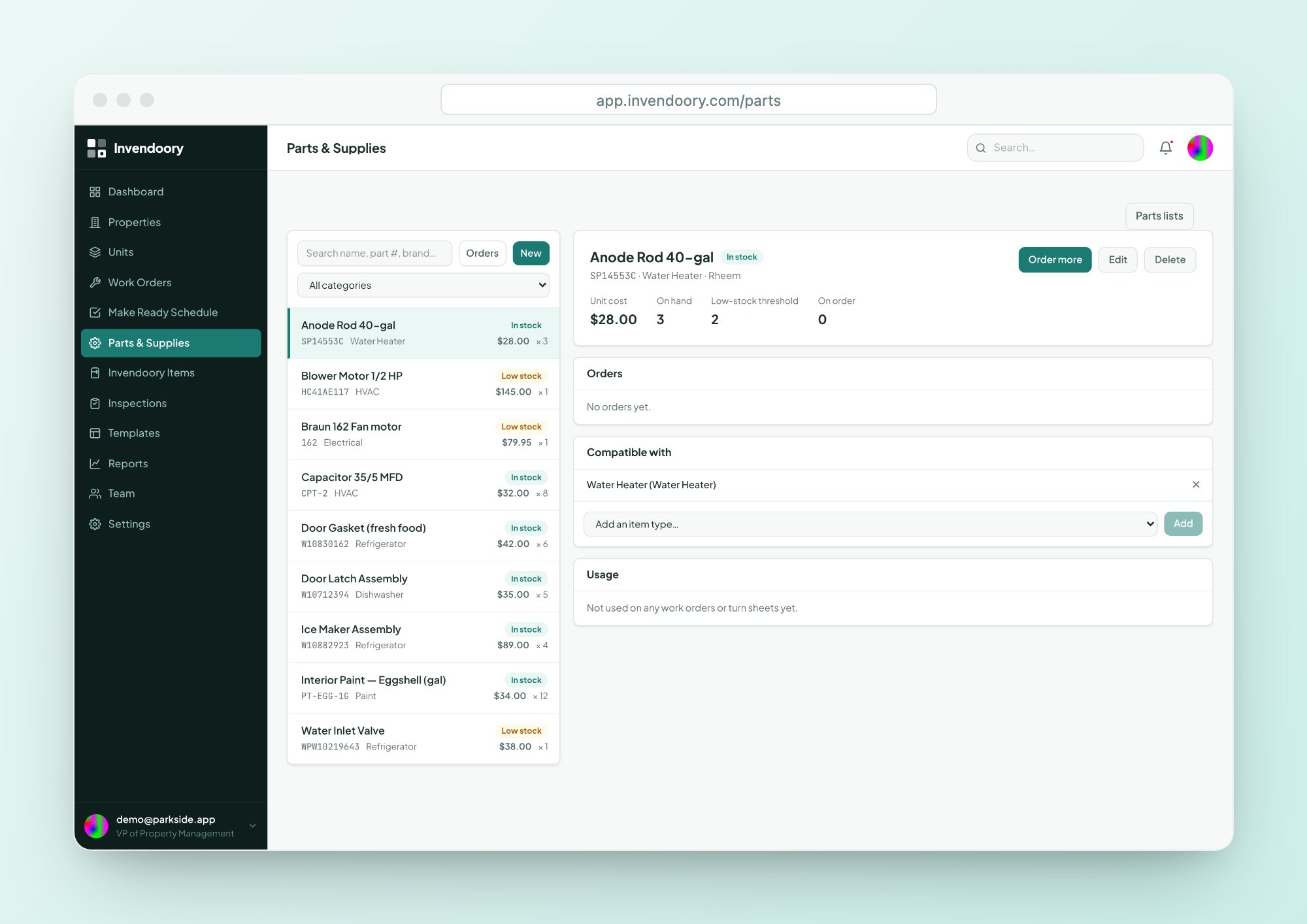
Good parts inventory management answers two questions fast: what do we have, and what fits this appliance. Invendoory answers both on the screen the tech is already looking at, because parts are linked to item types in the unit record.
A catalog with stock you can trust
Each part has a part number, category, cost, manufacturer, supplier, SKU and a link to the supplier’s page. Stock on hand and a low-stock threshold drive a simple status: In stock, Low or Out.
That makes this parts inventory software easy to scan. A supervisor sees which parts need ordering before a tech finds out the hard way.
- Part number, category, cost, manufacturer, supplier, SKU, link
- Stock on hand and a low-stock threshold
- In stock, Low or Out at a glance
Order it, receive it, and stock updates
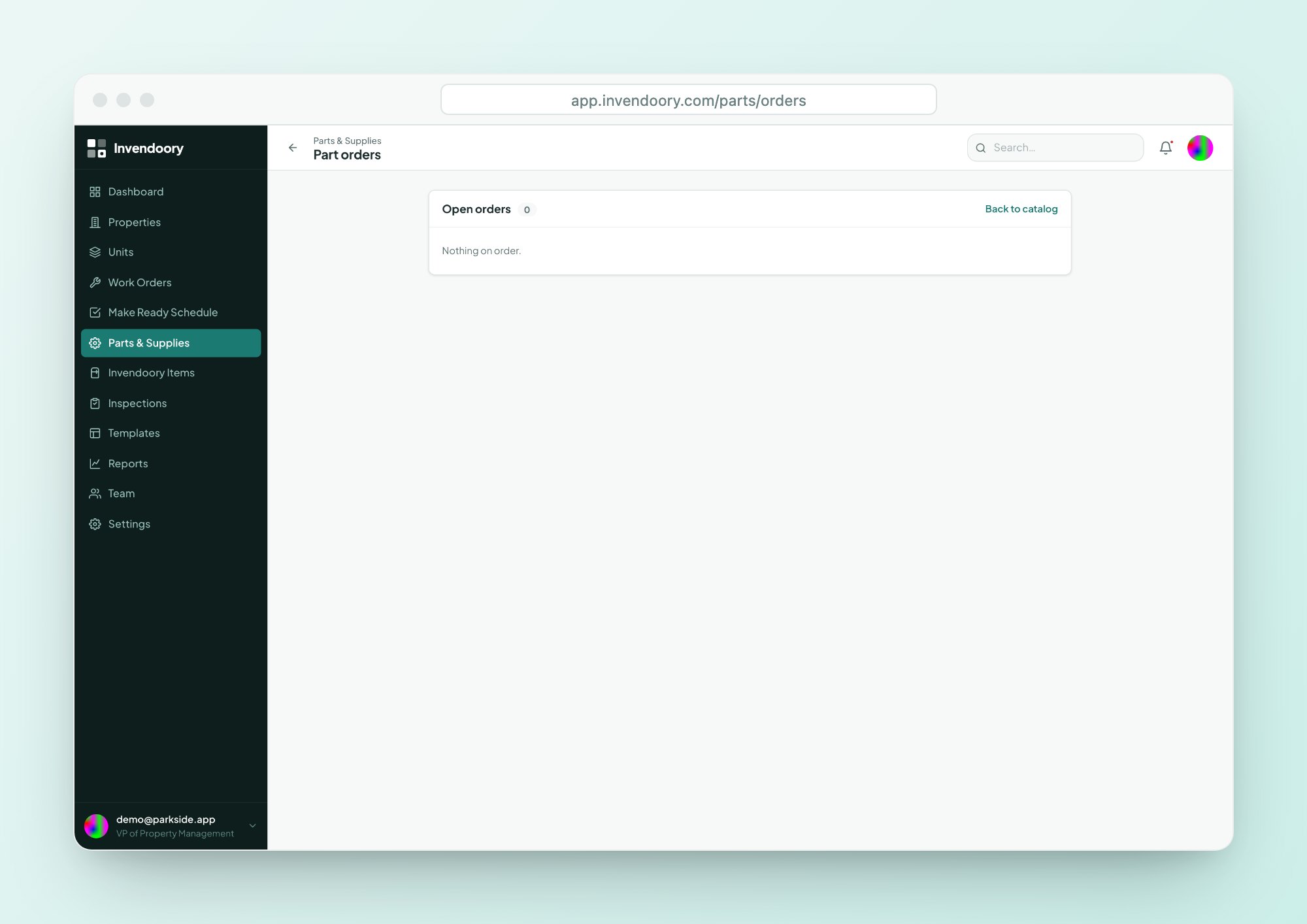
Place an order with a quantity, vendor and estimated arrival. When it arrives, receive it and the quantity is added to stock. If the order falls through, cancel it.
An open-orders page lists everything still on the way, so nobody reorders what is already coming. Alerts fire for low stock and for discontinued parts, so you hear about a problem before the shelf is empty.
- Quantity, vendor and estimated arrival
- Receive adds to stock; cancel clears the order
- Alerts for low stock and discontinued parts
Parts that know which appliance they fit
This is where maintenance inventory stops being a separate spreadsheet.
Compatible parts
Parts are linked to item types, so every appliance’s detail panel lists compatible parts with stock and cost.
- Visible on the phone
- Stock and cost shown
Parts lists
Save named kits of parts and add a whole kit to a turn task in one step.
- Named kits
- One step onto a turn task
Usage history
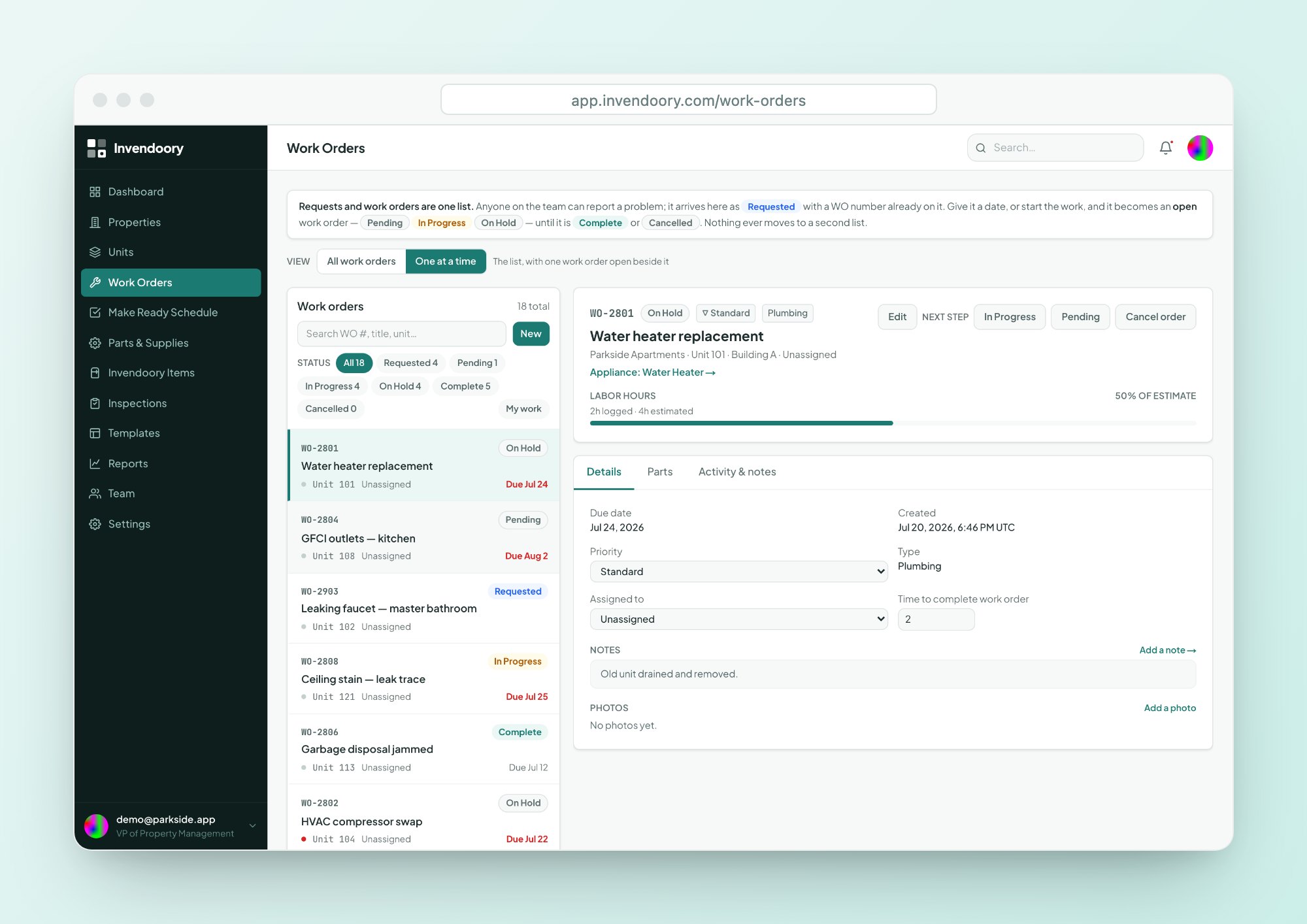
See which work orders and turns used each part, so you can tell what actually moves.
- Work orders and turns
- Per-part history
A maintenance supplies list for every property
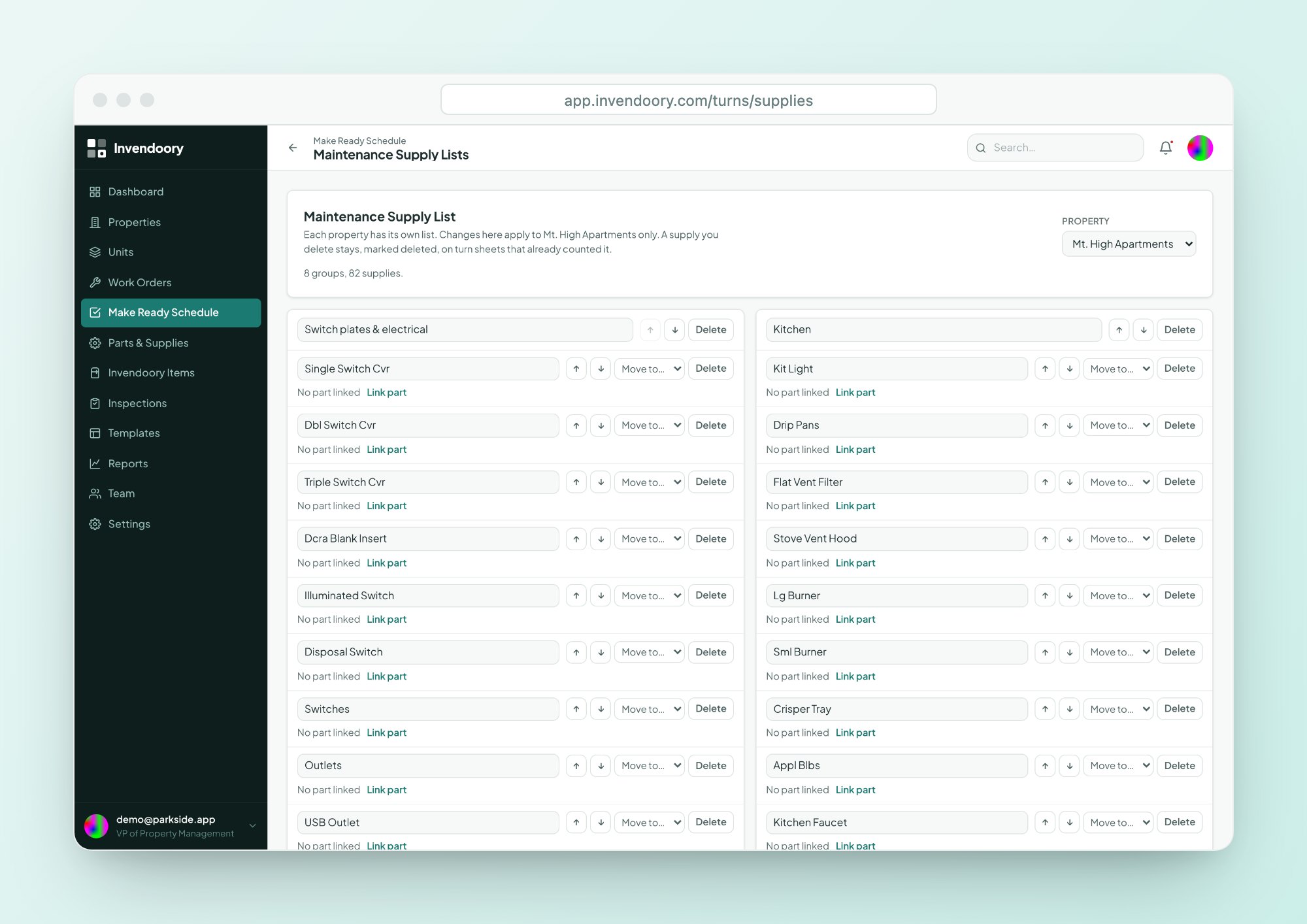
Each property has a Maintenance Supply List. It starts from a standard 82-item list taken from a real operator’s paper make ready sheet, and you can link entries to parts so supplies and parts line up.
When a property manager verifies a Make Ready turn sheet, the supplies used come out of stock. Techs can write in up to 6 supplies that aren’t on the list, and supervisors get a reminder so the list can grow with the work.
- Starts from the standard 82-item list
- Link supplies to parts
- Write in up to 6 extra supplies per sheet
Attach a diagram to an item
You can upload a parts diagram, or link to one, for each item. Techs open it from the item’s detail panel when they need to find the right component.
Diagrams are for viewing. They are not interactive schematics, and there are no clickable hotspots. They put the manufacturer’s drawing one tap from the work order instead of in a drawer.
Parts and supplies by the numbers
One shelf for turns and work orders
Parts taken on a work order reduce catalog stock, and supplies used on a turn come out of stock when the sheet is verified. Compatible parts show on the item record in asset inventory. The reports include Maintenance Performance, which shows parts spend per technician.
Notifications tell the right people when a part runs low or out, or when a part is discontinued, so ordering follows use rather than guesswork.
Parts and supplies questions
Can we scan barcodes to receive parts?
No. There is no barcode or QR scanning. You receive an order in the app, which adds its quantity to stock. Parts carry a part number and SKU you can type or search, and a link to the supplier’s page for reordering.
Does it order from suppliers automatically?
No. You record an order with a quantity, vendor and estimated arrival, then mark it received or cancelled. Invendoory does not connect to supplier systems or place orders for you. Low-stock alerts tell you when it is time to order.
What is the 82-item supply list?
It is the maintenance supply list from a real operator’s paper make ready sheet, built in as the default for each property. You can link entries to parts and add write-in supplies. Techs can write in up to 6 supplies per turn sheet that aren’t on the list.
How do parts show up on an appliance?
Parts are linked to item types. Open any appliance in the unit record and its detail panel lists the compatible parts with current stock and cost. A tech can check that on a phone before leaving for the shop.
Can we track which parts are used the most?
Yes, through usage history. Each part shows the work orders and turns that used it. The Maintenance Performance report also shows parts spend per technician. There is no demand forecasting, so reordering is still your call.
Check stock and compatible parts in the demo
Open an appliance in the live demo and see which parts fit, what is in stock and what it costs. No signup required.