Open the live Invendoory demo
The Invendoory demo is a working account loaded with sample data for Parkside Apartments. Click through real turn sheets, inspections, unit inventories and reports. Nothing to install and no sales call first.
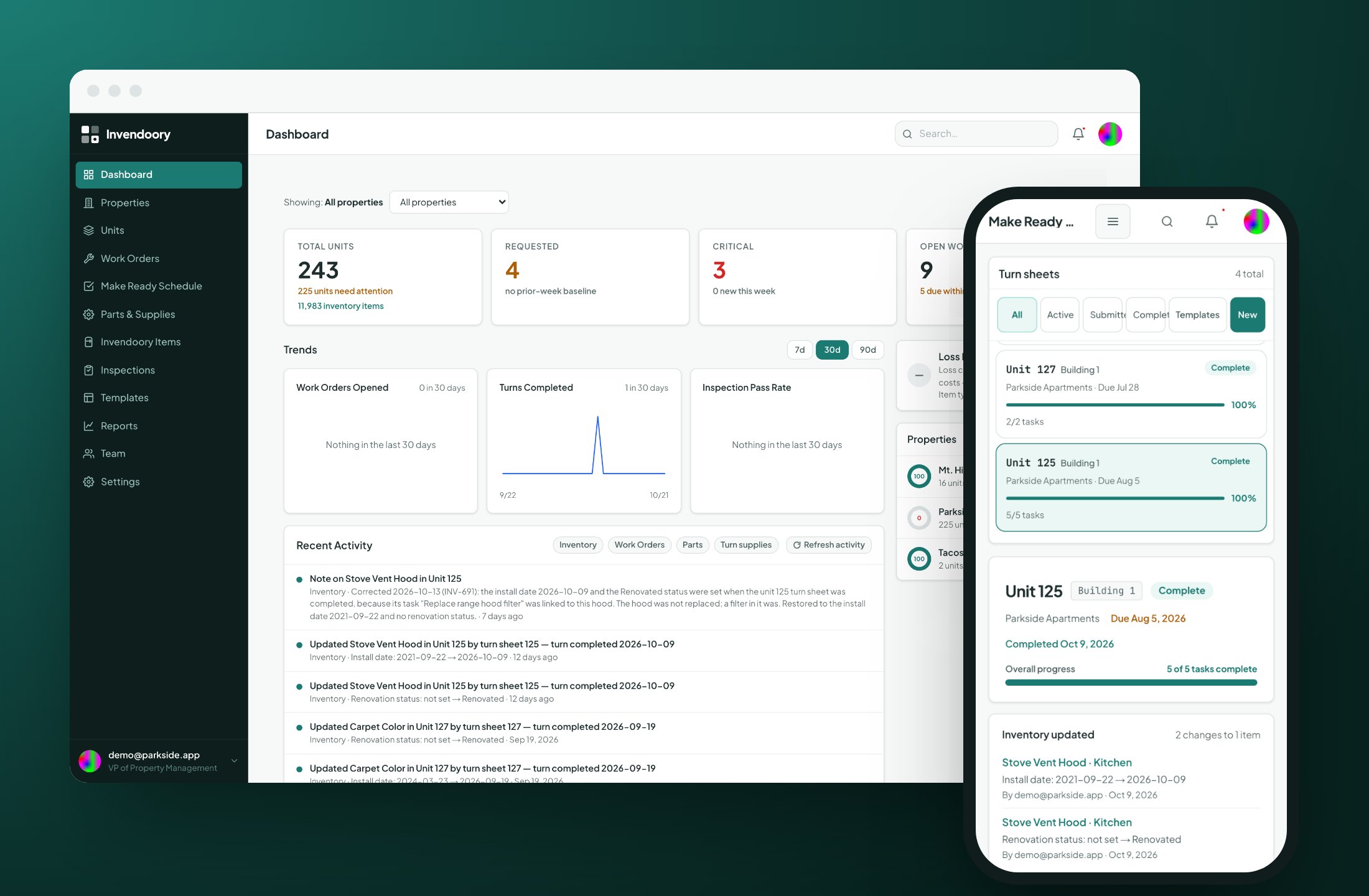
A real account with sample apartment data
The Invendoory demo is not a recorded video or a slide deck. It is the same app your team would use, signed in as a demo user and filled with sample data for a property called Parkside Apartments.
There is no customer data and no personal information in it. Every unit, appliance, inspection and work order is sample data, so you can open anything, click anything and look at any report without worrying about what you might expose.
The demo user is a VP of Property Management. That role sees everything, including Loss Detection, the one report only a VP can open. You get the full picture of what the software does, from the technician’s phone to the portfolio view.
Three clicks to the demo
There is no form to fill in and no password to create.
Open the login page
Use the “Open the live demo” button on this page. It takes you to the Invendoory sign-in screen.
Click the demo button
On the sign-in screen, click Demo login (skip sign-in). No credentials are needed.
Start with the dashboard
You land on the portfolio dashboard. Use the sidebar to move between properties, units, Make Ready, inspections, work orders, parts and reports.
A guided tour of the Invendoory demo
Five stops that show how the pieces feed each other. Take them in order, or jump to whatever matters most to your team.
1. Open a completed turn sheet
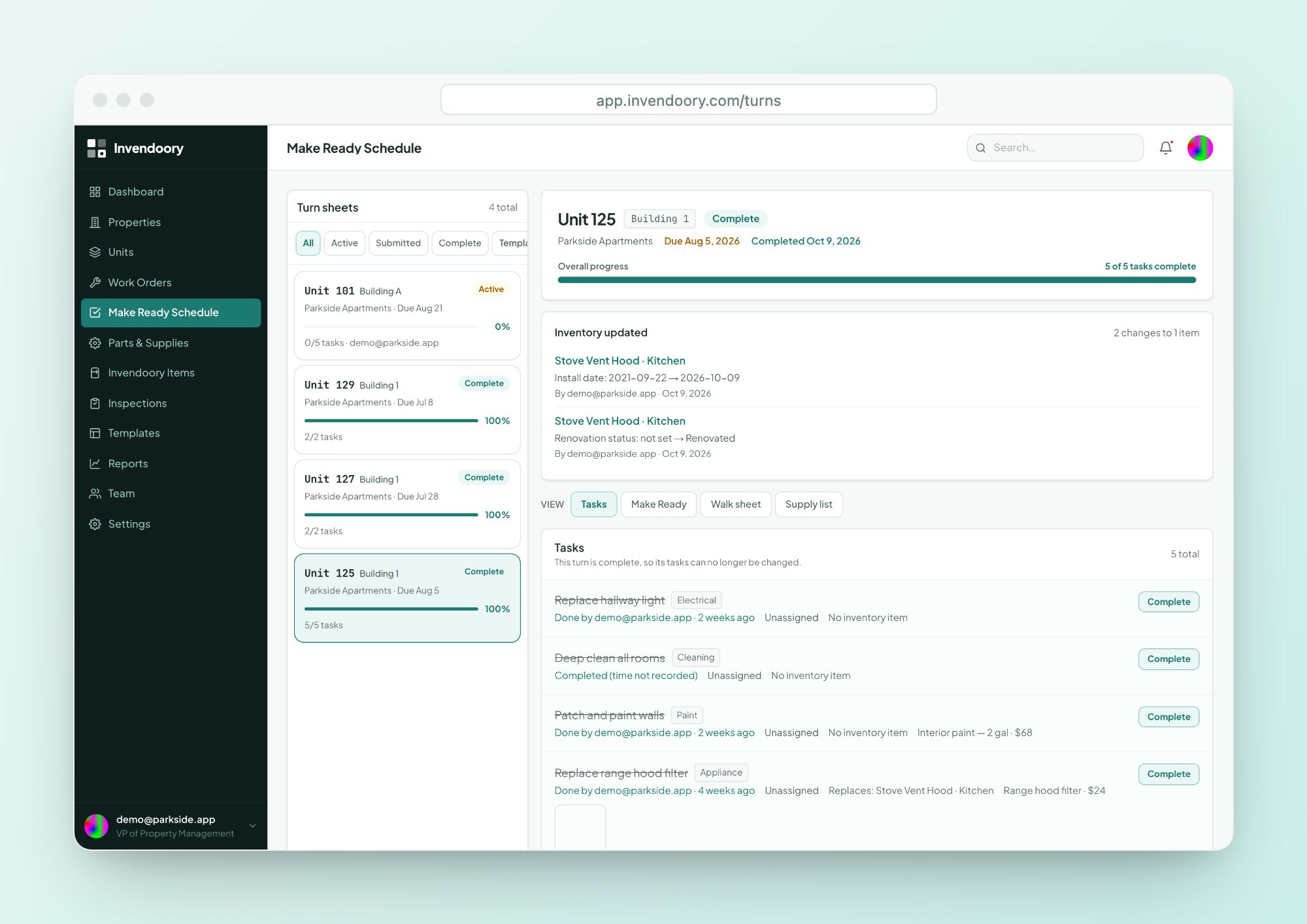
Go to Make Ready and open a finished sheet. Look for Inventory updated. That is the moment a verified turn writes the replaced items into the unit’s record.
2. Open a unit
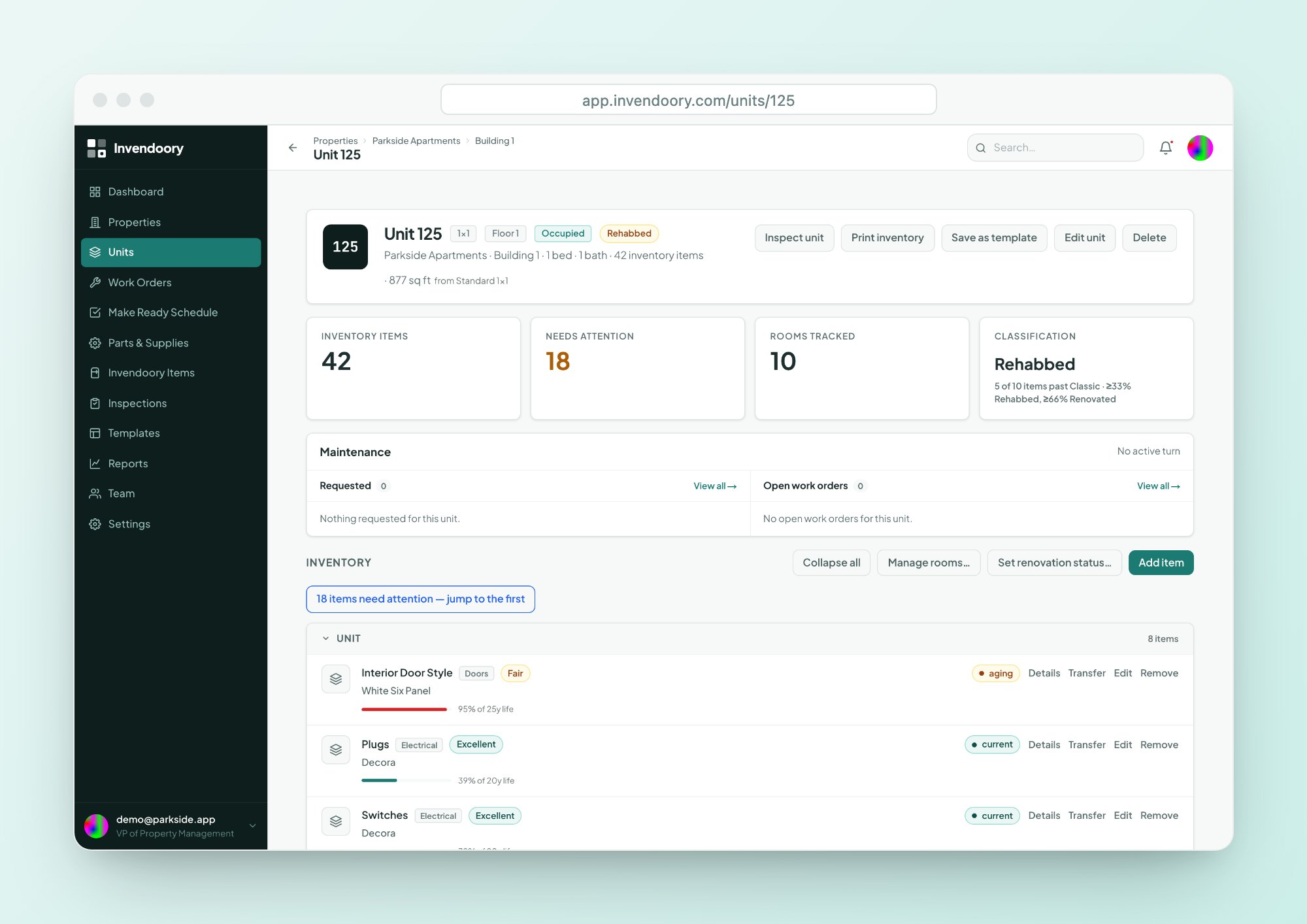
Open a unit’s Invendoory Items. Check the life-used bars on each item and the Classic, Rehabbed or Renovated classification at the top.
3. Walk an inspection
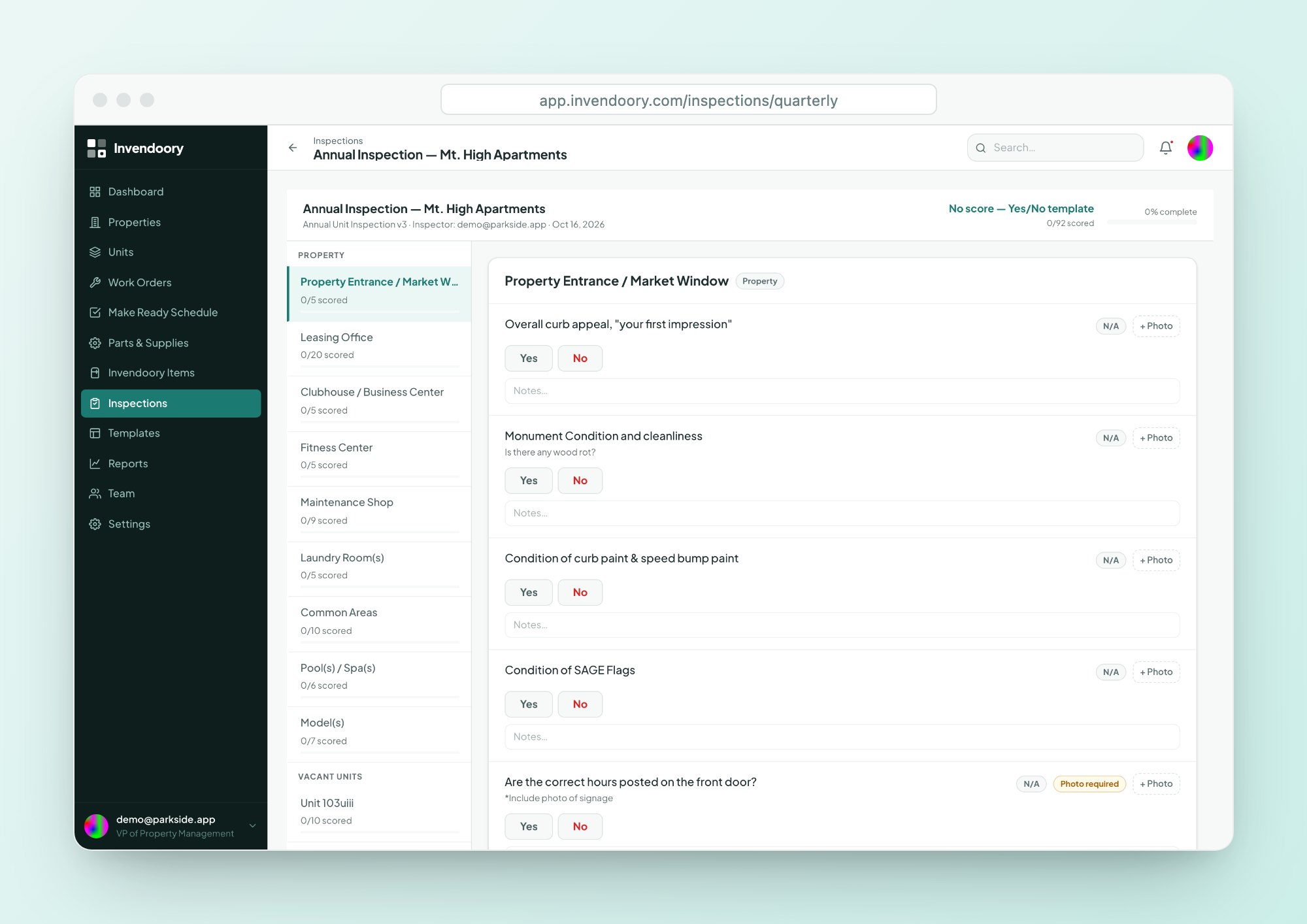
Open an inspection and step through it. Scores update as you go, and low ratings raise areas of concern you can turn into work.
4. Open two reports
Open the Insurance Inventory report and the Prorate Calculator. Both are built from the same unit records you just looked at.
5. File a request
Go to Work Orders and file a request. Requests and work orders share one list, so you can follow it through its lifecycle.
See a verified turn update the inventory
A turn sheet is the checklist for getting one vacant unit ready. Techs work their tasks, mark each item Replaced or Serviced, and turn the sheet in. A property manager then verifies it or sends it back with a reason.
In the demo, open a completed sheet and read the result. Used supplies came out of stock, and replaced items are now new installs in the unit’s inventory, dated the day of verification. Read more on the Make Ready page.
- Turn in, then verify or send back
- Replaced items become new installs
- Each item’s history records the change
Check the life left on every item in a unit
Open any unit and you see its items room by room: kitchen, main bath, bedrooms and living area. Each item carries make, model, serial, install date, warranty and photos.
The life-used bar is green under 60%, amber at 60 to 80% and red above 80%. The unit is also classed as Classic, Rehabbed or Renovated, worked out from its items. The asset inventory page explains each field.
- Life-used bar and years left on each item
- Warranty badge on every appliance
- Classic, Rehabbed or Renovated, worked out for you
Walk an inspection the way a technician would
Inspections run on a phone or a laptop. Answer each item, add notes, attach photos and watch the score move. Low ratings raise areas of concern on their own, and each concern can become a work order or a turn task in one step.
If you are comparing an apartment inspection app, this is the stop to spend time on. Learn more on the inspections page.
- Score and progress update live
- Photos carry capture timestamps
- Concern to work order in one step
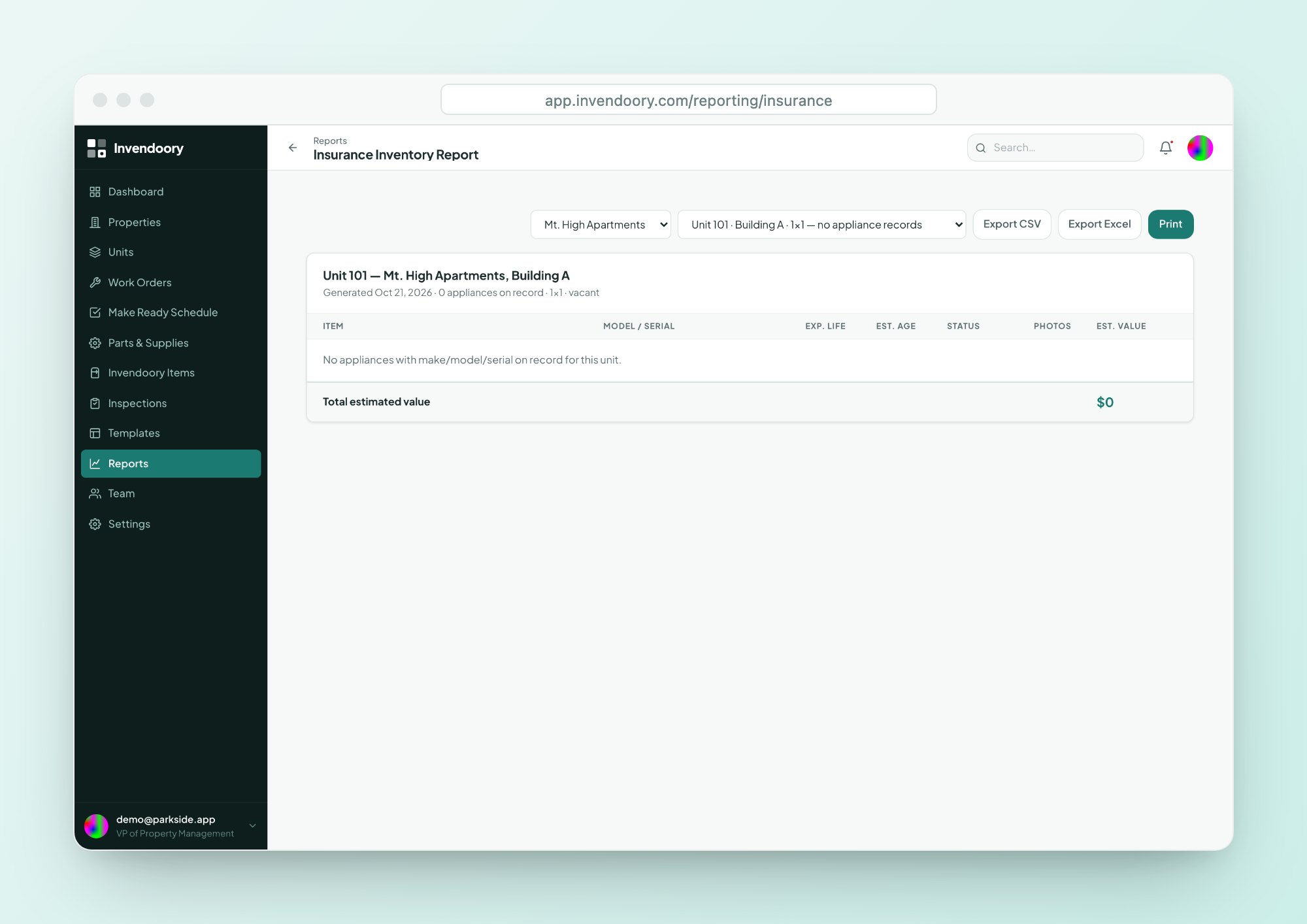
Open the reports your inventory makes possible
Because the inventory stays current, the reports built on it are numbers you can stand behind. The Insurance Inventory report lists every item per unit with age, expected life and an estimated depreciated value. The Prorate Calculator works out a move-out charge per item from age, lifespan and condition.
Every report exports to CSV and Excel, so you can check the numbers in your own spreadsheet.
- Insurance Inventory with depreciated values
- Prorate Calculator for move-out charges
- CSV and Excel export on every report
What the Invendoory demo is and is not
Sample data only
Parkside Apartments and everything in it is sample data. There is no customer data and no personal information.
The VP view
The demo user is a VP of Property Management, so it sees every module plus Loss Detection. Your own team members would see what their role allows.
Your data is a separate step
The demo does not load your units. To see your own portfolio, read how onboarding works or talk to us.
Invendoory demo questions
Do I need to sign up to use the Invendoory demo?
No. Open the login page and click Demo login (skip sign-in). There is no form, no credit card and no password. You are signed in as a demo user and can start clicking straight away.
Is any real customer data in the demo?
No. The demo uses sample data for a made-up property called Parkside Apartments. It contains no customer data and no personal information, so anything you open is safe to look at and safe to screenshot.
Which role does the demo user have?
The demo user is a VP of Property Management. That role can see every module, including Loss Detection, which only a VP can open. Your own accounts would be set up with the role each person needs.
Can I use this property maintenance software demo on my phone?
Yes. Invendoory is a web app designed down to phone width, with large tap targets and phone-camera capture. Open the demo link in your phone’s browser. There is nothing to install.
How do I see my own units instead of sample data?
Units can be imported from a spreadsheet, including AppFolio and Buildium exports, and the team can convert item-level inventory workbooks for you. See the onboarding page, or contact us with your unit count.
What does it cost after the demo?
Basic is $89 per month with 50 units included, and Advanced is $350 per month with 300 units included. Extra units are billed per unit on both plans. See the pricing page for the full table.
Open the live demo and click around
It takes about 10 minutes, and nothing you do in it affects real data.