Budget variance by category, flagged where spend and installed value disagree
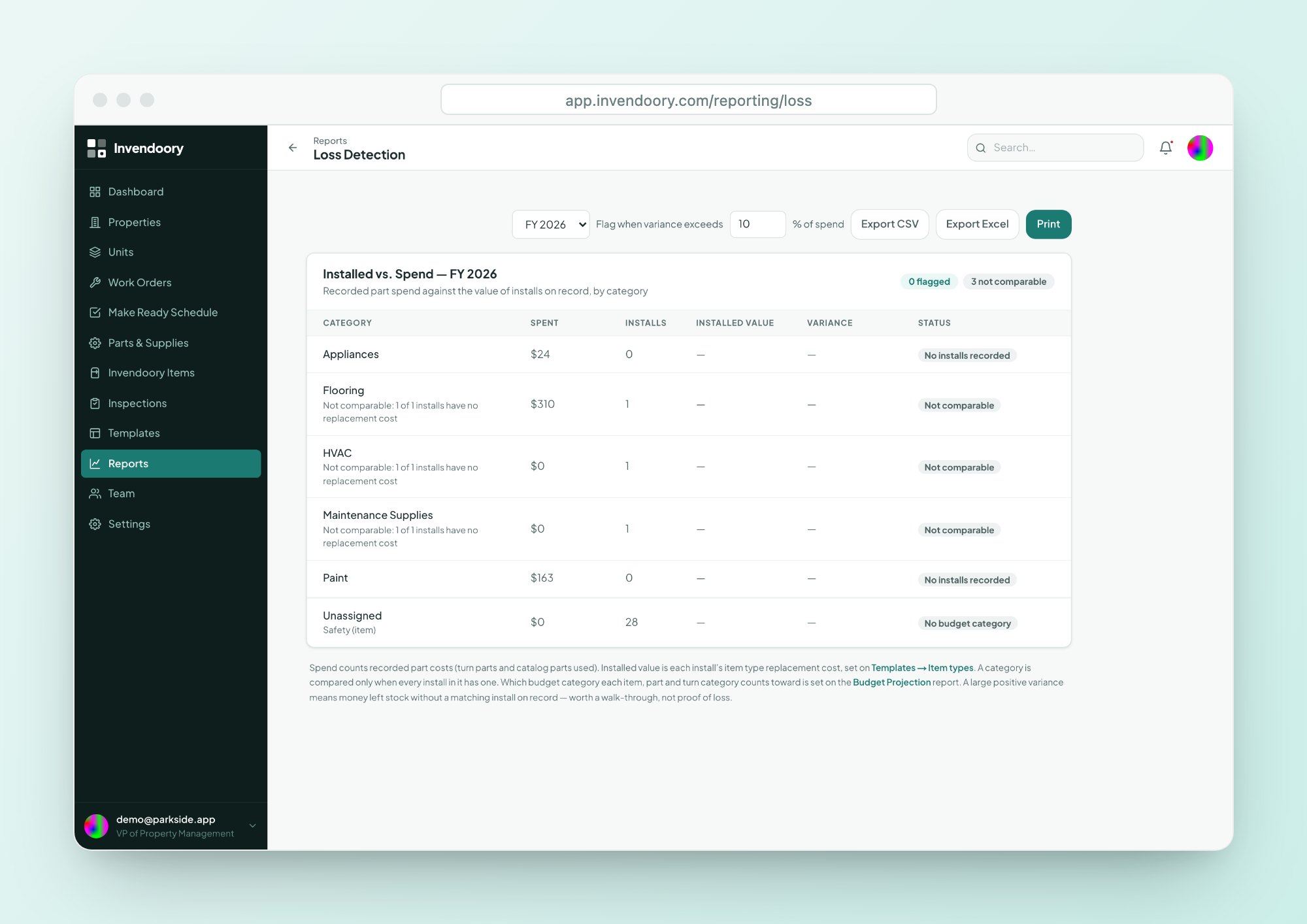
Loss Detection compares what you recorded spending with the value of what is actually installed, for each budget category. Anything above the variance threshold gets flagged, so you know which questions to ask first.
Budget variance is rarely checked against what is installed
Maintenance cost control usually stops at the invoice, and budget variance goes unchecked. Accounts payable checks that a bill was approved. Nobody checks whether the appliances, flooring or fixtures you paid for are the ones in the units.
At portfolio scale, a budget variance between the two can sit for a year. A property books heavy spend in one category while the installed record barely changes. That could be a perfectly good reason, such as repairs that never touch the install base. It could also be a recording problem, a pricing problem or a process problem.
You cannot tell which until something flags the gap.
Recorded spend vs installed value, category by category
For each budget category, Loss Detection sets the spend recorded in Invendoory beside the value of the items installed in that category. When the budget variance between the two goes above the threshold, the category is flagged.
It works because the inventory is live. Verified turns and completed replacements write new installs back to each unit, so installed value moves as real work is done.
- Recorded spend and installed value in one view
- A flag when variance passes the threshold
- Broken out by budget category
- Exports to CSV and Excel
What a flagged budget variance can point to
A budget variance flag is a question, not a verdict. Loss Detection does not detect theft or find missing items. These are the questions worth asking first.
Is the install record behind?
Work may have been done without the unit’s inventory being updated. Check whether replacements were completed through a work order or verified on a turn.
Is the spend coded to the right category?
A cost recorded under the wrong category makes one line look heavy and another look light. Look at the entries behind the number.
Is it repair, not replacement?
Heavy repair spend adds cost without adding installed value. If a unit keeps absorbing repairs, ask whether replacement would cost less.
Did prices move?
A vendor or supplier price increase raises spend without changing what was installed. Compare unit costs across properties.
Are items being swapped?
Moving appliances between units is logged as a transfer. Check the item history to see whether an emergency swap explains the numbers.
Is something else going on?
If the explanations above do not account for the gap, that is the case for a closer look at the invoices and the work behind them.
From a budget variance flag to an answer
Because everything links back to the unit record, a flag can be traced rather than debated.
Open the flagged category
See which properties carry the variance and how far above the threshold they are.
Check the inventory
Use the Invendoory Items search to see what is installed, with install dates and history.
Decide and record
Fix the record, recode the spend or take the question to the property. The audited history shows what changed.
A Loss Detection card that only VPs see
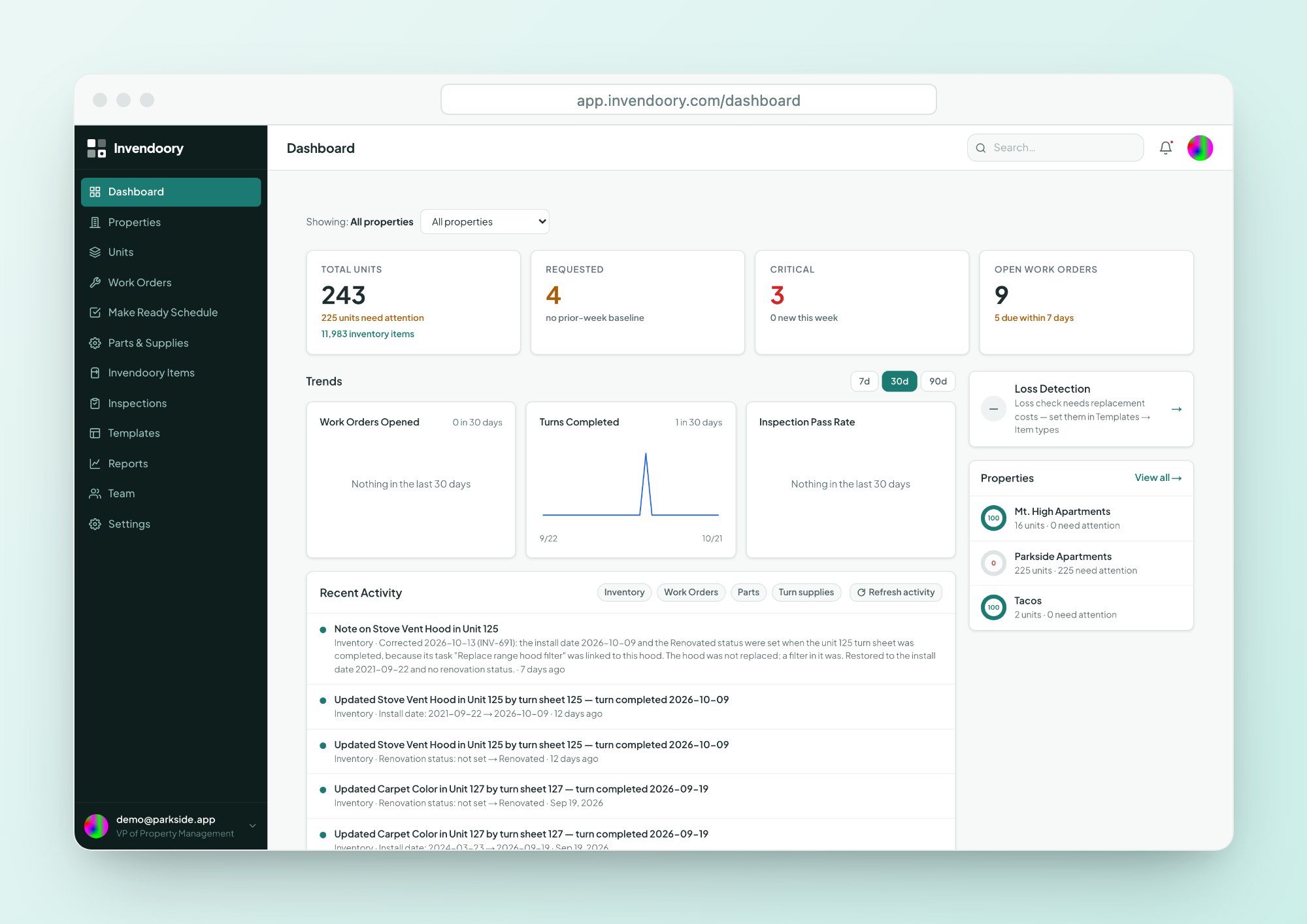
Loss Detection is available to one role: the VP. It appears as a card on the dashboard and as a full report. Regional managers, property managers and everyone below do not see it.
That keeps variance flags for the people who set the questions. Property teams still see their own budget vs actual numbers and can explain them.
- VP-only report and dashboard card
- Permissions enforced in the database, not only the screens
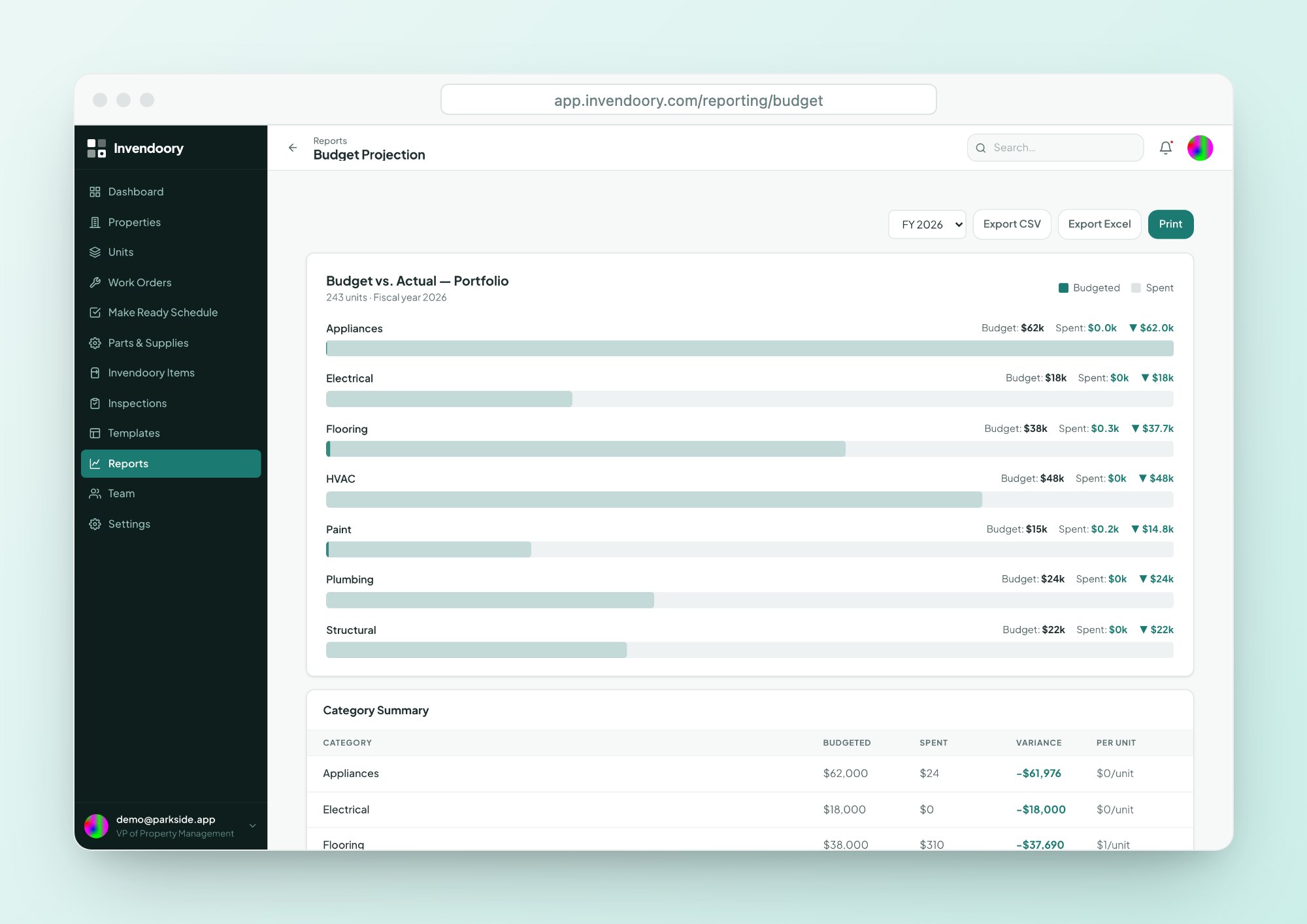
- Pairs with Budget Projection for plan vs actual
Budget Projection and Loss Detection answer different budget variance questions
| Compared on | Budget Projection | Loss Detection |
|---|---|---|
| Compares | Budget vs actual spend | Recorded spend vs installed value |
| Grouped by | Category and fiscal year | Budget category |
| Flags | Variance, plus notifications at 80% and 100% | Variance above a threshold |
| Best for | Staying on plan | Spotting gaps worth questioning |
Both export to CSV and Excel. Budget targets for Budget Projection come in through data import.
What Loss Detection will not tell you
It does not detect theft, and it does not find items that have gone missing. It cannot know about an appliance nobody recorded. It compares two numbers that Invendoory holds and flags when they drift apart.
Treat a budget variance flag the way an auditor treats any variance: as a reason to ask. Good capex tracking and multifamily asset management depend on the question being asked early and answered from records. Read more about the Reports set.
Budget variance questions
Who can see Loss Detection?
Only the VP role. It appears as a dashboard card and as a report. Regional managers, property managers, supervisors, technicians and leasing staff cannot see it, and that restriction is enforced in the database itself, not just in the screens. Property teams still see their own budget numbers elsewhere.
Does Loss Detection find theft or missing items?
No. It compares recorded spend with installed value by budget category and flags budget variance above a threshold. A flag tells you where to look. It does not detect theft, and it does not find items nobody recorded, so use it to start a review, not to reach a conclusion.
What counts as a budget variance flag?
A category is flagged when the gap between recorded spend and installed value goes above the variance threshold. Use the flag to start a review of the inventory, the work orders and the way spend was coded for that category, then decide whether anything needs correcting.
How is it different from Budget Projection?
Budget Projection compares budget with actual spend by category and fiscal year. Loss Detection compares recorded spend with the value of what is installed. One tells you if you are on plan. The other tells you whether spend and the record agree, and where they do not.
Can I export the results?
Yes. Like every report in Invendoory, Loss Detection exports to CSV and Excel. Export the flagged categories to share with your regionals, along with the questions to answer before the next review, so the conversation starts from records and not from memory.
See a budget variance report on sample data
Open the live demo to see the dashboard and the reports. No signup, no customer data.