
Vacancy loss is simple arithmetic, but few teams put it next to the turn schedule. Here is how to calculate it, a worked example with illustrative numbers, and the places make ready time quietly slips.
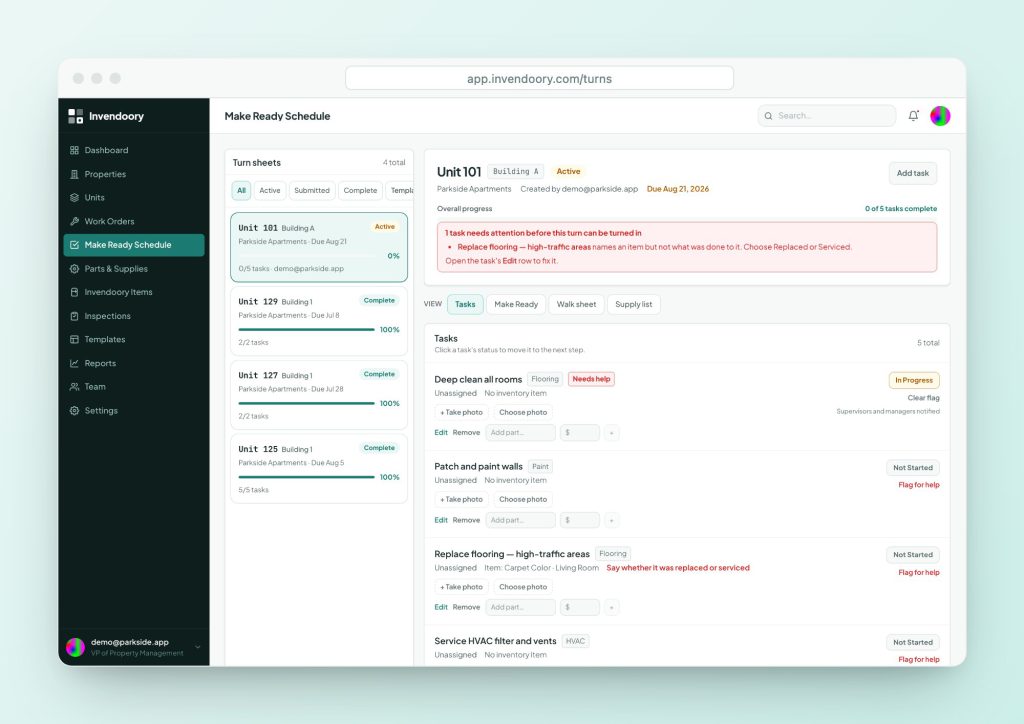
How to calculate vacancy loss per day
Vacancy loss is the rent a unit would have earned while it sat empty. The usual method divides monthly rent by 30 to get a daily figure, then multiplies by the days vacant. One published version of the full formula is: monthly rent divided by 30, times days vacant, plus turnover spend. To check whether that spend is on plan, compare it in a budget vs actual review.
That gives you two parts. Lost rent grows with every day on the calendar. Turnover cost, meaning paint, cleaning, repairs, parts and labor, is spent whether the turn takes 5 days or 15.
You can also divide annual rent by 365 for a slightly more precise day. Pick one method and use it everywhere, so comparisons across properties hold up.
An example of the cost of vacancy
These numbers are illustrative only. Swap in your own rent and turn times. Rent in this example is $1,800 a month, so lost rent is $1,800 ÷ 30 = $60 per day.
| Turn length | Lost rent per unit | Difference vs. 12 days |
|---|---|---|
| 12 days | 12 × $60 = $720 | None |
| 9 days | 9 × $60 = $540 | $180 saved |
| 6 days | 6 × $60 = $360 | $360 saved |
Example only. If a 100-unit community turns 40 units in a year, cutting 3 days per turn is 40 × $180 = $7,200 of rent kept, before counting any change in turnover spend.
Why make ready time matters more than it looks
Turnover cost is mostly fixed once you set the scope. Make ready time is the part you can still change. Each day you shave comes straight off the vacancy loss, and it is the one lever that does not cost extra materials.
The vacant clock also does not stop when the unit is ready. A unit that is finished on a Wednesday but not verified until Monday is still vacant, on paper and in the calendar. Put a number on days from move-out to ready-to-lease. The maintenance KPIs guide shows how.
It also helps to separate the two clocks. Make ready days are the days your maintenance team controls. Marketing days are the days leasing controls. Add them together and you get the total vacancy, but only one of them belongs on the maintenance scorecard.
- Scope sets turnover spend; speed sets lost rent
- Count until ready-to-lease, not until done
- Track the same way at every property
Where make ready time slips
These are the usual suspects. Look at the last five slow turns and see which ones show up.
Waiting on parts
A tech finds a bad faucet or a missing range knob mid-turn and has to order it. The unit sits while the part ships.
Trade scheduling
Paint, carpet and cleaning happen in sequence. A one-day gap between vendors becomes three.
Unclear scope
Nobody wrote down what this unit needs. The crew finds out as they go and tasks get added late.
Waiting on approval
A finished turn waits for a manager to walk it. Nothing is wrong. It is just not signed off.
Rework
The unit fails the final walk and goes back. The second pass is often slower than the first.
Inventory surprises
The listing says a new refrigerator. The unit has an old one. The fix arrives after the photos.
Write the scope down before the turn starts
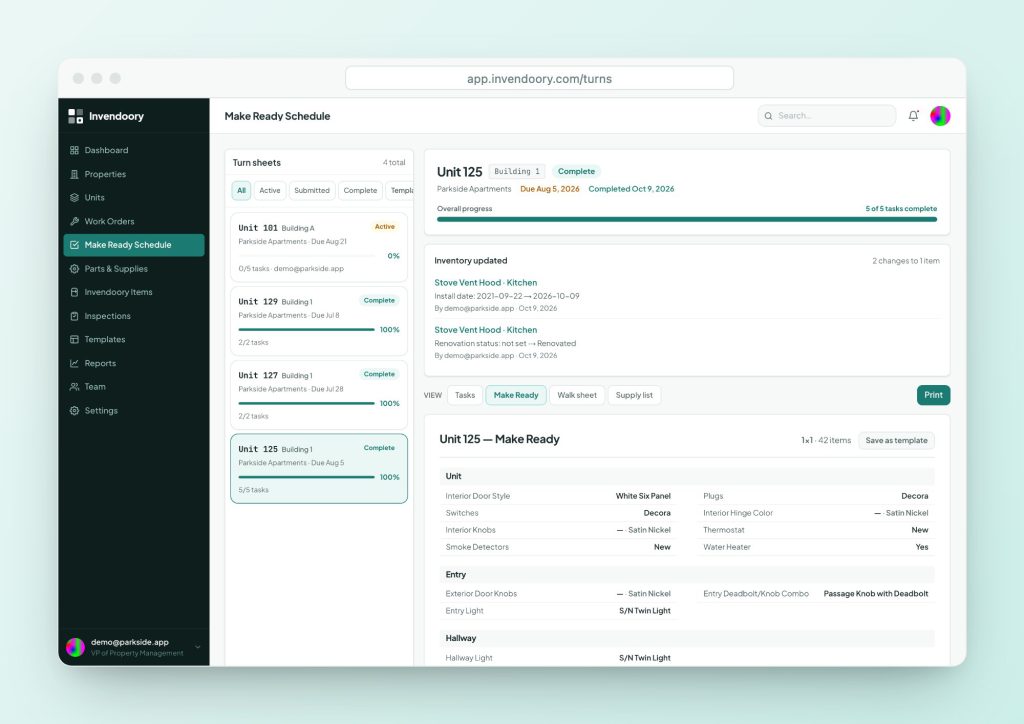
In Invendoory, every vacant unit gets one turn sheet with assigned tasks and a due date. It can start from a turn template (a reusable task list) or a Make Ready template (a room-by-room spec captured from a real unit). The Make Ready Schedule shows every active turn at once.
A tech who gets stuck can use Flag for help, which alerts the supervisors right away. That is faster than finding out at the end of the day that a turn is blocked. The Make Ready checklist is a good starting task list.
- One turn sheet per unit, with a due date
- Start from a turn or Make Ready template
- Flag for help alerts supervisors
Keep supplies and parts from stalling the turn
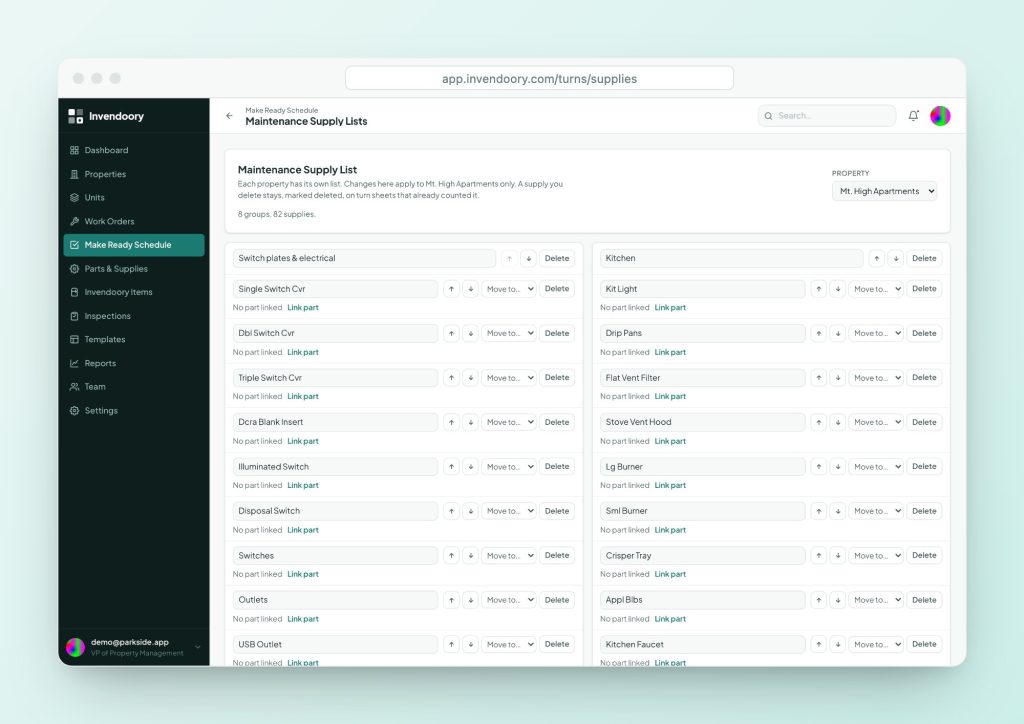
Each property gets a Maintenance Supply List that starts from a standard 82-item list. Link entries to parts so stock counts stay current. The Parts & Supplies catalog shows stock on hand, low-stock status and compatible parts for each appliance.
That will not stop a part from failing, but it changes the surprise from “we have to order it” to “we knew we were low.”
- 82-item supply list by property
- Low-stock status on every part
- Compatible parts shown on the item
Close the loop the day the crew finishes
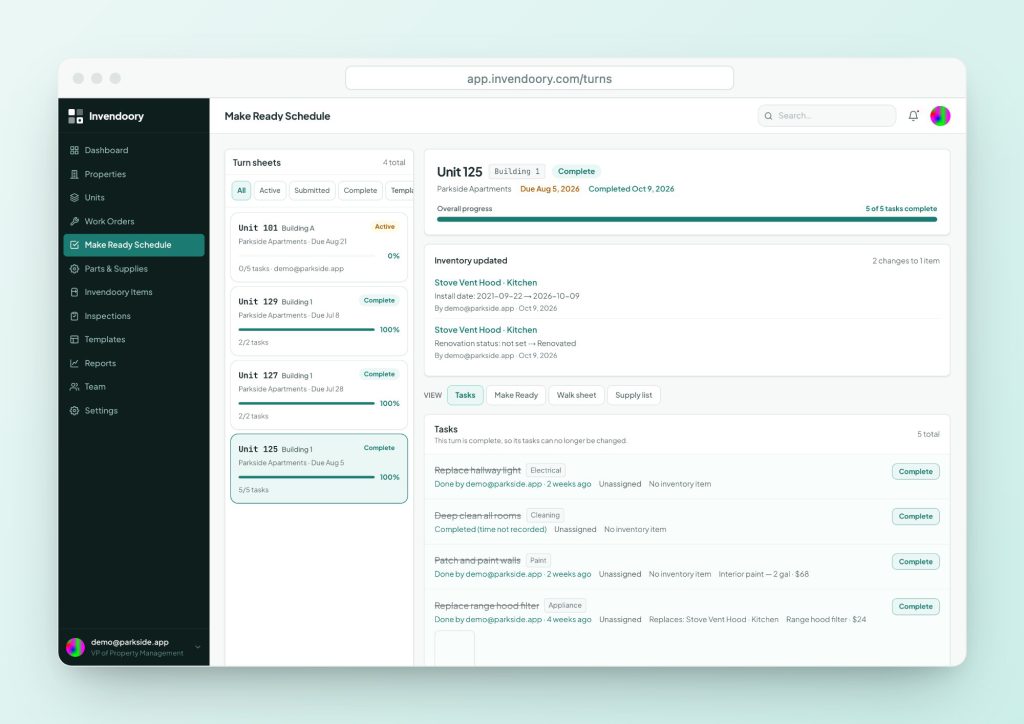
Any tech can turn in a finished sheet. A property manager then verifies it or sends it back with a reason. Verification also takes used supplies out of stock and writes replaced items into the unit’s inventory with today’s date.
Because techs turn in and managers verify, the gap between “crew is done” and “unit is ready” is visible. Each sheet shows its progress on the Make Ready Schedule. Learn the basics in what is make ready.
- Turn in by tech, verify or send back by manager
- Replaced items become new installs
- Progress shown on the schedule
Vacancy loss questions
Is vacancy loss the same as the vacancy rate?
No. Vacancy rate is the share of units empty at a point in time. Vacancy loss is the dollar amount of rent not collected on those units over a period. A short turn cuts vacancy loss even if the vacancy rate on a given day barely changes.
Should I count days from move-out or from notice?
Count the days a unit is not generating rent. That is usually move-out to the day a new resident’s lease starts. Split the total into make ready days and marketing days, so you know which part you are fixing.
What does turnover cost include?
Typically cleaning, paint, repairs, replaced items and labor, and sometimes marketing and admin time. Sources define it differently, so set your own definition and use it consistently across properties.
How fast should a turn be?
It depends on the unit. A light turn and a full renovation are different jobs. Measure your own averages by turn type, then work on the slowest category first.
Can Invendoory calculate vacancy loss?
Not as a single number. It tracks the turn schedule, due dates, supplies and verification. The dashboard charts Turns Completed. You apply the daily-rent formula in a spreadsheet using your own rents.
Sources
- Lethub: The True Cost of a Vacant Rental Unit (and How to Calculate It), June 20, 2026 (Source of the monthly rent ÷ 30 × days vacant plus turnover spend formula. A vendor article; the worked example above uses our own illustrative rent.)
Checked October 2026.