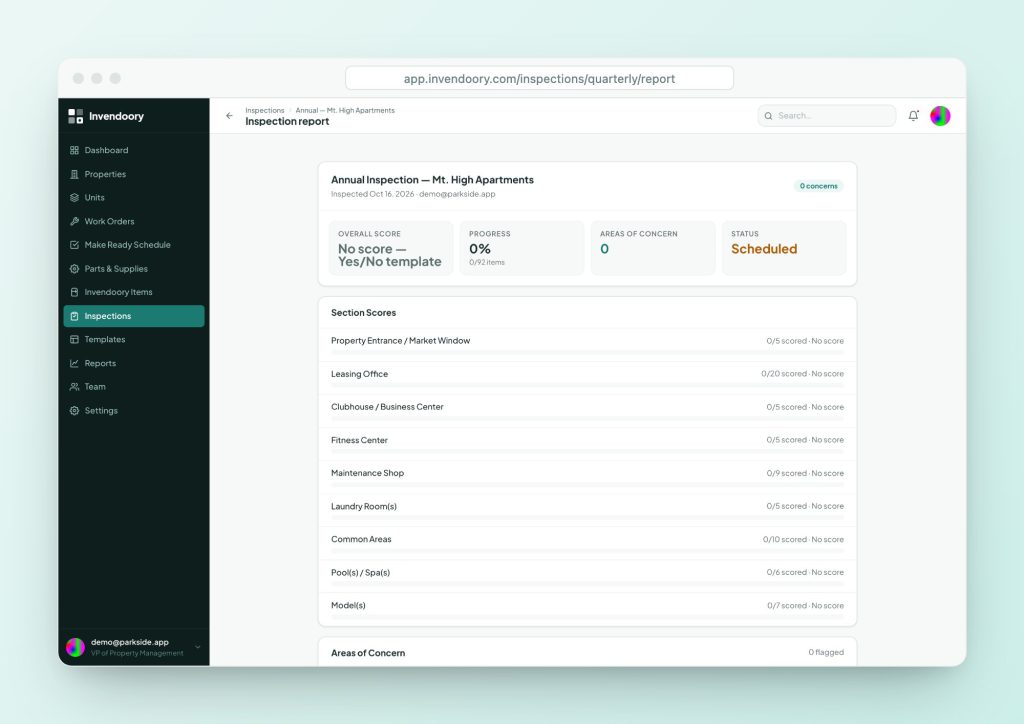
A good inspection report lets someone who wasn’t there see what was found, how bad it is and who is fixing it. Use this inspection report template, copy the layout or run the same report from the app.
What a property inspection report should contain
The inspection checklist is what the inspector fills in on site. The property inspection report is what everyone else reads afterward: the owner, the regional manager, the lender, the insurer and the maintenance supervisor who has to fix things. If it is hard to read, nothing gets fixed.
A useful apartment inspection report answers six questions. What was inspected, and when? How did it score? What is wrong? Where is the evidence? Who is responsible for fixing each issue, and by when? Who signed off? Everything in the template below is there to answer one of those.
Print this page. The site prints cleanly, so the template tables can be used as a paper report form.
Inspection report template: header and summary
| Field | What to record |
|---|---|
| Property and address | Name, buildings covered, unit count |
| Inspection type and form version | Quarterly, annual or quick, and which version of the form was used |
| Date and time window | Start and finish. Include weather for exterior items. |
| Inspector and community manager | Names and roles. Both sign at the end. |
| Scope | Full property, sampled units, a single unit, all units or hand-picked units |
| Overall result | Score percent, or Pass / Fail / Inconclusive for yes/no forms |
| Open concerns | Total count and the count marked urgent |
HUD’s voucher inspection checklist, form HUD-52580, ends with a summary decision on the unit: Pass, Fail or Inconclusive. Borrow that clarity.
Inspection report template: section scores
One row per section. A section score of 78 percent is more useful beside last quarter’s 84. Keep the same sections every quarter.
| Section | Items answered | Items total | Score or pass rate | Note |
|---|---|---|---|---|
| Property entrance | ||||
| Leasing office | ||||
| Common areas | ||||
| Pool / spa | ||||
| Sampled vacant units | ||||
| Sampled occupied units |
Inspection report template: areas of concern
Every concern needs a photo, an action, a person and a date. A concern with no owner is a complaint.
| # | Area and item | What is wrong | Photo | Action | Owner | Due | Status |
|---|---|---|---|---|---|---|---|
| 1 | Open | ||||||
| 2 | Open | ||||||
| 3 | Open | ||||||
| 4 | Open |
Inspection report template: sampling, verification, chargebacks
| Block | What to record |
|---|---|
| Sampling | Required units versus units walked, split by vacant and occupied. Mark Met or Short. |
| Inventory verification | Items confirmed, and discrepancies: wrong make, model or serial, missing, or found but not recorded |
| Chargebacks | For each failed item: resident or vendor, name, amount and notes. Show the total. |
| Photos | Embedded or attached, labeled by area, with capture date |
| Comments | Short summary from the community manager or inspector |
Inspection report template: sign-off
| Role | Name | Date and time | Signature |
|---|---|---|---|
| Inspector | |||
| Community manager | |||
| Submitted by (manager) |
Paper needs a handwritten signature. In Invendoory, sign-off is a one-tap timestamp with the person’s name, not an e-signature.
Five habits of a report people actually read
- Lead with the result. One line: overall score, trend and the number of open concerns.
- Keep sections stable. Comparisons only work if the sections and questions are the same each time.
- Show evidence. A photo with a date beats three sentences.
- Name an owner and a date. Vague actions don’t get done.
- Report charges separately. If a finding leads to a resident or vendor charge, show the amount and notes in their own block, so accounting can find them.
For how to build the forms that feed this report, see the quarterly property inspection, annual unit inspection and rental inspection checklist.
The same report, generated from the walkthrough
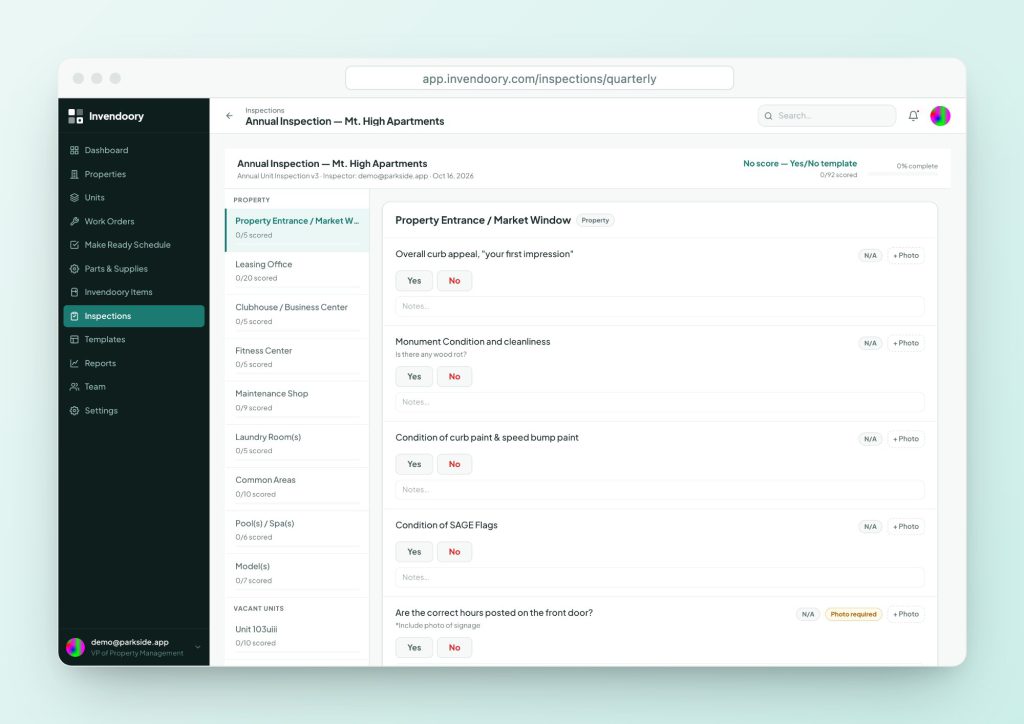
In Invendoory the inspection report is built from the walkthrough, so there is nothing to retype. It shows the overall and section scores, concerns, the chargeback total, sampling, inventory-verification results and embedded photos, and it prints from the browser. An inspection that uses only yes/no questions shows a note that there is no score instead of a made-up number.
Photos carry capture timestamps. Items marked photo required show a badge so inspectors know what the report will want. Low ratings raise areas of concern automatically, and each concern can be converted into a work order or a turn task in one step, so the report links to the fix.
- Overall and section scores
- Concerns, photos and chargeback total
- Sampling and verification results
- Prints from the browser
Sign-off and roll-up
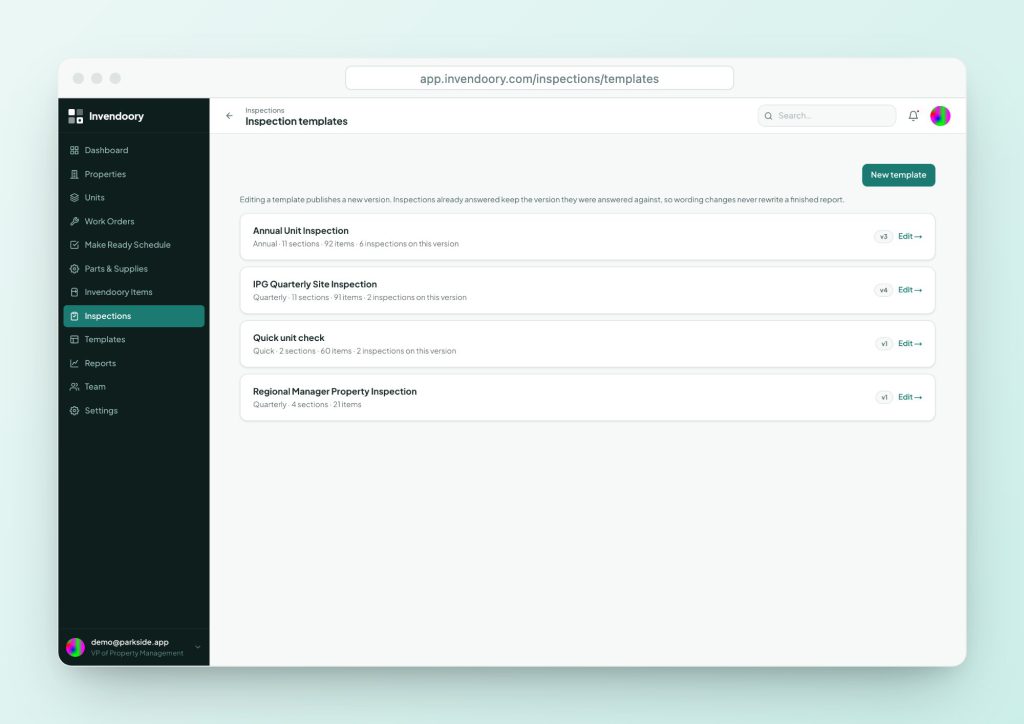
Two people sign: the inspector and the community manager. A manager then submits the inspection with comments. Chargebacks recorded in the inspection are audited and locked after 30 days. Invendoory records them; it does not bill anyone.
The Quarterly & Annual Reports roll inspections up for a period: inspections walked, photo counts, work orders and turns completed, items installed and chargebacks. Each inspection links to its full photo report. See the Reports platform page and the inspections platform page.
Questions people ask
What is an inspection report template?
It is a fixed layout for the results of an inspection: header, scores, concerns, evidence and sign-offs. Using the same layout each time makes reports comparable and quick to read.
What should a property inspection report include?
Property and inspection details, overall and section results, a list of concerns with photos and owners, any sampling or verification results, charges and signatures. Keep it short enough that a regional manager will read it.
What is the difference between an inspection checklist and an inspection report?
The checklist is the form the inspector fills in on site. The report is the summarized output for managers and owners, with scores, concerns and evidence.
How do I show an apartment inspection report to an owner?
Send the summary page first, with the overall result, trend and open concerns. Attach photos and the full list for anyone who wants detail. Invendoory’s report prints from the browser.
Can the report be exported?
Invendoory’s inspection report is printable from the browser. The reports it exports to CSV and Excel are the portfolio reports, such as the Quarterly & Annual Reports.
Who should sign an inspection report?
At minimum the inspector and the person responsible for the property. In Invendoory the inspector and community manager both sign, then a manager submits with comments.
Sources
Checked October 2026.